
Rated 4.96/5 by 2,185+ reviews· Updated August 1, 2026
MemoryCherish vs VanceAI: One Automated Pass, or Four Hours by Hand?
VanceAI's site states its restorer runs in one pass with no manual brushwork, and that a heavily damaged photo restores in under ten seconds. That figure describes compute. MemoryCherish is hand work: a real US artist spends roughly four hours on an average photo, never AI at any stage, from $38, with your first proof in about 1 to 3 days. Revisions stay free until you are happy, and the 100% money-back guarantee pays out in cash. Ten seconds of processing and four hours of human judgment are not the same product, and for a photograph you cannot replace, the judgment is the part worth buying.
How we compared them
- What the vendor publishes about the method, in their own words
- Whether a real person or software decides what belongs in a damaged face
- What the money buys: credits, a subscription, or a finished file from an artist
- Time, kept in separate columns: processing versus human working hours
- Revisions and refunds you can actually use if the result is not right
- Upload limits, file ownership and what happens to your scan
Side by side
| Service | What they publish about their method |
|---|---|
| MemoryCherish | Hand restoration by real US artists, never AI at any stage, at roughly four hours per average photo. The artist works only from what your photograph and any reference pictures actually contain, so nothing gets fabricated into a face. |
| VanceAISource: vanceai.com/old-photo-restoration | VanceAI states its proprietary models are powered by deep convolutional neural networks trained on millions of photos, and that its restoration runs in one pass with no manual brushwork required. Its restorer model is described as trained on millions of vintage photographs to remove scratches, sepia tones, tears, cracks and spots, and it states it chains restoration, colorization and upscaling in one workflow. No manual brushwork means no person deciding what goes into a damaged face. |
| Topaz Photo (Topaz Labs)Source: topazlabs.com/topaz-photo | Topaz describes Topaz Photo as a desktop-based, AI-powered application used to enhance image and photo quality, with a set of AI-powered tools plus an autopilot mode, on Mac and Windows. Topaz states the product's AI was trained on millions of images. Worth being clear about the category: this is software you run yourself, not a done-for-you restoration by a person. |
MemoryCherish
One starting price of $38 per photo, decided by the artist tier you select rather than by how damaged the image is, so the quote cannot climb after you send the file. No credit balance to track and no subscription to cancel later. Your first proof arrives in about 1 to 3 days. Revisions stay free until the restoration is right, the 100% money-back guarantee pays out in cash rather than store credit, and the scan you send is the only thing that travels, because your original print never leaves your house. Delivered files are yours permanently. Our artists carry 37+ years of combined experience, we are rated 4.96 out of 5 from more than 2,178 reviews, and more than 400,000 families have trusted us with a photograph.
VanceAI
At the time of writing, VanceAI's pricing is credit-based: their pricing page lists the AI Photo Restorer at 4 credits per image up to 4K and 8 credits at 4K, with credits sold through subscription plans. They state unused subscription credits roll over each month as long as the subscription remains active, that subscriptions can be canceled any time from the account dashboard, and they publish a 7-day money-back guarantee. Their pricing page lists upload limits of under 34 megapixels, 10MB and 8000 pixels on the longest side. At the time of writing we could not find a published revision process on their site, meaning a way to send a result back and have a person change it. Worth asking them directly before you commit an irreplaceable picture. MemoryCherish publishes free revisions until you are happy, a 100% cash money-back guarantee, and no credits or subscription of any kind.
Topaz Photo (Topaz Labs)
Topaz lists archival images as a use case, including removing dust and scratches, adjusting lighting and color, and restoring images to their original sharpness. It is sold on recurring subscription plans rather than per photo. At the time of writing, Topaz states it will provide a full refund if notified within 2 days of purchase, and defines Personal-plan commercial use as organizations under $1M USD annual revenue. Topaz also states the software offers private local rendering in which files never leave the user's computer, alongside cloud rendering. Either way, the person making every decision about your grandmother's face is you, working software you have just met. MemoryCherish puts a US artist with 37+ years of combined team experience on the file instead, from $38, with no software to learn.
Real photos our artists brought back
Every one restored by hand by a real American artist, shown before and after.
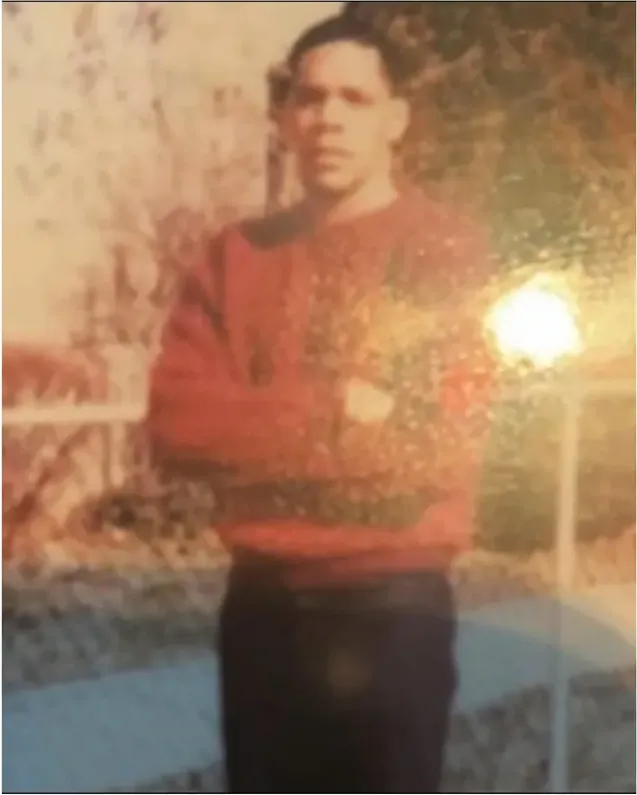 Before
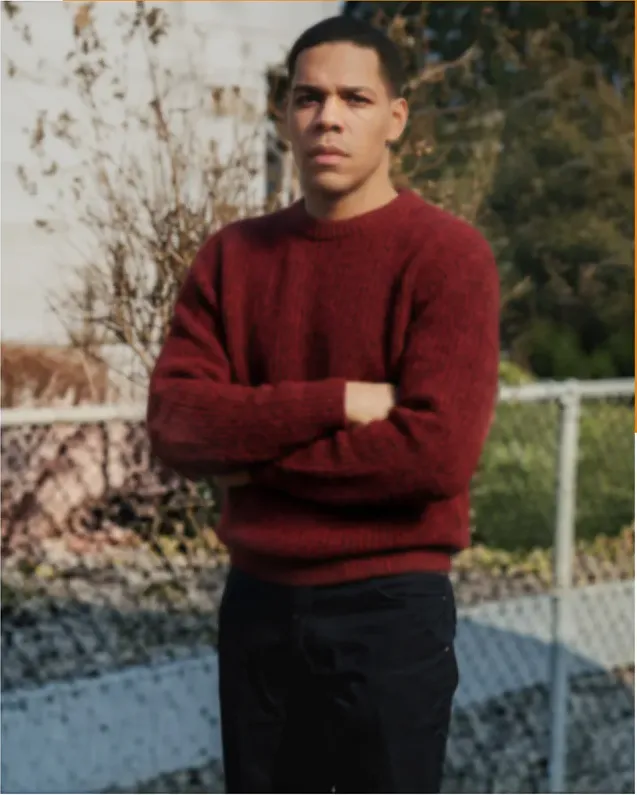 After
After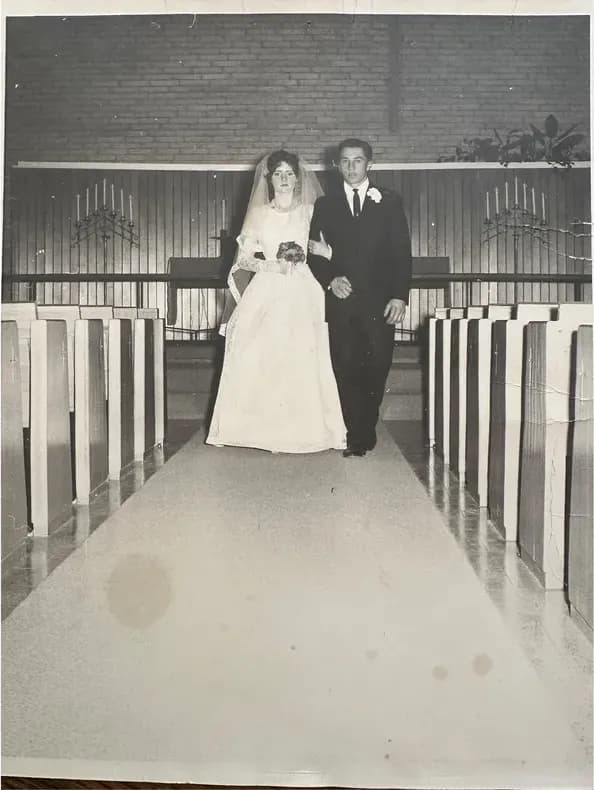 Before
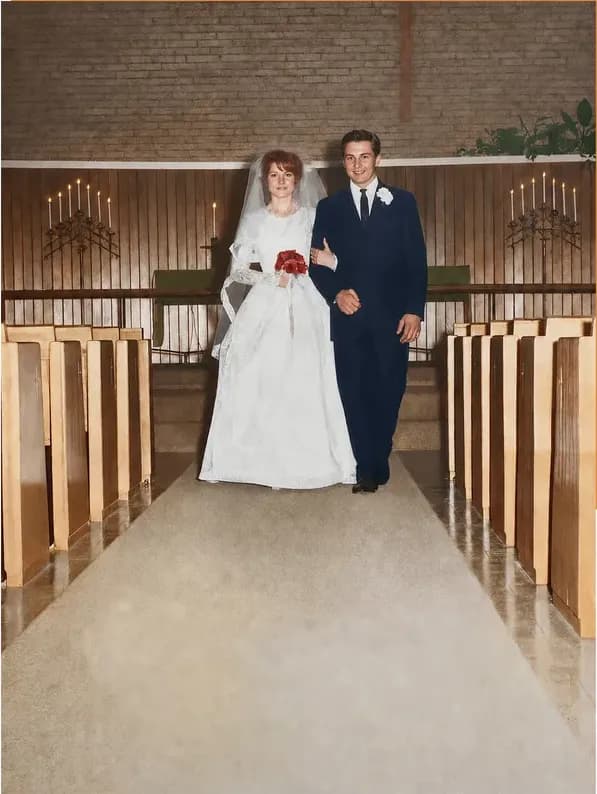 After
After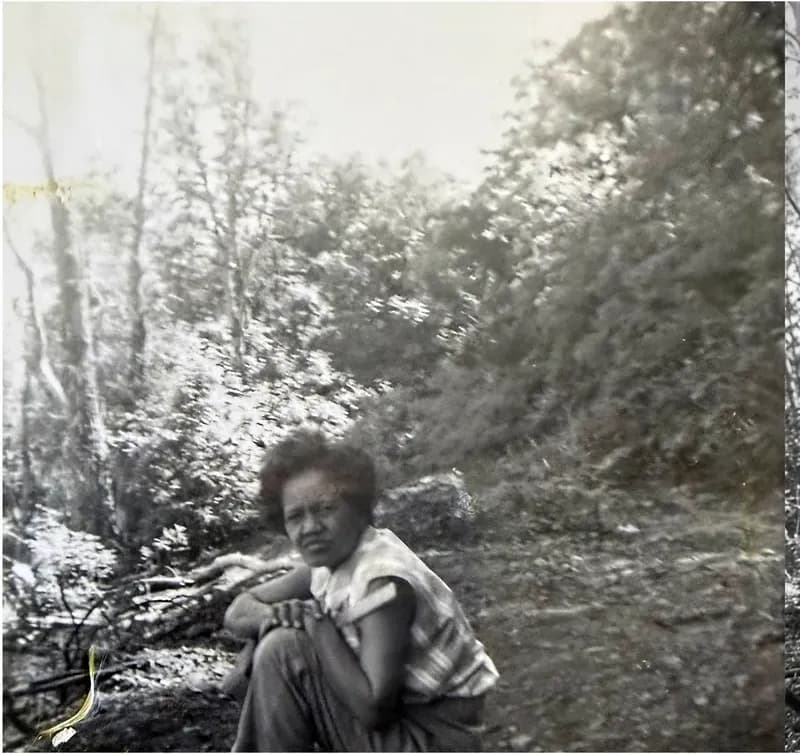 Before
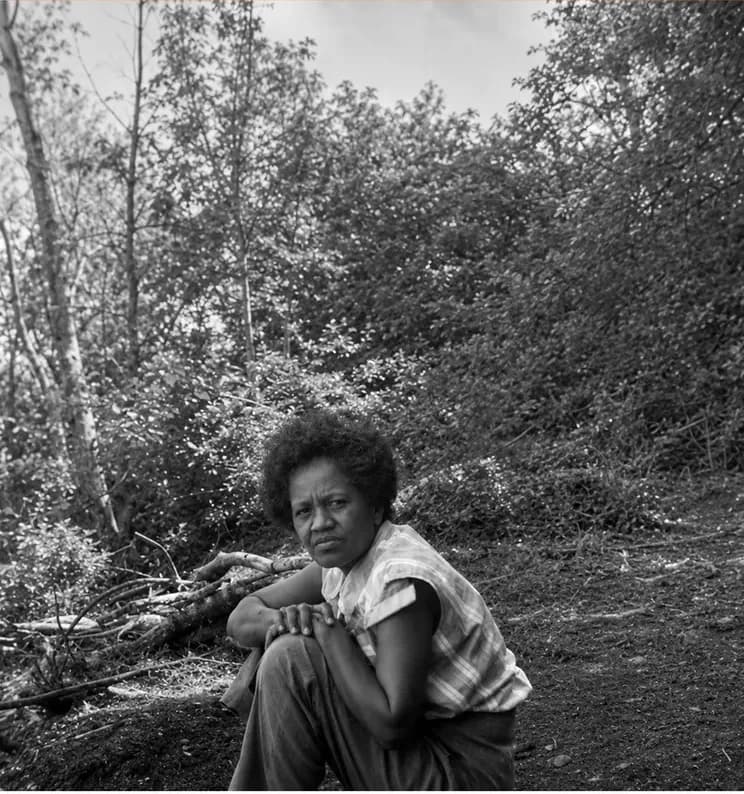 After
After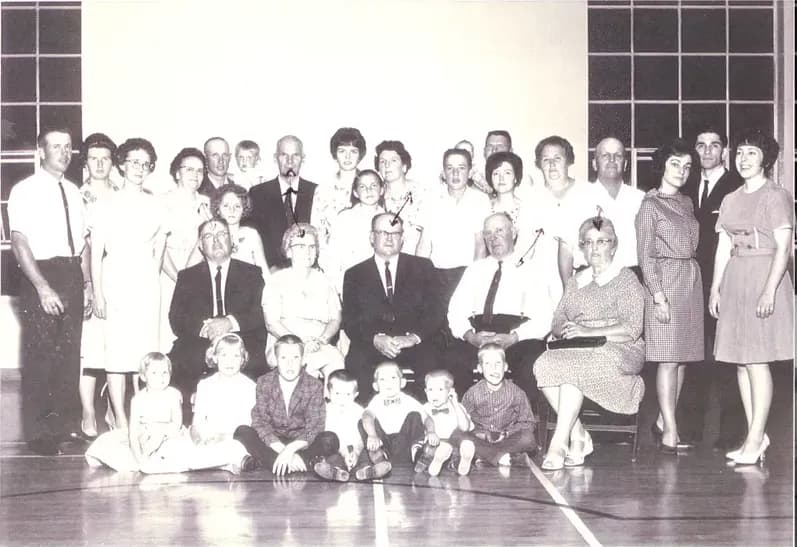 Before
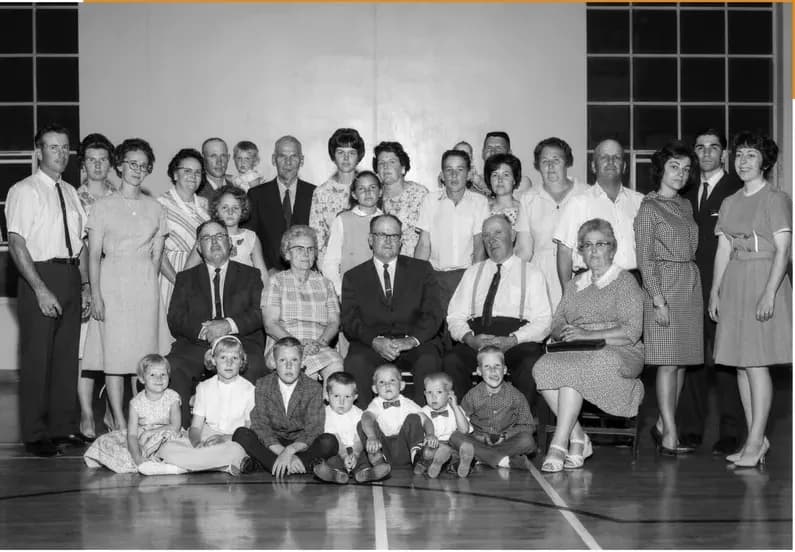 After
After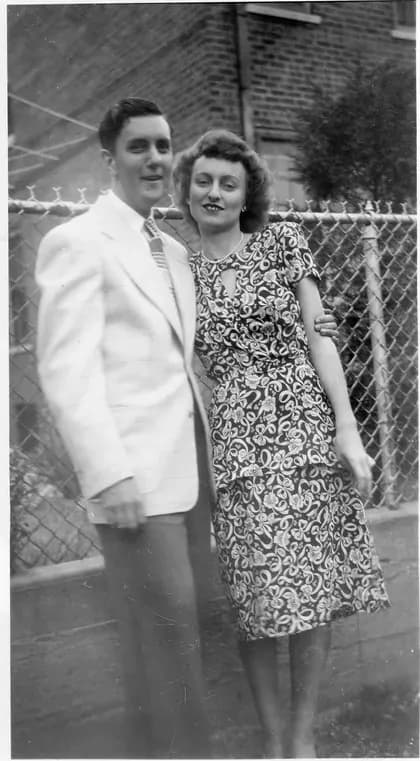 Before
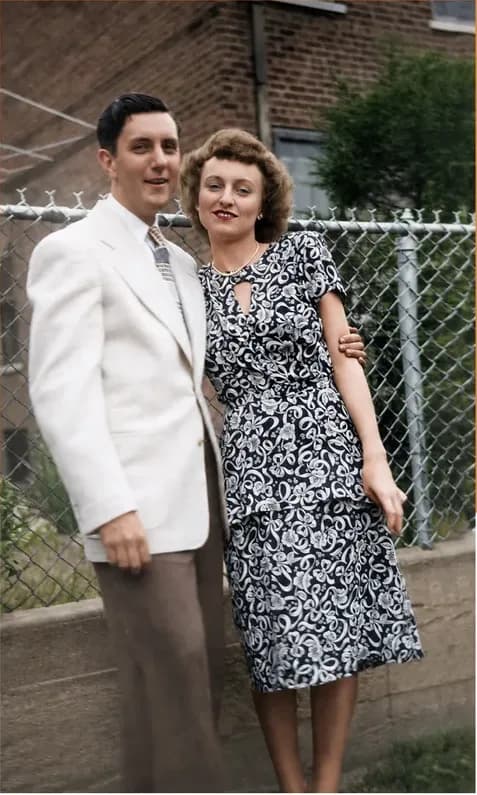 After
After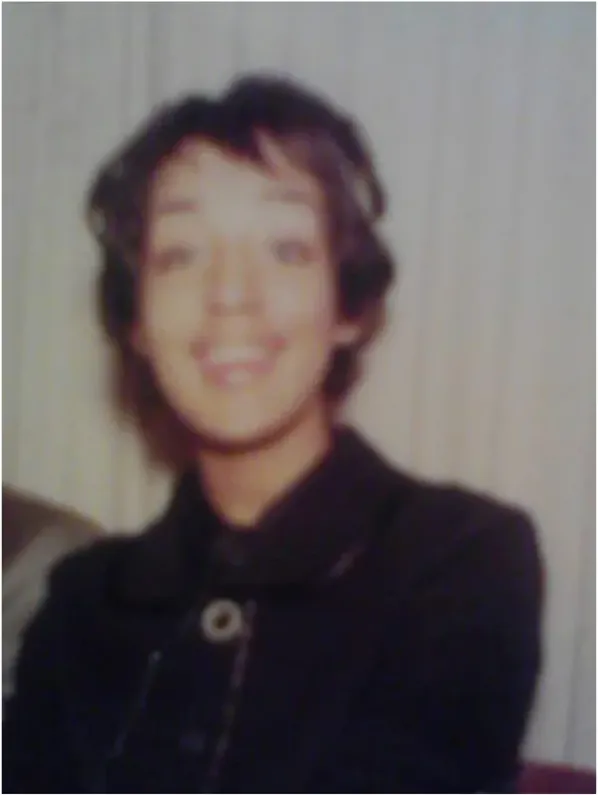 Before
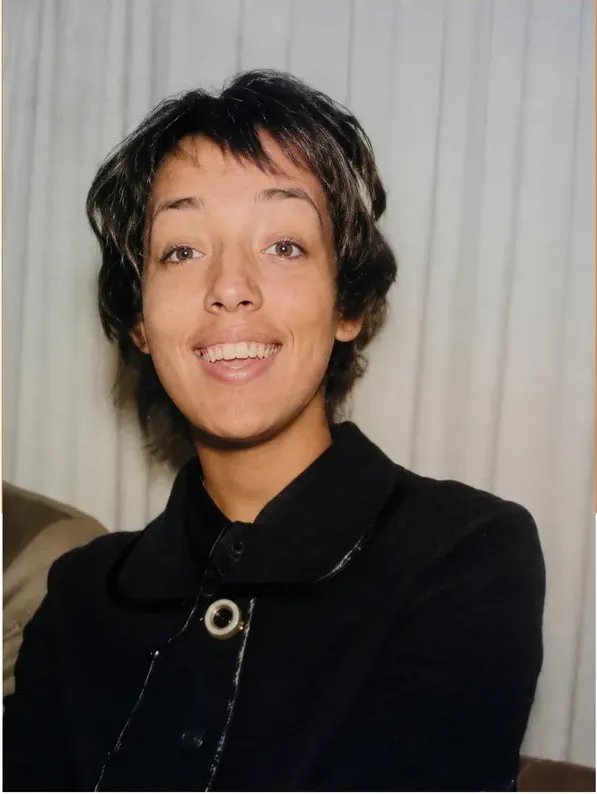 After
After
What VanceAI publishes about how its restorer works
Take the vendor at their word first, then work out what the word means for your photograph. VanceAI states its proprietary models are powered by deep convolutional neural networks trained on millions of photos. On the restoration page specifically, VanceAI states its restorer model was trained on millions of vintage photographs to remove scratches, sepia tones, tears, cracks and spots, and that the restoration runs in one pass with no manual brushwork required.
Their published damage list is broad. VanceAI lists scratches, tears, creases, water stains, sepia and yellowing, fading, mold spots, dust and cracked emulsion as the damage types its restorer handles, and states it removes scratches, tears, stains and creases from old photos in a single automated pass. They also state the tool chains restoration, colorization and upscaling in one workflow.
On speed, VanceAI's site states that a heavily damaged photo restores in under ten seconds. Read that as a claim about processing, because processing is what it describes.
Now read the phrase that matters most in all of it: no manual brushwork required. That is the product working exactly as designed, and it is also the exact difference between the two options on this page. No brushwork means no hand on the file, and no hand on the file means no person weighing whether that white mark is dust or the highlight on a brooch.
A published capability list describes categories of damage. Your photograph has a quantity of surviving information, which is a different variable, and it is the one that decides the result. That is what a MemoryCherish artist is measuring during the first hour: how much of the picture is still there, and what can be honestly rebuilt from it.
Ten seconds of compute and four hours of work
This is where comparisons usually go sideways, so let us be precise. VanceAI's site states a heavily damaged photo restores in under ten seconds. That figure describes processing: how long the software takes to produce output once the upload finishes. MemoryCherish's roughly four hours is human labor: assessment, structural repair, face work, grain matching, then your revisions. One number describes a machine running. The other describes a person deciding. They belong in different columns, and putting them in the same one produces a comparison that means nothing.
What four hours actually buys is decisions. Is that white mark dust or a highlight on a brooch? Is that dark line a crease or the strap of a bag? Does the missing corner contain part of a hand, and if it does, what position was the hand in? Those are interpretation problems rather than rendering problems, and every wrong answer gets baked permanently into the file your family will use from here on.
There is also a difference in what happens after output exists. Automated processing hands you a result. Hand work hands you a result plus a person who will change it. At MemoryCherish, your first proof arrives in about 1 to 3 days and revisions stay free until the picture is right, which in practice means the job ends when you say it does rather than when we say it does. If it never gets there, you get 100% of your money back in cash.
So the honest way to read the two time figures is this. Ten seconds tells you how fast a server works. One to three days tells you when a trained person will hand you something worth looking at, and free revisions tell you what happens if the first look is not right. For a photograph that cannot be taken again, the second set of numbers is the one that protects you.
Credits, subscriptions and one flat number
These pricing models do not line up, so we will not force them into a table. Here is each one on its own terms.
VanceAI's pricing is credit-based, with credits giving access to AI features across its web app and its PC app. At the time of writing, their pricing page lists the AI Photo Restorer at 4 credits per image up to 4K and 8 credits at 4K. We are not converting that into a per-photo dollar figure, because what a credit is worth depends on the plan a customer holds, and any figure we printed would be our arithmetic presented as their price. They state unused subscription credits roll over each month as long as the subscription remains active, and state subscriptions can be canceled at any time from the account dashboard. They publish a 7-day money-back guarantee. Their pricing page also states photos must be under 34 megapixels, 10MB and 8000 pixels on the longest side. On data handling, VanceAI states uploads are encrypted in transit and permanently deleted within 24 hours.
MemoryCherish charges from $38 per photo and that is the whole model. The artist tier you pick sets the figure, never the state of the print, so nobody reviews your upload and quotes upward. There are no credits to budget, no plan to remember in March, and nothing to cancel. What the money buys is a slice of a real person's working day spent on your photograph, a first proof in about 1 to 3 days, and the right to send the result back, free, as many times as it takes.
The guarantee is worth reading side by side with the price. Ours is not a window that closes on day seven. If the restoration is not right, we keep working on it at no charge, and if it is never right, you get 100% of your money back in cash rather than a credit toward something else. The delivered file, once you are happy, is yours permanently, with no subscription keeping it alive.
Recovering detail and generating it are different operations
The published damage list is not really the variable. Scratches, creases, water stains, mold spots and fading are categories. The variable that decides your outcome is how much of the photograph still exists underneath the damage.
Think of it as an information problem. A scratch across a sky is easy, because the sky on either side tells you exactly what belongs in the gap. A scratch across an iris is hard, because the missing pixels were the only record of a detail unique to one person. As a category, automated restoration fills that kind of gap with statistically plausible detail rather than recovered detail, and nothing in the finished file marks which pixels came from the photograph and which were generated.
Hand work approaches the same gap differently. The artist looks for the answer before constructing one. Is the other eye intact? Is there a second photograph of the same person from a similar angle? Does the surviving edge of the tear show the direction a hairline ran? MemoryCherish artists recover what is in the photograph and never invent faces, which sometimes means telling a customer that a piece of their picture is genuinely gone. That is an uncomfortable email to send and it is the right one.
Faces are where the distinction matters most, because a face is the part of a photograph nobody else can check for you. Software that fills a missing area has to generate the detail it puts there, since the detail is not in the print any more. Recovering detail and generating it are two different operations, and once both are sitting on the same print they look much alike. There is also no undo button on the version your family adopts as the copy of record, which is why it is worth knowing how the work was done before you choose.
That is the whole reason we work the way we do: a real US artist on every file, from $38, rebuilding from what the photograph still holds and never inventing a face, with revisions free until you are happy and 100% of your money back in cash if we cannot get there.
Who each one is built for
VanceAI is built as an automated pipeline. Their published description is one pass, no manual brushwork required, chaining restoration, colorization and upscaling in a single workflow, sold in credits through subscription plans with upload limits of under 34 megapixels, 10MB and 8000 pixels on the longest side. That shape fits volume work where a result in seconds is the thing you are buying.
Topaz Photo is desktop software you operate. Topaz describes it as a desktop-based, AI-powered application with a set of AI-powered tools plus an autopilot mode on Mac and Windows, sold on recurring subscription plans rather than per photo, and states it offers private local rendering in which files never leave the user's computer, alongside cloud rendering. Every judgment call about your photograph is yours to make, in software you are learning as you go.
MemoryCherish is built for the photograph that has to be right. The print has lost material. The face is the point. The file is destined for a frame, a memorial, a family history book or an archive donation. From $38, set by the artist tier you choose rather than by the damage, a real US artist works it by hand for roughly four hours, never AI at any stage. First proof in about 1 to 3 days. Free revisions until you are satisfied. A 100% money-back guarantee paid in cash. Your original print stays in your house the whole time, and the finished files are yours permanently.
If you only take one thing from this page, take this: on a picture you cannot replace, the question is not how fast something can be processed. It is who is accountable if the result is not right, and what they will do about it. We answer that in writing before you pay.
What MemoryCherish puts in writing
Our terms in one place, in plain numbers, so you can hold them against anything else you read today.
- From $38 per photo. Priced by the artist tier you choose, never by how damaged the photo is.
- Restored by hand by real US artists. Never AI, at any stage.
- About 1 to 3 days for the first proof. Then the review conversation begins.
- Free revisions until you are happy. No round limit, no invoice for the second pass.
- 100% money-back guarantee, paid in cash. Not store credit, not a coupon.
- Your original print never leaves your house. You upload a scan or a phone photo of it.
- No credits, no subscription. One photo, one price, nothing to cancel later.
- 37+ years of combined artist experience. Rated 4.96 out of 5 from more than 2,178 reviews, trusted by more than 400,000 families.
- The delivered files are yours permanently. Print, reprint and share them without asking us.
Notice how little of that depends on the condition of your photograph. Damage-based pricing charges the most to the people whose pictures need the most help, and credit-based pricing asks you to keep score all year. We would rather quote one number, do the work by hand, and keep fixing it until you say it is right.
How we verified this, and what we left out
Every VanceAI and Topaz statement above was published on those companies' own pages and checked at the time of writing in August 2026. Credit costs, plan terms and subscription structures move, so re-check anything you plan to budget around.
- VanceAI model description, single-pass restoration, damage list, chained workflow and under-ten-seconds claim: https://vanceai.com/old-photo-restoration/
- VanceAI credit costs, money-back guarantee, credit rollover, cancellation and upload limits: https://vanceai.com/pricing/
- VanceAI neural network description and data handling statement: https://vanceai.com/
- Topaz Photo product description, archival use case, subscription model, refund window and Personal-plan commercial-use definition: https://www.topazlabs.com/topaz-photo
The omissions are deliberate. We publish VanceAI's credit costs but no dollar equivalent, and no Topaz dollar figure at all, because both are sold on subscription plans rather than per photo. Reducing either to a per-photo price would mean doing arithmetic on our side and presenting the answer as theirs. We would rather give you the model and let you read the current numbers on the page yourself.
Where we say we could not find something published, that is a statement about our search on one day in August 2026, not a statement about how any company runs its business. Ask them directly and take their answer over ours. We also describe no company's method beyond what that company publishes about its own product, because that is the part we can point to. What happens inside somebody else's software is not, and we are not going to guess about it to win an argument on our own website.
Our side needs no interpretation, which is rather the point. From $38, hand work by real US artists, first proof in about 1 to 3 days, free revisions until you are happy, 100% money back in cash if we cannot get there, and files that stay yours permanently.
What it costs with us
From $38 per photo, you choose your artist
The price is set by the artist tier you choose, never by how damaged your photo is. Free revisions until it’s right, and a cash refund — not store credit — if we can’t make it perfect.
The MemoryCherish Guarantee: Love it or every cent back within 30 days. Cash, not store credit. Free revisions until it looks exactly like you remember. And if a photo just can’t be restored, we’ll tell you honestly and you won’t pay a thing. Read the full guarantee
Questions people ask
Is an automated pass enough for a badly damaged photo?
How much does VanceAI cost per photo?
Why would I pay $38 when software can run a pass in seconds?
My scan is enormous. Does that matter?
What are the refund terms, and how do revisions work?
Does anyone at MemoryCherish actually touch my photo?
Do I have to mail my original print?
Keep comparing
- VanceAI Alternatives: Free Tools, Software and Real Artists Compared
- Topaz Photo AI Alternatives for People Who Don't Want to Buy Software
- Best Hand Photo Restoration Services in 2026 (And How to Check the Claim)
- Best Photo Restoration for Severely Damaged Photos: Tears, Mold, Water and Missing Pieces
- MemoryCherish vs Forever Studios: Hand Restoration, Side by Side
- MemoryCherish vs FixThePhoto: Restoration Studio or All-Purpose Editing Service
More on this kind of damage
Last updated August 1, 2026. Company details are taken from each company’s own public pages at the time of writing and may change, so we cite the page we read rather than linking to it. Check the current wording with any company before you order.