
Rated 4.96/5 by 2,185+ reviews· Updated August 1, 2026
The Best Black and White Photo Colorization Services in 2026
Somebody has to decide the color, because black and white film never recorded it. At MemoryCherish a US artist repairs the damage first and then lays the color by hand, about four hours of work on a typical photo, starting at $38 with the artist tier you pick setting the price rather than the state of the print. No AI at any stage. Free revisions until you are happy, and your money back in cash if we cannot get there.
How we compared them
- Whether damage is repaired before color goes on, or color is laid over the cracks
- Where the hue comes from: researched from the photo, the period and your family, or generated by a model
- Whether a real person makes the call on skin tone, and whether the company says where that person is
- Revision terms, quoted in each company's own published wording
- What the published price covers, and whether the condition of the print changes it
- Watermarks, file ownership, and whether the repaired black and white file comes back too
- How to read speed claims, since processing time and a human proof cycle measure different stages
The shortlist
| Service | What they publish about their method |
|---|---|
| MemoryCherish | A US artist on our own team does the work by hand and we keep AI out of it entirely, at every tier. Damage comes off first, then color goes on, with about four hours of artist time on a typical photo. Orders open at $38, and the artist tier you select is what moves that figure, never how battered the print is. |
| Forever StudiosSource: foreverstudios.com/colorize-black-and-white-photos | Forever Studios says its US-based team of restoration professionals reverses aging and damage in photographs by hand. Its colorization page contrasts its service with AI-based online colorization companies. We report that only as positioning published on their own site, and we do not adopt it or apply it to anyone else. |
| RememorieSource: rememorie.com | Rememorie's homepage states that images are restored and colorized by professional artists, not robots or AI, and its restoration page states the work is done by hand using highly manual, AI-free tools. That is their published position, reported as theirs. |
| MyHeritage In ColorSource: myheritage.com/help/en/articles/12851631-how-do-i-a… | MyHeritage describes In Color as an automatic photo colorization tool for old family photos, and states it uses machine-learning technology to generate a full-color image from a black-and-white photo. |
| VanceAISource: vanceai.com/old-photo-restoration | VanceAI states it chains restoration, colorization and upscaling in one workflow, and that its restoration runs in one pass with no manual brushwork required. It describes its models as proprietary deep convolutional neural networks trained on millions of photos. |
| RestoreClickSource: restore.click | RestoreClick's site describes its process as AI mapping the damage in the photo: scratches, tears, water stains, fading, missing corners. Photo colorization appears on its service list alongside restoration. |
MemoryCherish
Your first proof lands in about one to three days. Revisions stay free until you are happy, and if the file never gets there we return money as money rather than issuing a credit, under a 100 percent money-back guarantee. Finished files belong to you permanently, with nothing to renew. The print itself never travels, because an order begins with a scan or a clear phone photograph. Our rating sits at 4.96 out of 5 across 2,178+ verified reviews, we have worked for 400,000+ families as well as for museums and historical societies, and our artists hold 37+ years of experience between them.
Forever Studios
At the time of writing, Forever Studios' restore and retouch page lists colorization of black-and-white photos as a line item priced separately from photo restoration, as most studios do. So if a print needs the damage taken off as well as the color put on, ask them for the combined total before ordering. Its colorization page states the first set of proofs arrives in about three days, which describes a proof rather than a finished job. It states unlimited revisions are included with a restoration, and says it has provided professional photo restoration in the USA since 2007. MemoryCherish runs the repair and the color as one job from $38, with a single artist carrying the photograph from damage removal through to finished color so nothing changes hands half done.
Rememorie
The company describes itself as a small team of experts and states its artists have provided restoration, editing and design work for over a decade. At the time of writing we could not find a published statement of where its artists are based, or the name of the artist who would handle your photograph, on the pages we checked. Both are fair things to ask about before you hand over a picture you cannot replace. MemoryCherish publishes the answer to each: US artists on our own team, working by hand, with no AI at any stage, from $38 set by the artist tier you choose, with free revisions until you are happy and money back in cash if the color never satisfies you.
MyHeritage In Color
MyHeritage's own help center discloses that In Color photos have "colors simulated by automatic algorithms, which may differ from the real-life colors", and that its deep learning results are a "reimagination" of what the original scene may have looked like. At the time of writing it states users can colorize their "first several photographs" for free, that unlimited colorization needs the paid Complete subscription, and that a free MyHeritage account is required first. It states colorizing typically takes just a few seconds, depending on size and level of detail. At the time of writing we could not find a published step where a person looks at the result before it reaches you. With MemoryCherish that step is the whole job: an artist chooses every color by hand, and revises it free until you say it matches the person you remember.
VanceAI
Pricing runs on credits. At the time of writing, VanceAI's pricing page lists the AI Photo Restorer at 4 credits per image up to 4K and 8 credits at 4K. Its site states a heavily damaged photo restores in under ten seconds, a figure describing processing rather than a delivery date. At the time of writing we could not find a published step where a person reviews the color before you receive it. That is the difference worth pricing: MemoryCherish spends about four hours of a US artist's time on a typical photograph, sends a proof in about one to three days, and revises free until you are happy.
RestoreClick
At the time of writing it advertises photo restoration from $9.99, and we could not find a published colorization price on the site, so treat the entry figure as a starting point rather than a quote for colored work. Its site states results are delivered by email within minutes of upload, and that the customer receives a high-resolution file ready to print or share. MemoryCherish publishes one figure that covers both passes, $38 to start, set by the artist tier you choose and never by the condition of the print.
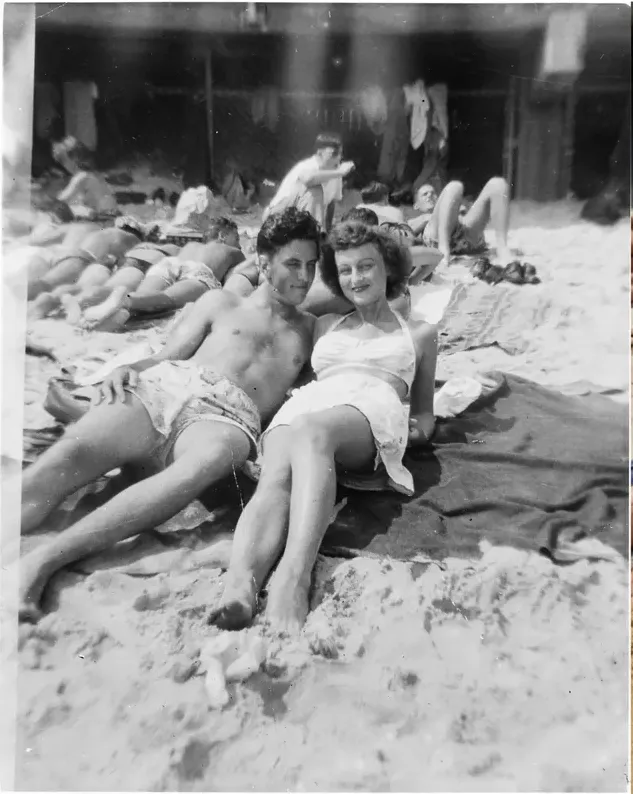
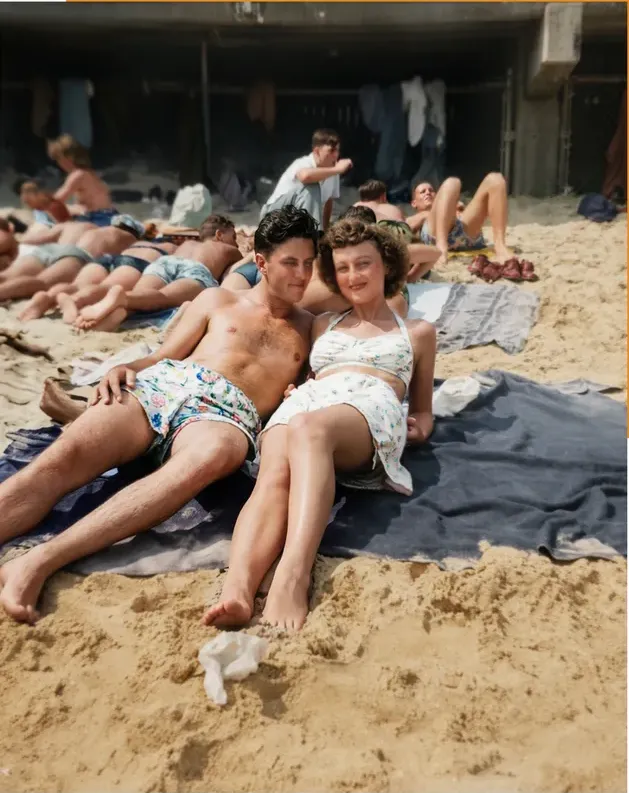
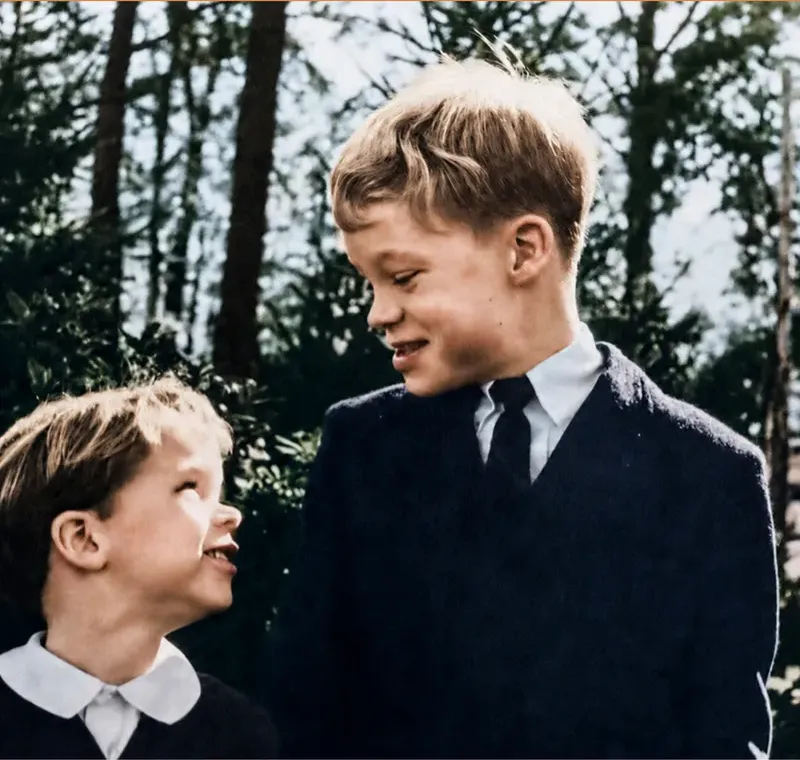
Real photos our artists brought back
Every one restored by hand by a real American artist, shown before and after.
 Before
 After
After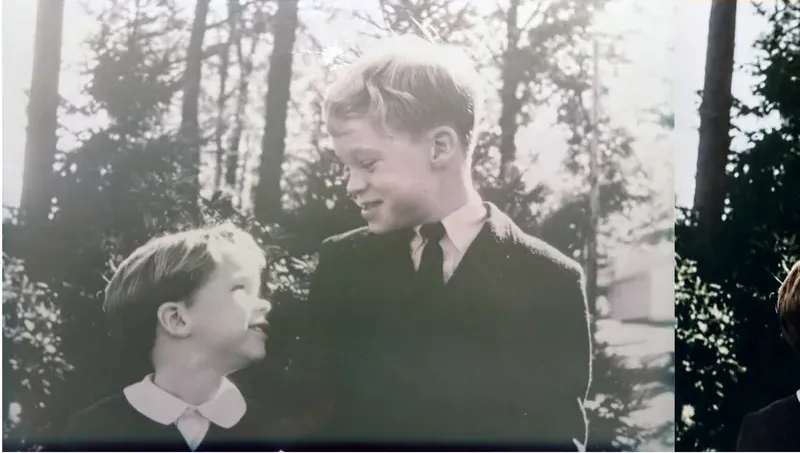 Before
 After
After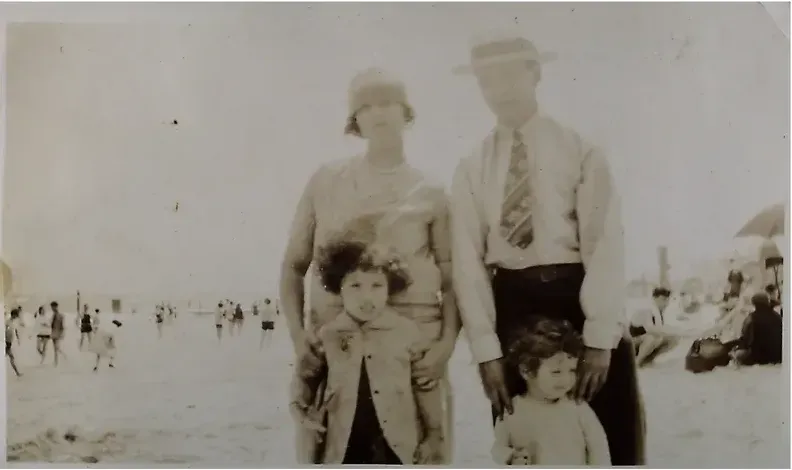 Before
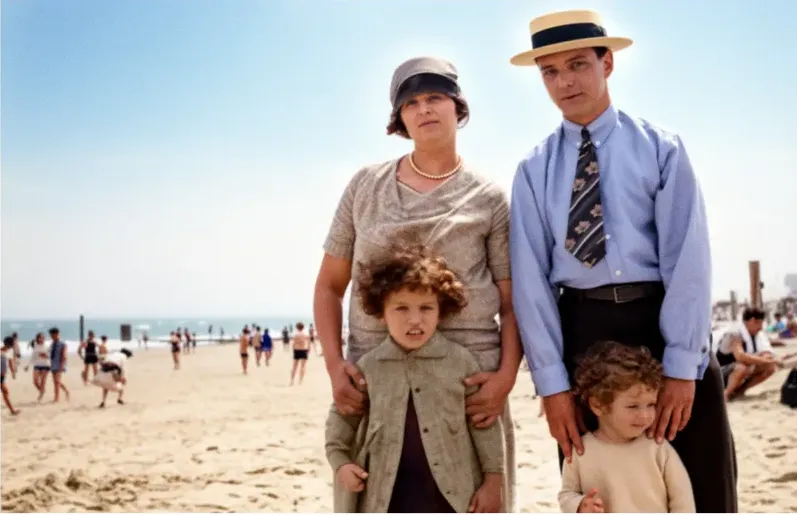 After
After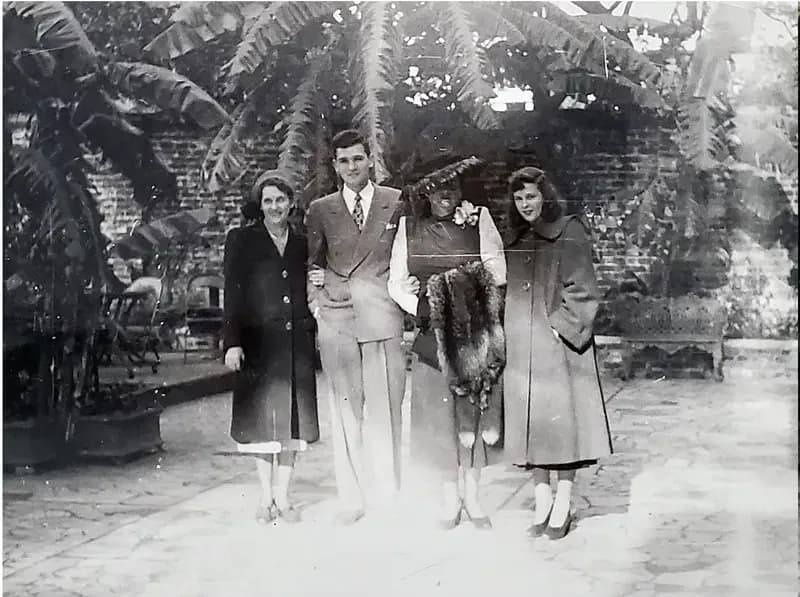 Before
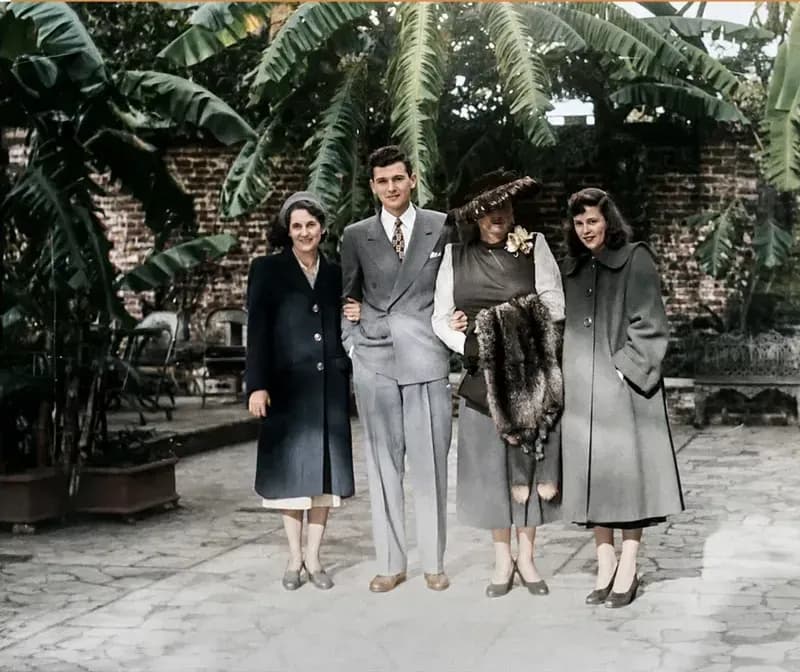 After
After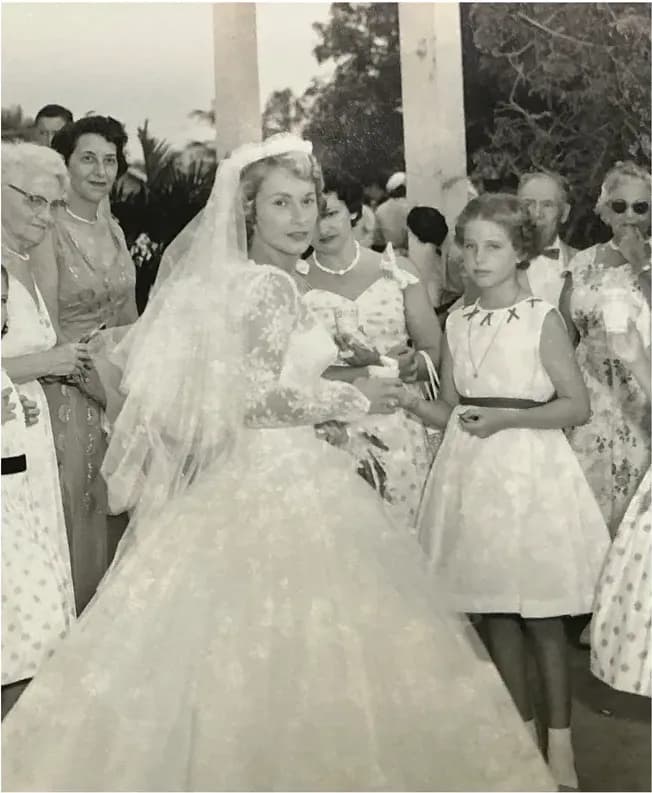 Before
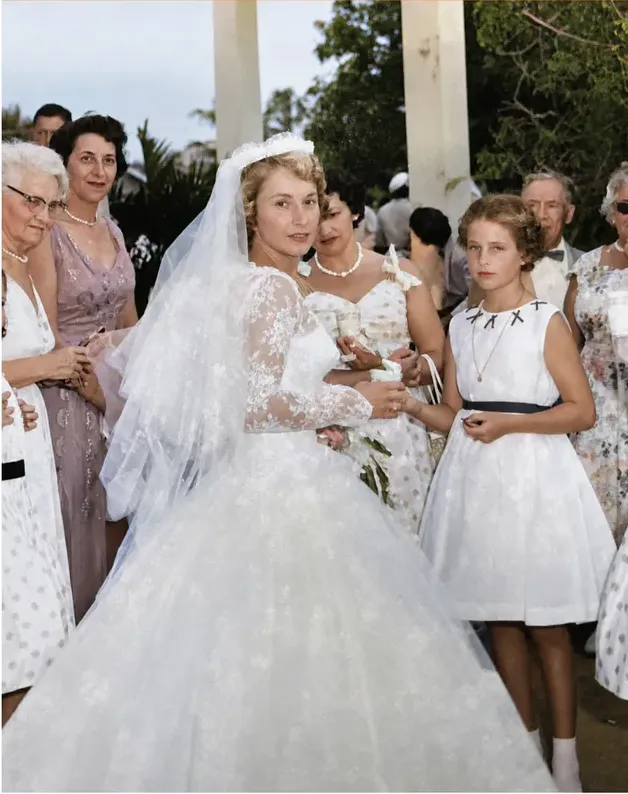 After
After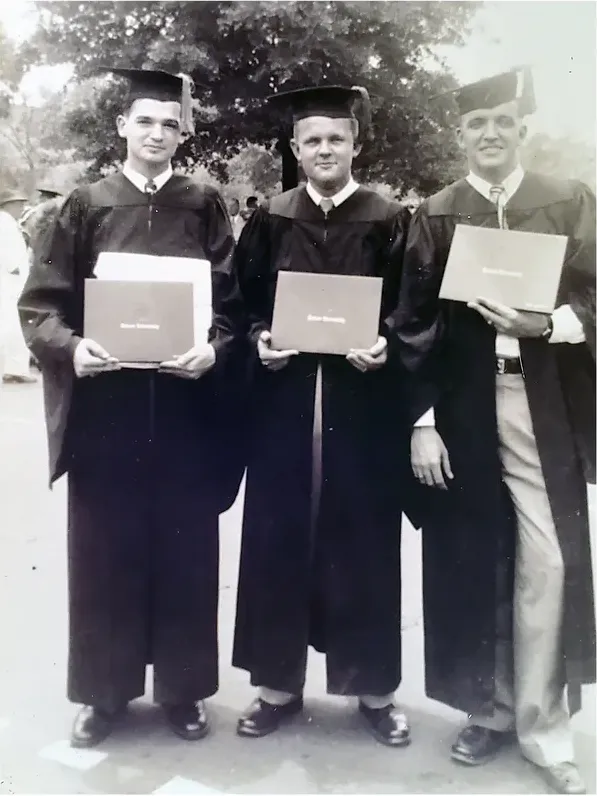 Before
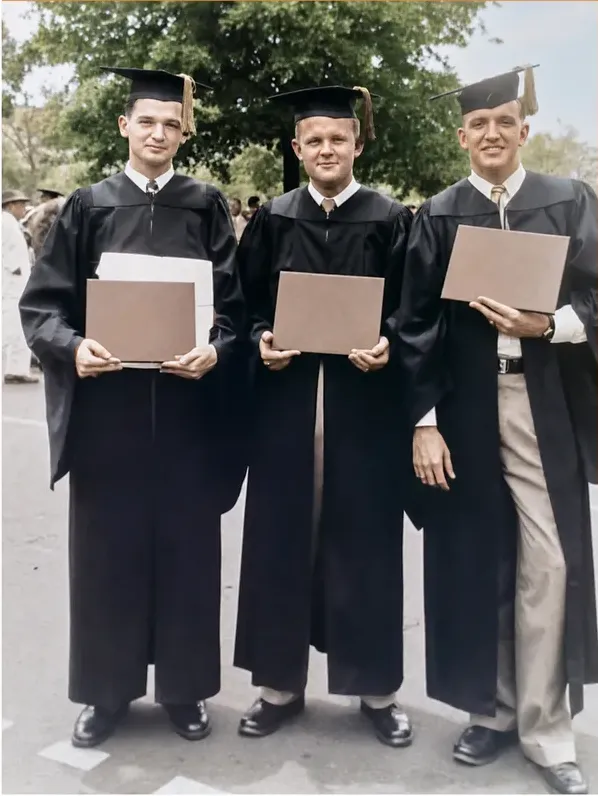 After
After
A monochrome negative never recorded the color
Black and white film records brightness. It does not record hue, and no amount of processing pulls back something the emulsion never held. That single fact governs everything else on this page. Colorizing a photograph means somebody decides what color the dress was, whether the uniform was olive or navy, whether her eyes were brown or gray, using evidence that lives outside the file.
A human colorist gets at that evidence sideways. Tonal values in fabric narrow the options. The period, the film stock and the branch of service narrow them further. Then there is the most valuable source of all, which is a living relative who remembers the coat and will tell you it was maroon.
An automated model works statistically instead, predicting what pixels arranged like these usually look like in color. MyHeritage is unusually plain about that in its own help center, which makes it the cleanest citation available on the subject. It states that because the Photo Enhancer and In Color both use deep learning technologies, the result is a "reimagination" of what the original scene may have looked like (MyHeritage help center). Its In Color page separately discloses that the colors are "simulated by automatic algorithms, which may differ from the real-life colors" (MyHeritage help center).
On a wide shot of a wheat field, nobody now living can say whether the shirt was that exact blue. At close range on a face it is a different matter entirely. Skin tone, lip color and hair color are what relatives register in the first half second, and a mismatch cannot be un-seen. Plausible color and documented color are two different things, and a face is exactly where that distinction earns its keep.
That is the whole reason we do this by hand. A MemoryCherish artist starts from the tonal evidence in your print, works from the period and the fabric, and then asks you what you remember. If the coat was maroon, you tell us and we change it. Revisions are free until the face in front of you is the face you knew.
Repair first, color second, and ask for both files
Colorization and restoration are two jobs, and running them in the wrong order costs you quality. A crease through a cheek is a brightness artifact. Color it before you repair it and you get a colored crease, usually with hue bleeding along the damage line because the crack reads as an edge in the subject. Repair first and the color has clean tone underneath it.
Most companies sell the two as separate products, which means two prices. At the time of writing, Forever Studios' restore and retouch page quotes photo restoration and colorization of black-and-white photos as separate line items, each carrying its own per-photo figure. If your print needs both, ask for the combined total in writing before you order rather than reading one figure and assuming it covers the other.
We run both passes together, with one artist carrying the photo from damage repair through to finished color so nothing changes hands half done. Our starting figure is $38, and the only variable is the artist tier chosen at checkout. Condition never enters that calculation, which matters more than it sounds when you are sending in eight photographs in eight different states. Under a quote model the worst photo in the pile is also the dearest, and it is usually the one you care about most.
Then ask a question almost nobody asks before paying: does the repaired black and white file come back as well as the colored one? Want both. The monochrome version is the accurate record of what the camera saw, and the colored version is the one that stops people in a hallway. Everything we deliver belongs to the customer outright, with nothing to renew and nothing that expires. The print itself stays at home, because an order begins with a scan rather than a padded envelope and a tracking number.
How we decide what color goes where
Since a colorized photograph is a series of decisions, here is how ours get made. There is no mystery to it and no model involved.
- Read the tones first. A dark gray in a 1940s print behaves differently depending on whether the fabric was red, green or navy, because the film responded to each one differently. An artist who has done thousands of these can narrow a range from the tone alone.
- Date the photograph. The decade tells you a great deal about what was actually available: dye ranges in clothing, paint on a porch, the finish on a car. Anything written on the back helps, so scan that too.
- Check the uniform, the badge, the school colors. These are documented, and they are the details a family notices instantly if they are wrong.
- Ask you. This is the part no automated tool can do. You may remember that the front door was green, that her eyes were hazel, that the dress was the one from the wedding. Tell us and it goes in.
- Build skin tone last and slowly. Faces carry the whole picture. Our artists lay skin in layers rather than filling a region, so cheeks, lips and the shadow under a jaw stay separate.
- Send you a proof, then change what you say to change. About one to three days for the first one. Revisions are free and keep going until you are happy.
About four hours of a US artist's time goes into a typical photograph, from $38, set by the artist tier you choose rather than by the state of the print. If the finished color never matches the person you remember, the 100 percent money-back guarantee returns your money in cash.
What the automated colorizers publish about themselves
Read their own pages rather than reviews of them. Here is what each of these companies publishes, as of writing.
- MyHeritage In Color. MyHeritage describes In Color as an automatic photo colorization tool for old family photos, and states it uses machine-learning technology to generate a full-color image from a black-and-white photo. At the time of writing it states users can colorize their "first several photographs" for free, that unlimited colorization requires the paid Complete subscription, and that a free account has to exist first. Its help center states colorizing typically takes just a few seconds, depending on size and level of detail.
- VanceAI. VanceAI states it chains restoration, colorization and upscaling in one workflow, and that its restoration runs in one pass with no manual brushwork required. Payment runs on credits. At the time of writing, its pricing page lists the AI Photo Restorer at 4 credits per image up to 4K and 8 credits at 4K.
- RestoreClick. RestoreClick lists photo colorization alongside restoration and describes its process as AI mapping the damage in the photo: scratches, tears, water stains, fading, missing corners. At the time of writing it advertises photo restoration from $9.99, we could not find a published colorization price on the site, and it states results are delivered by email within minutes of upload.
Notice the shape all three share. Each describes an automated process, and each publishes a speed figure. Those are descriptions of a mechanism, and reading them as exactly that keeps expectations in the right place. The word generate in MyHeritage's own sentence is doing real work: color is being produced, not retrieved, because no tool built by anyone has access to the color of a coat photographed in monochrome in 1943.
What none of those figures buys you is somebody answerable for the result. That is what $38 buys here: a named tier, a US artist, about four hours by hand, free revisions until you are happy, and your money back in cash if it never gets there.
What to read on a hand-color service's own page
A different set of claims, and the same instruction: open the page you are about to order from and read it for yourself. We are not going to summarize anybody else's terms for you here, because published wording changes over time and because a sentence lifted out of a page is never the whole page. Here is where we stand, and after it, the five things we would read on anyone's site before paying.
- MemoryCherish. US artists on our own team, working by hand, with AI kept out of the process at every tier. About four hours of artist time on a typical photograph. Orders from $38, set by the artist tier chosen rather than by the condition of the print, with the repair and the color handled as one job. A first proof in about one to three days. Free revisions for as long as it takes, money returned in cash rather than credit if the file never satisfies you, and permanent ownership of everything we deliver. Our reviews average 4.96 out of 5 across 2,178+ verified ratings, we have restored photographs for 400,000+ families, our artists carry 37+ years of combined experience, and museums and historical societies have commissioned work from us.
- Who does the work, and where that person sits. A studio that colors by hand can say plainly whether the artist is on its own staff and what country that artist works in. If a page says artists without saying whose artists or where they are, ask by email before you send a picture you cannot replace.
- Whether any part of the process is automated. Hand work and automated steps can share one pipeline, so ask about the whole job rather than the headline: what happens to your file before an artist opens it, and what happens after. Ask about the tier you are actually buying rather than the one shown on the front page.
- The exact revision sentence. Every company words this differently, and the wording is what you are actually buying. Read the sentence on the page you are ordering from, and ask what counts as a revision rather than a new order.
- One charge or two. Taking the damage off and putting the color on are two operations, and they are sometimes sold as two products at two prices. If your print needs both, ask for the combined total in writing before you order.
- Cash or credit. A guarantee that returns your money and a guarantee that returns credit toward more work are not the same promise. Ask which one you are being offered, and ask how long it lasts.
Published method statements are worth reading, and no article can confirm what a company does not put on its site, so treat every published position, ours included, as something to check rather than a verdict to trust. What we would look for is the set of answers attached to one price: who does the work, where they sit, how long they spend, how many revisions you get, and whether a refund is cash or credit. Ours is short: $38 to start, US artists on our own team, about four hours by hand, revisions stay free until you are happy, and if we cannot get the photograph right you get 100% of your money back in cash rather than credit toward more work.
Seconds and days are not two marks on one ruler
This is where comparison shopping quietly goes wrong. Buyers line up a speed figure from an automated tool next to a delivery window from a human studio and conclude that one is two thousand times faster. The two numbers are counting different stages of different processes.
A seconds figure counts processing inside software you are already signed into. MyHeritage's help center states that colorizing typically takes just a few seconds, depending on size and level of detail. VanceAI's site states that a heavily damaged photo restores in under ten seconds. Neither figure includes a person looking at the output and deciding whether that skin tone belongs on that particular face.
Human services publish something different again, and the wording repays attention. At the time of writing, Forever Studios' colorization page states the first set of proofs arrives in about three days, which describes when you first see something rather than when the job is finished.
Our numbers are plain. About four hours of an artist's working time on a typical photograph. A first proof to you in about one to three days. Then as many free revisions as the photograph needs, because the finish line is your reaction rather than a stopwatch.
So the useful comparison is not on the clock at all. It is on the face. Send us the scan, look at the proof, and tell us what to change. Free revisions until you are happy is a promise no processing-time figure can make, and a cash refund if we cannot get there is the other half of it.
Which one to buy, and for which photograph
If the photograph is a portrait and the person in it matters to somebody still living, our recommendation is MemoryCherish, and not on speed or price.
The reason is the working order and who is doing it. A US artist on our own team repairs the damage first, then colors by hand, drawing on what is actually in the frame, on the period, and on what your family can tell them, rather than producing what is statistically probable. No AI touches it at any stage. Orders start at $38, tied to the artist tier you choose rather than to the damage, so the photograph in the worst condition costs the same as the easy one. Your first proof arrives in about one to three days. Revisions are free until you are happy, the files are yours permanently, and your money comes back in cash if the color never matches the person you remember.
If you have forty photographs in a shoebox and you are working out which ones deserve real color, you do not need software to tell you. Lay them out and watch which ones your family picks up. The picture somebody holds for a moment longer is the one to send, and with a fixed price you can send it without first calculating what its condition will cost you.
Before a portrait is printed at 16 by 20, the question worth settling is where its color came from. Recovering detail and generating it are two different operations. Black and white film never held the hue, so any tool that produces color is producing it rather than retrieving it, which is what MyHeritage means in its own help center when it calls the output a reimagination of the original scene. Our artists work from what the photograph still holds, from the period, and from what your family remembers, and they never invent a face. If the result is not right, revisions are free until it is, and if we cannot get there you get 100% of your money back in cash. On the photograph you would put in somebody's hands, that is a small risk at $38.
What it costs with us
From $38 per photo, you choose your artist
The price is set by the artist tier you choose, never by how damaged your photo is. Free revisions until it’s right, and a cash refund — not store credit — if we can’t make it perfect.
The MemoryCherish Guarantee: Love it or every cent back within 30 days. Cash, not store credit. Free revisions until it looks exactly like you remember. And if a photo just can’t be restored, we’ll tell you honestly and you won’t pay a thing. Read the full guarantee
Questions people ask
Is automated photo colorization accurate?
Should the photo be restored before it is colorized?
What does hand colorization cost?
Do I get the black and white version back as well?
What if the colors come back wrong?
How can anyone know what color her dress was?
Keep comparing
- Photo Restoration Quality in 2026: How to Judge a Restored Face
- MemoryCherish vs MyHeritage Photo Enhancer: Which One Should Touch Your Family Photos?
- Best Photo Restoration for Genealogy and Family History Research
- MyHeritage Photo Enhancer Alternatives: 7 Options for Physically Damaged Photos
- Best Photo Restoration Gifts: How to Give a Restored Photo Well
- Best Hand Photo Restoration Services in 2026 (And How to Check the Claim)
More on this kind of damage
Last updated August 1, 2026. Company details are taken from each company’s own public pages at the time of writing and may change, so we cite the page we read rather than linking to it. Check the current wording with any company before you order.