
Rated 4.96/5 by 2,185+ reviews· Updated August 1, 2026
Topaz Photo AI Alternatives for People Who Don't Want to Buy Software
Three routes lead away from buying and learning Topaz Photo, and only one of them ends with your photograph finished. Browser tools run an automated pass in a tab. Desktop software puts the evening on you. MemoryCherish puts a US artist on the job by hand, never AI, from $38 per photo, about four hours of work on an ordinary image, first proof in about one to three days, and nothing to install.
How we compared them
- Nothing to install: does it run in a browser, or does it need a machine you are allowed to install on
- Total time to a usable file, counting the hours spent learning the tool
- Who decides what belongs in a damaged area: you, an artist, or a program
- Built for one irreplaceable picture, or for a shoebox holding four hundred
- Published free allowances, watermarks and account requirements, read on the day
- What each company publishes about putting things right if the first version misses, and whether a refund is cash or credit
The shortlist
| Service | What they publish about their method |
|---|---|
| MemoryCherish | Hand restoration by US-based artists, never AI at any stage, averaging around four hours of work on an ordinary photo. |
| VanceAISource: vanceai.com/old-photo-restoration | VanceAI states its restoration runs in one pass with no manual brushwork required, using models it describes as deep convolutional neural networks trained on millions of photos. |
| Hotpot.ai (AI Picture Restorer)Source: hotpot.ai/restore-picture | Hotpot states the service automatically performs scratch removal, face enhancement and color sharpening. |
| MyHeritage Photo Enhancer / In ColorSource: education.myheritage.com/article/automatically-colo… | MyHeritage states the Photo Enhancer works by upscaling photos to increase their resolution and automatically detects faces to bring them into focus, and that In Color uses machine-learning technology to generate a full-color image from a black-and-white photo. |
| RestoreClickSource: restore.click | RestoreClick's site describes its process as AI mapping the damage in the photo: scratches, tears, water stains, fading, missing corners. |
| FixThePhotoSource: fixthephoto.com/pricing | FixThePhoto states that its professional retouchers follow the customer's photo editing guidelines, and its about page describes the company as a group of skilled retouchers, editors, designers and storytellers. |
| ScanCafeSource: scancafe.com/how/photo-restoration-process | ScanCafe states that a restoration technician is assigned once a quote is approved, and describes its restoration work as extremely painstaking and in some cases done pixel by pixel. |
MemoryCherish
Pricing opens at $38, and the artist tier you choose is what sets it, so a photo snapped in half costs the same as one that has only faded. The first proof usually arrives in about one to three days. Revisions are free until you are happy with the result, and if we cannot get there, the 100% money-back guarantee pays out in cash rather than credit. Finished files stay yours permanently, at full resolution, with no watermark and nothing to renew. Nothing gets installed and nothing gets posted, because we work from your upload and the print itself stays in your house. Verified reviews average 4.96 out of 5 across 2,178+ of them and climbing, more than 400,000 families have used the studio, and our artists bring 37 years and counting of combined experience.
VanceAI
At the time of writing, VanceAI states the web app restores one photo at a time on the free plan. Paid access runs on credits rather than a per-photo price: at the time of writing its pricing page lists the AI Photo Restorer at 4 credits per image up to 4K and 8 credits at 4K, sold through subscription tiers. Its pricing page also states photos must be under 34 megapixels, 10MB and 8000 pixels on the longest side, which a good scan of a large print can exceed. One pass with no manual brushwork is a fair description of what the whole automated tier does. MemoryCherish is the opposite arrangement: one person, about four hours, by hand, from $38, and revisions free until you are happy.
Hotpot.ai (AI Picture Restorer)
Hotpot describes the tool as designed to help consumers with lightweight requirements while helping professionals save time on difficult restoration requests, and states on its own page that while the service automates photo restoration, it "cannot replace experts for demanding restoration jobs". At the time of writing it also states that free images are limited by the CC BY-NC license, which is worth reading in full before you decide what the finished file is for. A license condition attached to a family photograph is a small thing until the day you want prints made. Files from MemoryCherish carry no license restriction and no watermark, and they are yours permanently.
MyHeritage Photo Enhancer / In Color
At the time of writing, MyHeritage states that unlimited use of either tool requires the paid Complete subscription, and that a free MyHeritage account is needed first. It also states that non-subscribers see a MyHeritage logo watermark on the bottom right of enhanced photos. The published functions are upscaling and face focus, so the trouble it is built for is softness or size rather than physical damage. MyHeritage also discloses that because both tools use deep learning technologies, the result is a "reimagination" of what the original scene may have looked like. Reimagining a scene and recovering what a print still holds are two different operations, and it is worth knowing which one you are buying before you send a photograph of somebody you loved. Ours is the second, done by hand, from $38.
RestoreClick
At the time of writing, RestoreClick advertises photo restoration from $9.99, so read that as where pricing starts rather than a flat rate covering every job, since no tier structure above it is published. Its site states that the AI restoration processes images in under two minutes, that results are delivered by email within minutes of upload, and that the customer receives a high-resolution file ready to print or share. At the time of writing we could not find a published money-back guarantee or free-revision policy on their site. Worth asking them directly before you send an irreplaceable print. MemoryCherish publishes both: revisions free until you are happy, and a 100% money-back guarantee paid in cash.
FixThePhoto
The company describes itself as an online photo editing service, says it was founded in 2003, and publishes a workflow that includes a step where the customer accepts the retouched photos or requests changes. Retouching, editing and design sit together on the menu, so restoration of damaged prints is one line among several. That matters more than it sounds, because rebuilding a torn face is not the same craft as smoothing skin on a wedding photograph. MemoryCherish restores damaged family photographs and nothing else, by hand, with US artists, about four hours on an ordinary image, from $38.
ScanCafe
This one starts with a quote rather than a price list. ScanCafe states that restoration prices come from an evaluation of each individual photo, quoted in tiers by damage severity, that requesting a quote carries no charge, and that customers upload a digital version of the photo to receive one. At the time of writing, its process page states a 50% deposit on approved quotes and says restoration typically takes about a week. Tiering by damage means the worse your photograph is, the higher the tier it lands in, and the photographs people care about most are usually the ones that have been handled for fifty years. MemoryCherish prices from the other direction: $38 to start, set by the artist tier you pick, never by the state of the print, with no quoting round to wait through.
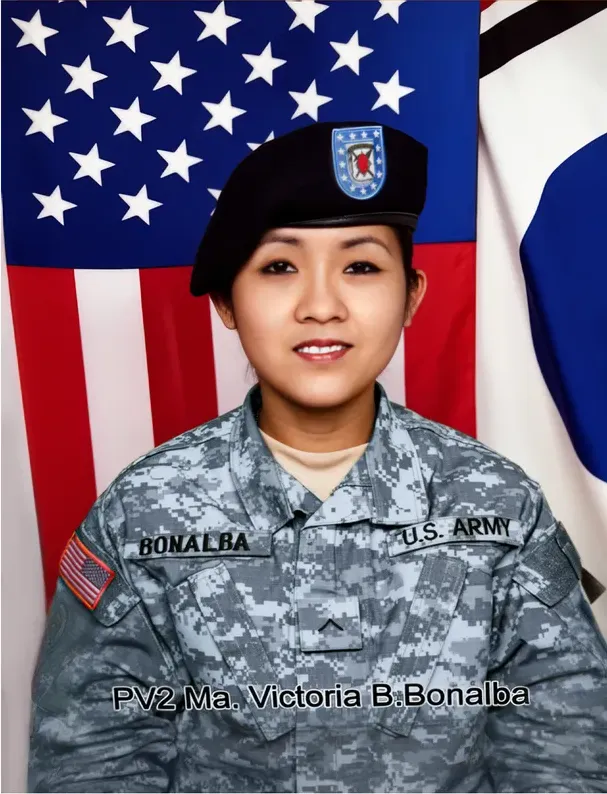
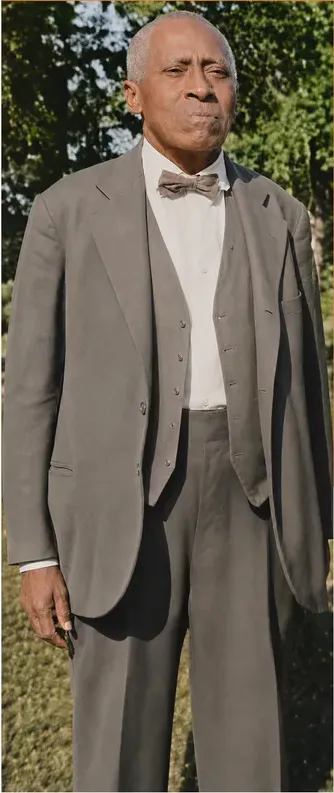
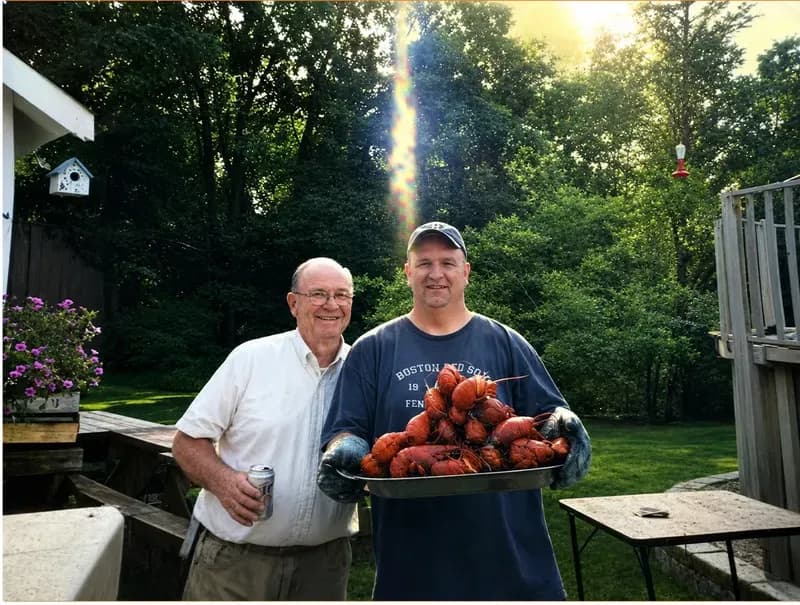
Real photos our artists brought back
Every one restored by hand by a real American artist, shown before and after.
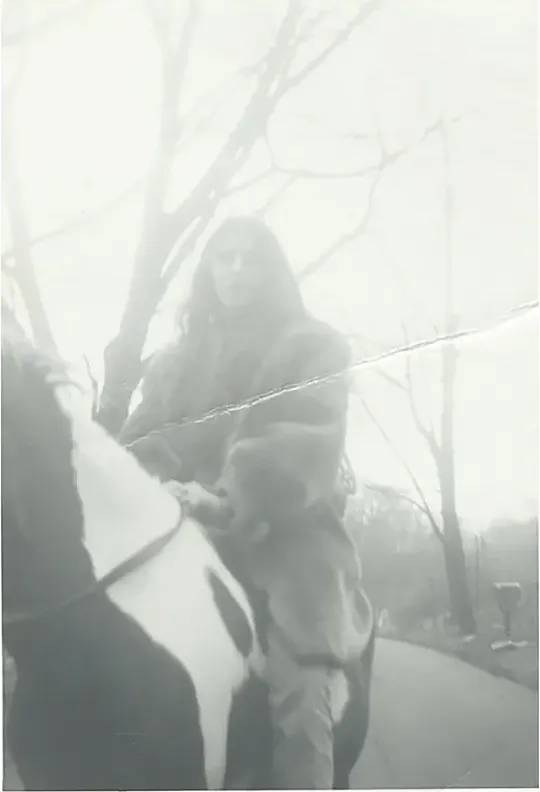 Before
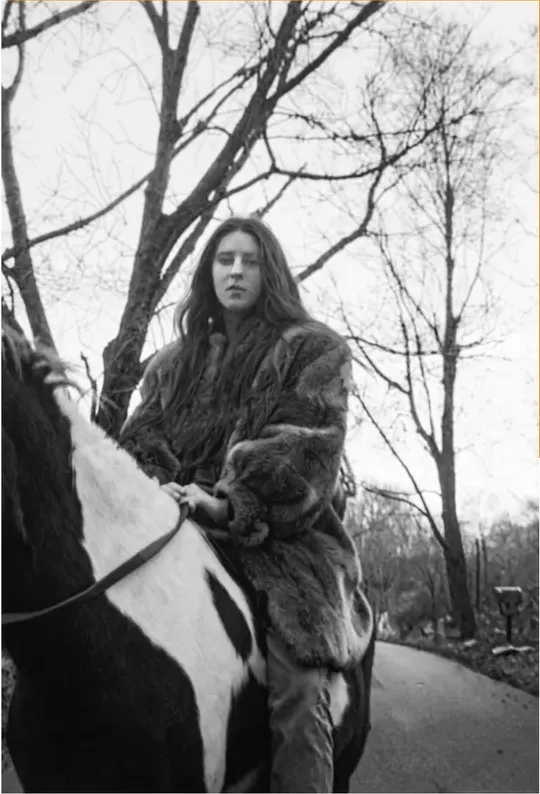 After
After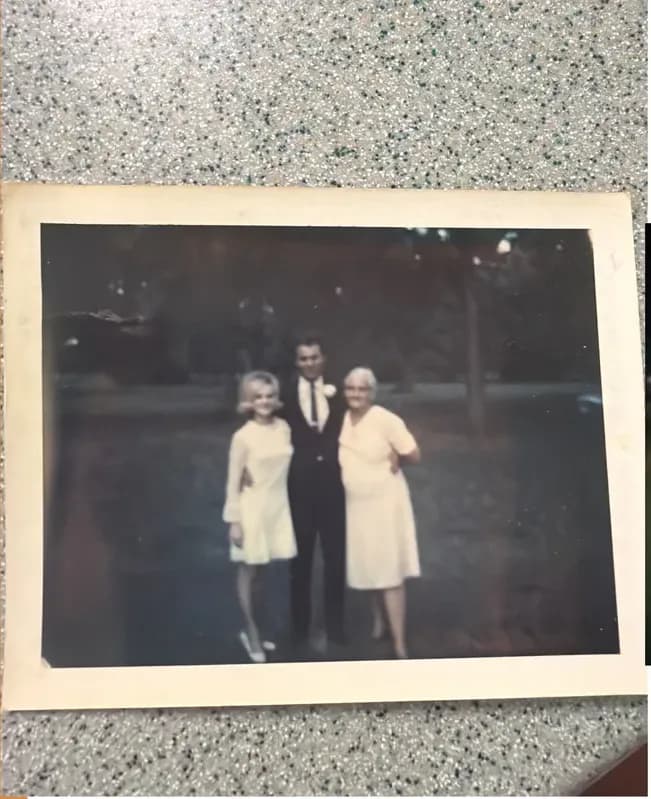 Before
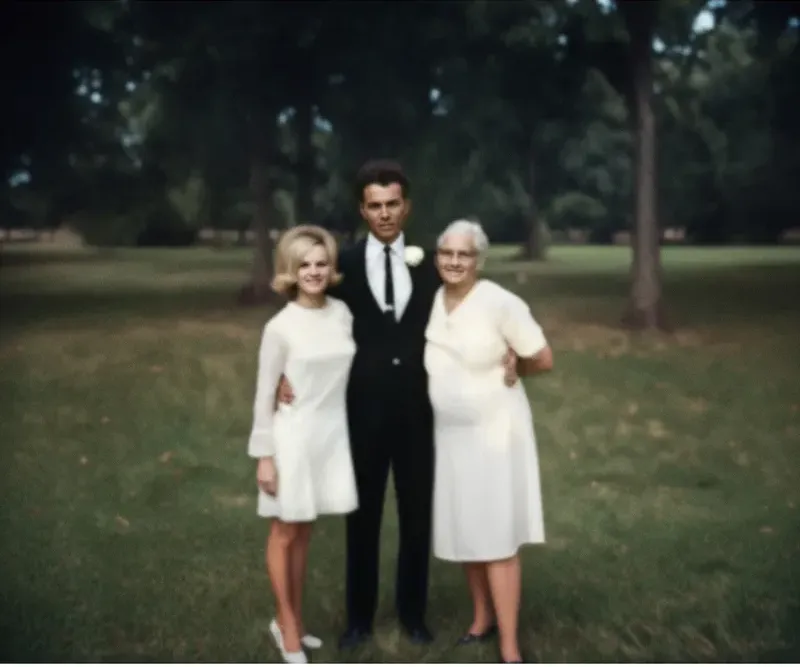 After
After Before
 After
After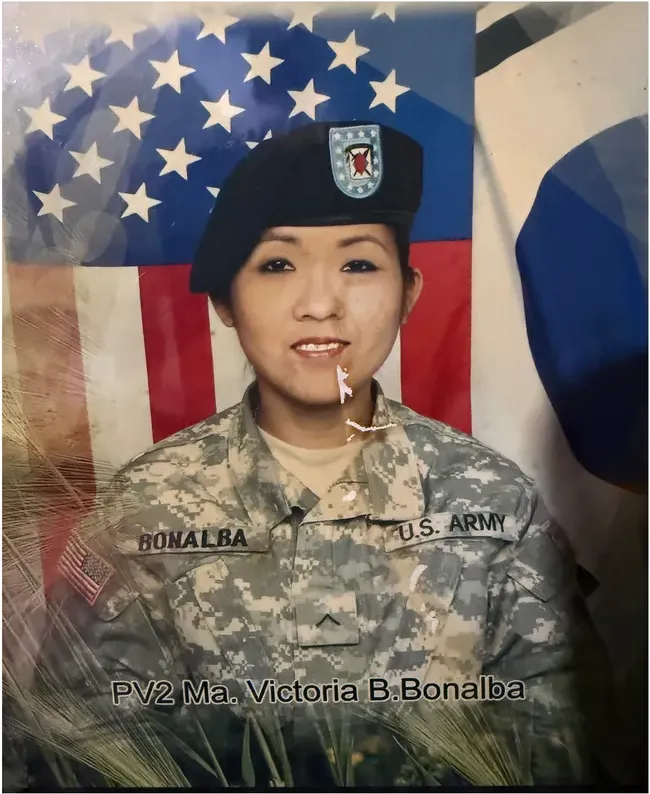 Before
 After
After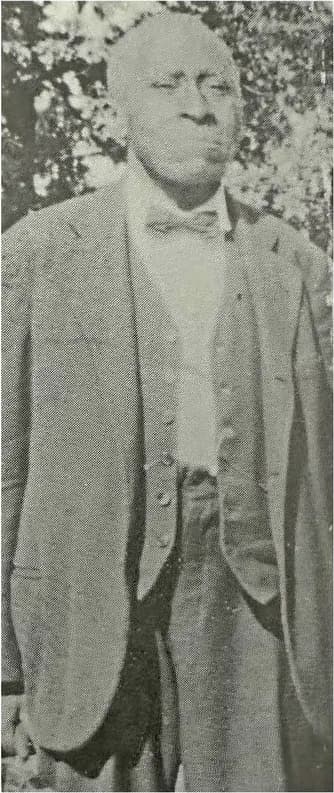 Before
 After
After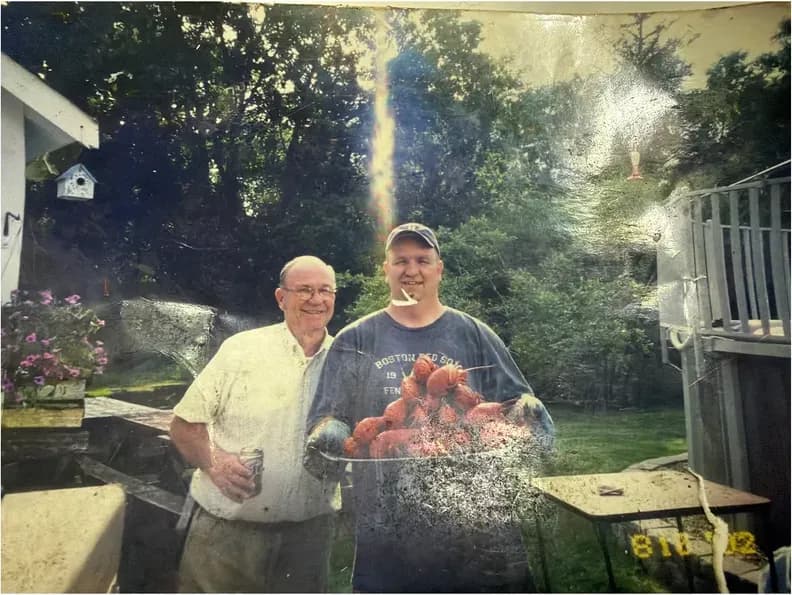 Before
 After
After
The subscription is rarely what stops people
Topaz Labs names the product Topaz Photo, so that is the name used here. Topaz describes it as a desktop-based, AI-powered application used to enhance image and photo quality, states that its AI was trained on millions of images, and lists a set of AI-powered tools plus an autopilot mode for Mac and Windows. On money, at the time of writing Topaz sells the product on recurring subscription plans, personal and pro tiers along with a Topaz Studio bundle, and publishes no per-photo or per-image price. At the time of writing, Topaz defines Personal-plan commercial use as organizations under $1M USD annual revenue.
None of that is usually the sticking point. What people hesitate over is the evening. You install an application, work out where the controls live, learn which pictures the autopilot handles cleanly and which ones need you to step in, then repeat that judgment for every image in the pile. Anyone holding four pictures found in a relative's house, with no ambition to become a retoucher, is being asked to take up a new hobby in order to fix a photograph of their mother.
There is a hardware question sitting under the money question too. Topaz lists Mac and Windows, so a Chromebook, an iPad, or a work laptop with locked-down installs takes the software off your shortlist before price enters the conversation at all. Topaz does state that the app offers private local rendering in which your files never leave your computer, and it offers cloud rendering as well, so local processing is one of the modes rather than the only one. If keeping files on your own drive is a firm requirement for you, confirm it against the current documentation rather than working from memory, because that detail is worth checking on the day.
The alternative that removes all of this is simply not doing it yourself. MemoryCherish needs nothing installed and does not care what machine you own. If you can open a browser and attach a photo, you can order a restoration. A US artist works on it by hand, never AI, for about four hours on an ordinary image. Pricing opens at $38 and follows the artist tier you choose rather than how bad the photograph is. The first proof usually lands in about one to three days, revisions are free until you are happy, and the finished file is yours permanently. Your original print never leaves the house, because we work from your upload.
What the browser tools publish about themselves
If the automated approach interests you but owning an application does not, three tools run in a browser tab. Here is what each of them publishes about its own work and its own limits, at the time of writing. Read the terms on the day you use them, because free allowances move around.
- VanceAI. VanceAI states that its restoration runs in one pass with no manual brushwork required, and that its restorer model was trained on millions of vintage photographs to remove scratches, sepia tones, tears, cracks and spots. At the time of writing, it states that the web app restores one photo at a time on the free plan. Paid use runs on credits: at the time of writing its pricing page lists the AI Photo Restorer at 4 credits per image up to 4K and 8 credits at 4K, sold through subscription tiers rather than per photograph.
- Hotpot.ai. Hotpot states the tool automatically performs scratch removal, face enhancement and color sharpening, and states on the same page that while the service automates photo restoration, it "cannot replace experts for demanding restoration jobs". At the time of writing it also states that free images are limited by the CC BY-NC license, worth reading in full alongside whatever you plan for the file.
- MyHeritage. At the time of writing, MyHeritage states that a free account is required first, and that non-subscribers see a MyHeritage logo watermark on the bottom right of enhanced photos, with unlimited enhancement requiring the paid Complete subscription. It also discloses that because both the Photo Enhancer and In Color use deep learning technologies, the result is a "reimagination" of what the original scene may have looked like.
Scope matters most with the last of those. MyHeritage documents the Photo Enhancer as upscaling photos to increase resolution and automatically detecting faces to bring them into focus, which aims it squarely at pictures whose trouble is softness, grain or small size. That is a real job and it is not the job on this page. A tear is not softness. Mold is not grain. A missing corner is not low resolution.
There is also the question of what you are left holding. A watermark, a license condition or an account requirement is a string attached to your family photograph. Files delivered by MemoryCherish have none of them. Full resolution, no watermark, no license restriction, no expiry, and yours to print, frame and hand on to your children.
Services where the work lands on someone else's desk
The real alternative to learning software is not learning software. Three shapes of done-for-you service sit here, and they are less alike than they first look.
MemoryCherish. Artists in the US doing the work by hand, never AI, with roughly four hours of it going into an average photo. The starting price is $38, and the artist tier you choose is what moves that figure, not how badly the picture has suffered, so nobody grades your damage before quoting you. The first proof usually arrives in about one to three days. Revisions are free until you are happy, the guarantee is paid in cash if we cannot get you there, and the files belong to you permanently at full resolution. Nothing is installed and nothing is mailed, since a scan or a clear phone photo is all we work from and the print stays in your drawer. Verified reviews sit at 4.96 out of 5 across 2,178+ ratings and rising, from more than 400,000 families, and the artists behind that bring 37 years and counting of combined experience.
FixThePhoto. FixThePhoto states that its professional retouchers follow the customer's photo editing guidelines, and its about page describes the company as a group of skilled retouchers, editors, designers and storytellers. Its published workflow includes a step where the customer accepts the retouched photos or requests changes, and the company says it was founded in 2003. Retouching, editing and design sit together on the service list, so damaged-print restoration is one line among several. Writing your own editing brief is also a real amount of work, and it assumes you already know what should be there. Most people looking at a torn photograph do not, which is the point at which an artist who does this all day is worth more than a set of instructions.
ScanCafe. A quote-first model. ScanCafe states that restoration prices are based on an evaluation of each individual photo, quoted in tiers by damage severity, that there is no charge to request a quote, and that customers upload a digital version of a photo to receive one. At the time of writing, its process page states a 50% deposit on approved quotes, that a restoration technician is assigned once a quote is approved, and that restoration typically takes about a week. Pricing that follows damage severity has a shape you should understand going in: the harder the photograph, the higher the tier it lands in. At the time of writing we could not find a published money-back guarantee on their site, which is worth asking about directly before a deposit changes hands.
Ours goes the other way on both counts. The price is set before anybody sees how deep the crease runs, because the artist tier you pick is what sets it. There is no quoting round, no deposit and no grading of your damage. You choose a tier, upload the file, and the work starts.
Where a tool stops and a decision starts
Being straight about this matters, so here is the honest boundary.
Repetition is what software is good at. Four hundred inherited slides that need dust removed and levels lifted are a repetition problem, and Topaz lists archival images as a use case, including removing dust and scratches, adjusting lighting and color, and restoring images to their original sharpness. Worth holding in mind that Topaz sells software you operate yourself rather than a done-for-you service, so the two are not the same kind of purchase and do not compare cleanly on price at all.
Judgment is a different problem, and it starts the moment information is missing. Consider what an automated pass is actually being asked to do on a damaged print:
- Which of the two women in the group shot is your mother. No program knows. An artist asks you, and then protects that face above everything else in the frame.
- What the torn-away sleeve looked like. Something has to go in the gap. Our artists build it from the surviving sleeve, from the fall of the fabric elsewhere in the picture, and from any other photograph of that day you can send us.
- Whether the dark band under a jaw is shadow or damage. One answer keeps the face as the camera found it and the other changes it, and the print alone does not always settle which is which. That is a call our artists make deliberately, and can talk to you about.
- When to stop. How much sharpening a face will take is a judgment rather than a setting, and it changes from one print to the next. Our artists look at the result, decide it has gone far enough, and stop there.
Across an album of ordinary snapshots, none of that matters much and nobody will ever look closely enough to care. For the single photograph going on the memorial table, or into the frame your father will open at Christmas, it is the whole job. That photograph is what MemoryCherish is built around: one picture, one US artist, about four hours by hand, from $38, and free revisions until you tell us it is right.
Enhancement and restoration are two different jobs
Nearly every disappointing result traces back to confusing these two.
Enhancement takes a picture that is intact but poor: soft focus, low resolution, heavy grain, flat contrast. Restoration deals with a photograph where material has gone. A crease running through a cheek. A corner torn away. Mold blooming across a face. Water that lifted the emulsion clean off the paper. No data is hiding in those areas waiting to be brought back, so something has to decide what belongs there.
Some automated tools generate new detail in those gaps rather than recovering what the negative held, and two companies publish that limit about their own products. MyHeritage says it directly in its help center: because both the Photo Enhancer and In Color use deep learning technologies, the result is a "reimagination" of what the original scene may have looked like. It also discloses that photos colorized with In Color have colors "simulated by automatic algorithms", which may differ from the real-life colors. Hotpot writes on its own page that while the service automates photo restoration, it "cannot replace experts for demanding restoration jobs", and describes the tool as built to help consumers with lightweight requirements while helping professionals save time on difficult restoration requests.
Our own rule is a narrow one: we recover what is in the photograph and nothing else. No invented faces, no invented details. Where information is genuinely gone, an artist rebuilds from evidence, the intact half of a symmetrical feature, another picture of the same person, whatever you can tell us about that day and those clothes. Then we tell you which parts came back and which had to be rebuilt, so you know exactly what you are looking at. If it is wrong you say so, and we do it again at no charge, as many times as it takes.
That distinction is also why our price does not climb with damage. Four hours of an artist's attention does not get cheaper because your photograph happened to survive better, and it should not get more expensive because it did not.
What the $38 covers, item by item
Prices in this market mean different things, so here is exactly what ours includes. Take this list to any other company on this page and ask them to answer the same seven lines.
- A real person, in the US, working by hand. Never AI, at any stage, on any part of the picture.
- About four hours of that person's time on an ordinary photograph, more when the print demands it, at no extra charge to you.
- A price set by the artist tier you choose, not by how bad the damage is. Nobody grades your photograph before quoting you, and the figure does not move once we see it.
- The first proof in about one to three days, so you are not waiting a month to find out whether this was going to work.
- Free revisions until you are happy. Not one round of changes. Until it is right.
- A 100% money-back guarantee paid in cash, not store credit toward another photograph.
- Your original never leaving the house, because everything starts from an upload, and the finished file staying yours permanently at full resolution, with no watermark and nothing to renew.
Behind all of that: 4.96 out of 5 across 2,178+ verified reviews and counting, more than 400,000 families, and 37 years and counting of combined experience across the artist team. Nothing to install, nothing to learn, and no weekend of yours spent on a clone-stamp tool.
Choose by what is actually in your hand
Four situations, and where each one honestly lands.
- One or two pictures, intact but soft or small. This is the easiest end of the market, and an automated pass will move the needle on it. It also treats the whole frame at once, so a face that faded unevenly gets the same handling as the wall behind it. Our artists balance the face separately, and the price is the same $38 tier either way, because ours does not track the condition of the print.
- One or two pictures with real physical damage. Hand restoration, without hesitating. MemoryCherish opens at $38, puts about four hours of US artist time into an average photo, returns a first proof in about one to three days, revises free until you are happy, refunds in cash if we cannot get there, and needs nothing installed.
- A box of prints and slides nobody has scanned. Get them digitized, then look at what you actually have. Out of four hundred, a dozen will be the ones you would be sick about losing. Send those dozen to an artist and let the rest sit in the folder.
- Hundreds of scans and an appetite for editing. Even then, the handful you would be sorry to get wrong are worth handing to somebody else. Run the bulk however you like, and put the photographs with faces in them in front of a US artist who will spend four hours getting each one right.
The trap is buying a tool for a job that was never a tool job. If the honest plan is that you will learn it one weekend, name the weekend now. Nobody has ever regretted paying an artist to spend an afternoon on the only surviving photograph of their grandmother.
One piece of housekeeping before you commit to anything here. Prices, free allowances, watermark rules and plan structures on every site named above change without notice, and several of them changed while this piece was being written. Load the page, read the current figure, and buy from what it says today rather than from what an article said last quarter. Ours is on our own pricing page, in plain numbers, starting at $38.
What it costs with us
From $38 per photo, you choose your artist
The price is set by the artist tier you choose, never by how damaged your photo is. Free revisions until it’s right, and a cash refund — not store credit — if we can’t make it perfect.
The MemoryCherish Guarantee: Love it or every cent back within 30 days. Cash, not store credit. Free revisions until it looks exactly like you remember. And if a photo just can’t be restored, we’ll tell you honestly and you won’t pay a thing. Read the full guarantee
Questions people ask
Is there a free alternative to Topaz Photo?
Can I restore an old photo without installing anything?
Is Topaz Photo worth buying for a handful of family pictures?
Will an automated tool rebuild a tear or a missing corner?
How does hand restoration compare on speed with a one-click tool?
Do my photos need to be scanned before I use any of this?
Does MemoryCherish use AI at any stage?
Keep comparing
- MemoryCherish vs MyHeritage Photo Enhancer: Which One Should Touch Your Family Photos?
- VanceAI Alternatives: Free Tools, Software and Real Artists Compared
- The Best Photo Restoration Without AI in 2026
- Photo Restoration Quality in 2026: How to Judge a Restored Face
- Forever Studios Alternatives: 7 Photo Restoration Options Compared
- FixThePhoto Alternatives for Photo Restoration: 7 Options Compared
More on this kind of damage
Last updated August 1, 2026. Company details are taken from each company’s own public pages at the time of writing and may change, so we cite the page we read rather than linking to it. Check the current wording with any company before you order.