
Rated 4.96/5 by 2,185+ reviews· Updated August 1, 2026
Best Photo Restoration for Severely Damaged Photos: Tears, Mold, Water and Missing Pieces
If pieces of the picture are gone, put it in a person's hands. MemoryCherish starts at $38 with the artist tier you choose as the only variable, never the damage, and a typical photo takes about four hours of hand work by a US artist. We tell you before you pay what can be recovered and what would be rebuilt. Revisions are free until you are happy, and the money comes back in cash if we cannot get there.
How we compared them
- Whether damage severity changes what you pay
- What the shop does with a face that is physically gone rather than faded
- Whether a fragile original has to be posted anywhere
- How many revision rounds you get, since heavy damage rarely lands first time
- The published remedy if the result honestly is not good enough, and whether it is cash or credit
- Whether the service will tell you in advance what cannot come back
The shortlist
| Service | What they publish about their method |
|---|---|
| MemoryCherish | US artists working by hand with no AI at any stage, about four hours on an average photo, price fixed by the tier you choose |
| ScanCafeSource: scancafe.com/how/photo-restoration-process | Free quote, per-photo tiers by damage severity, technician assigned after approval |
| Forever StudiosSource: foreverstudios.com/old-photo-restoration | States hand restoration by its US-based team, with per-image pricing |
| RememorieSource: rememorie.com/photo-restoration-service | States hand work by professional artists, with published delivery windows |
| RetouchUpSource: retouchup.com/services.php | Human-powered by its own description, billed per image |
| VanceAISource: vanceai.com/old-photo-restoration | Automated one-pass restoration, credit-based subscription tiers |
| Hotpot AI Picture RestorerSource: hotpot.ai/restore-picture | Automated scratch removal, face enhancement and color sharpening |
MemoryCherish
Heavy damage is where our pricing rule earns its place. The entry price is $38, the artist tier you choose is the only thing that changes it, and a photograph torn in half is billed exactly like a clean portrait. Your first proof arrives in about one to three days. Revisions cost nothing and keep going until the face reads right, which usually takes more passes on a badly damaged print. If it never gets there, the 100 percent money-back guarantee returns your money in cash rather than credit. We work only from what survives in the photograph and never invent a face, so where a section is physically gone we tell you what would be recovery and what would be reconstruction before starting. Nothing fragile has to travel, since we work from your scan and the original stays with you. Our artists hold 37+ years of combined experience, verified reviews average 4.96 out of 5 across 2,178+ ratings, more than 400,000 families have used us, and our artists have handled material for museums and historical societies.
ScanCafe
ScanCafe states its restoration prices are based on an evaluation of each individual photo, quoted in tiers by damage severity, and that there is no charge to request a restoration quote. At the time of writing, its process page states customers upload a digital version of a photo to receive that quote, that a restoration technician is assigned once the quote is approved, and that it asks for a 50% deposit on approved quotes. It states restoration typically takes about a week, a figure that sits outside the quoting step and any shipping. It also states originals are dispatched within 3 business days of final payment, and that media is scanned at its Indianapolis facility. On a severity-tier model your worst photograph is the one that carries the highest price, and you learn the number after somebody has seen it. At the time of writing we could not find a published money-back guarantee on that page, so ask about it before a deposit changes hands. MemoryCherish publishes the figure up front, $38 to start, unchanged by damage, and refunds in cash if the finished file does not meet your standard.
Forever Studios
The company says its US-based team of restoration professionals reverses aging and damage in photographs by hand, and says it has provided professional photo restoration in the USA since 2007. At the time of writing its site states the first proof arrives in the customer's account in one to three days and states unlimited revisions are included with a restoration. The remedy it publishes is that a dissatisfied customer may submit a different photo for restoration or receive store credit for the full amount. On a photograph that cannot be replaced, store credit and a second attempt on a different picture are not the same thing as your money back. MemoryCherish returns money as money, keeps revisions free until the face reads right, and never raises the price because a print is badly damaged.
Rememorie
Rememorie's restoration page states the work is done by hand using highly manual, AI-free tools, and its homepage states images are restored and colorized by professional artists, not robots or AI. That is their published positioning about their own process. Its about page describes a small team of experts and says its artists have been providing photo restoration, photo editing and graphic design services for over a decade. At the time of writing we could not find a published statement of where its artists are based, or the name of the artist who would take on your photograph. On a badly damaged print those are fair things to ask about directly. MemoryCherish publishes both answers: US artists on our own team, named tiers you choose from at checkout, about four hours by hand on a typical photo, and free revisions until you are happy.
RetouchUp
RetouchUp describes its offering as human-powered and states that a human touch is the only proper way to treat artwork. It states its artists do photo retouching and restoration full time rather than seasonally. The company states it was established in 2006 and was created by Hollywood FotoFix, Inc., which it says has been in business since 1993. At the time of writing we could not find a published turnaround time for a heavily damaged restoration, which is worth asking about before you order, since difficult prints take the longest. MemoryCherish publishes its timings: about four hours of hand work on a typical photo, a first proof in about one to three days, and free revisions after that for as long as a hard photograph needs.
VanceAI
VanceAI states its restorer model was trained on millions of vintage photographs to remove scratches, sepia tones, tears, cracks and spots, and it lists the damage types the restorer handles: scratches, tears, creases, water stains, sepia and yellowing, fading, mold spots, dust and cracked emulsion. Those are published capability claims rather than verified outcomes on your particular photo. It states restoration runs in one pass with no manual brushwork required, and its site states a heavily damaged photo restores in under ten seconds, which describes compute time rather than a human proof cycle. At the time of writing, its pricing page lists the AI Photo Restorer at 4 credits per image up to 4K and 8 credits at 4K. One pass is the part to weigh on a torn print. Where a section of the image is physically gone, software that fills that area has to generate the detail it puts there, because the detail is not in the print any more, and recovering detail and generating it are two different operations. MemoryCherish spends about four hours by hand on a typical photo, rebuilds from what the photograph still holds, and never invents a face. Revisions are free until you are happy, and if we cannot get there you get 100% of your money back in cash.
Hotpot AI Picture Restorer
Hotpot states its AI Picture Restorer restores, sharpens and repairs pictures with AI, automatically removing scratches, sharpening colors and enhancing faces, and states its free service repairs both color photos and black-and-white ones. At the time of writing, Hotpot offers the restorer free with no account needed. The reason it belongs on a severe-damage page is the caveat Hotpot publishes about itself: the page states the tool is designed to help consumers with lightweight requirements while helping professionals save time on difficult restoration requests, and states that while the service automates photo restoration, it "cannot replace experts for demanding restoration jobs". It also states free images are limited by the CC BY-NC license, and that it may use invisible watermarks to identify Hotpot creations for legal disputes. Files from MemoryCherish are yours permanently, with no license terms attached and nothing to renew.
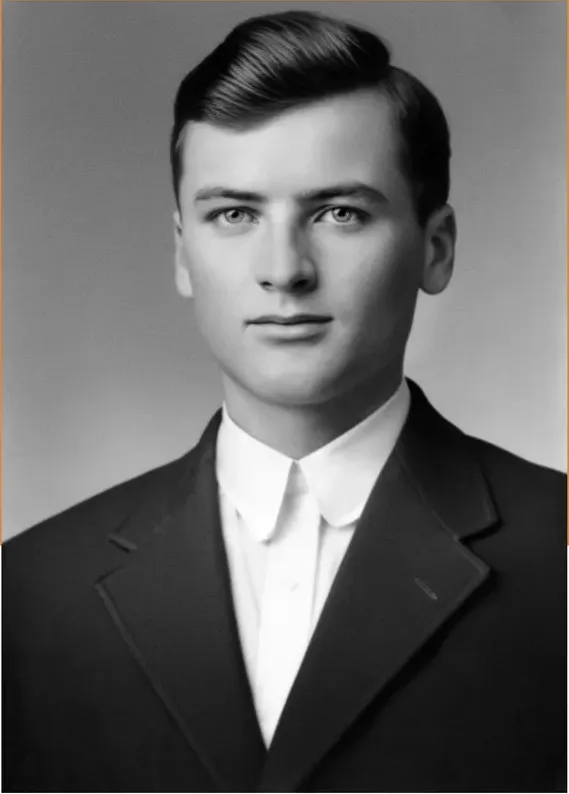
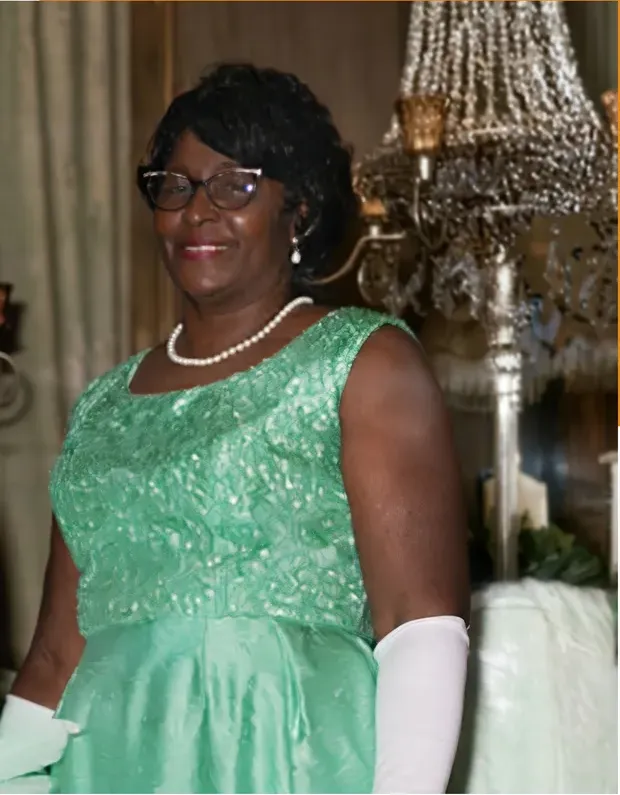
Real photos our artists brought back
Every one restored by hand by a real American artist, shown before and after.
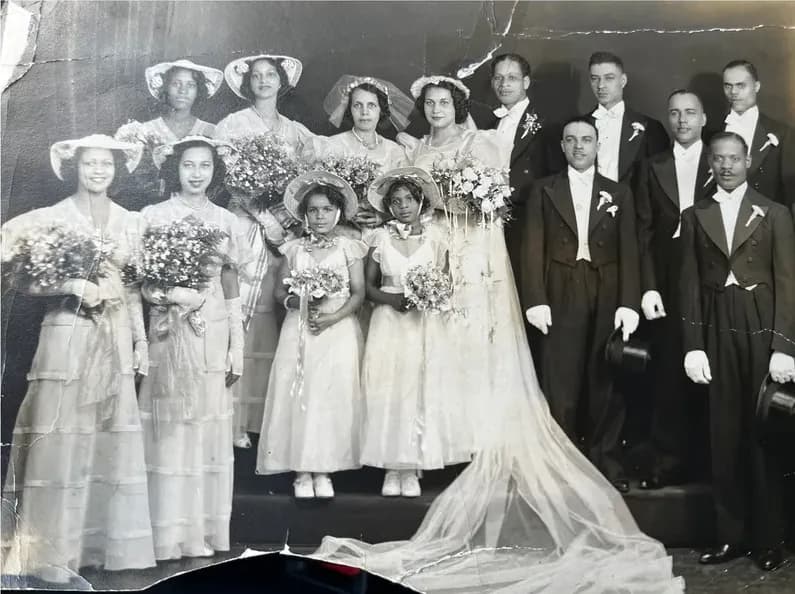 Before
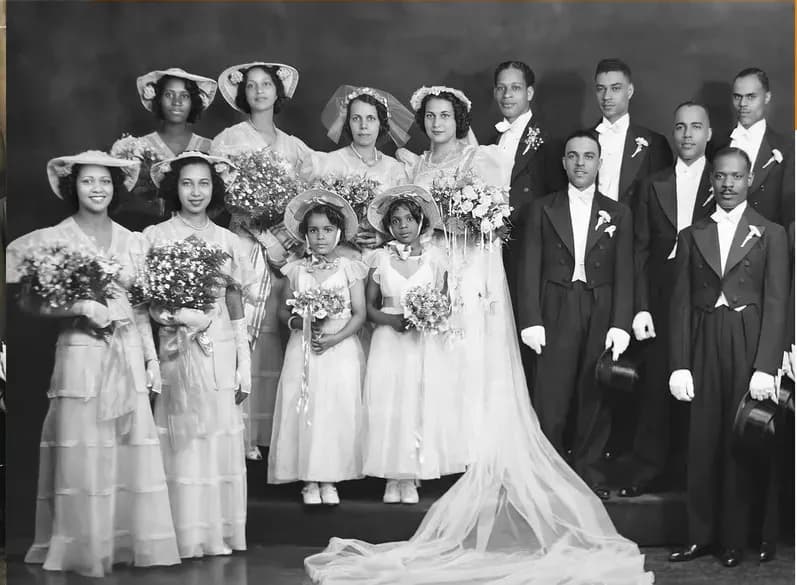 After
After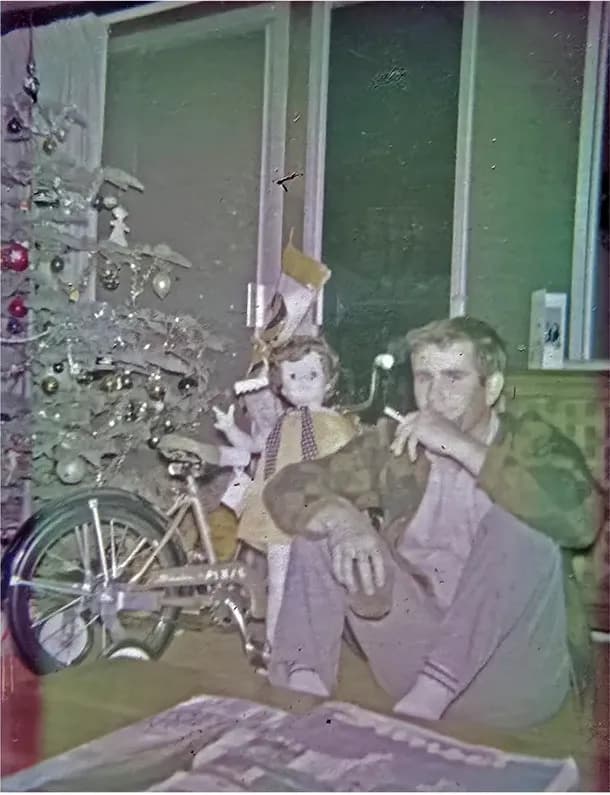 Before
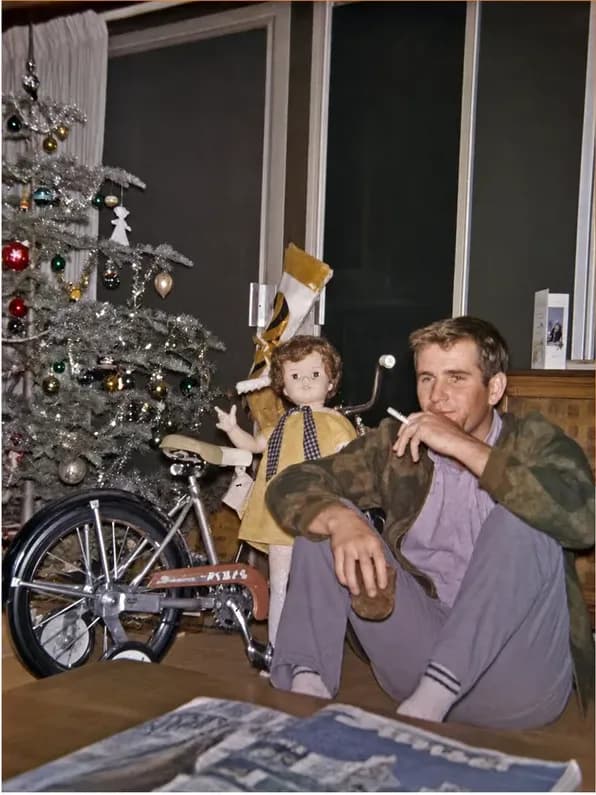 After
After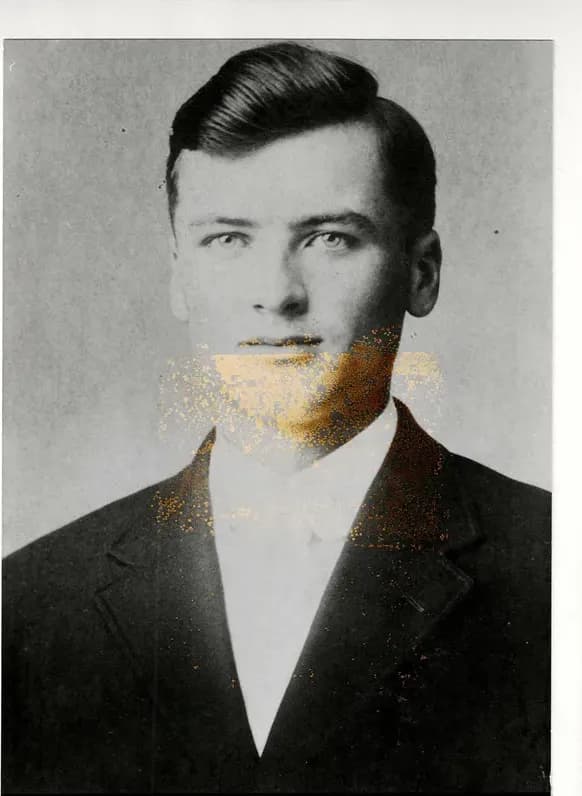 Before
 After
After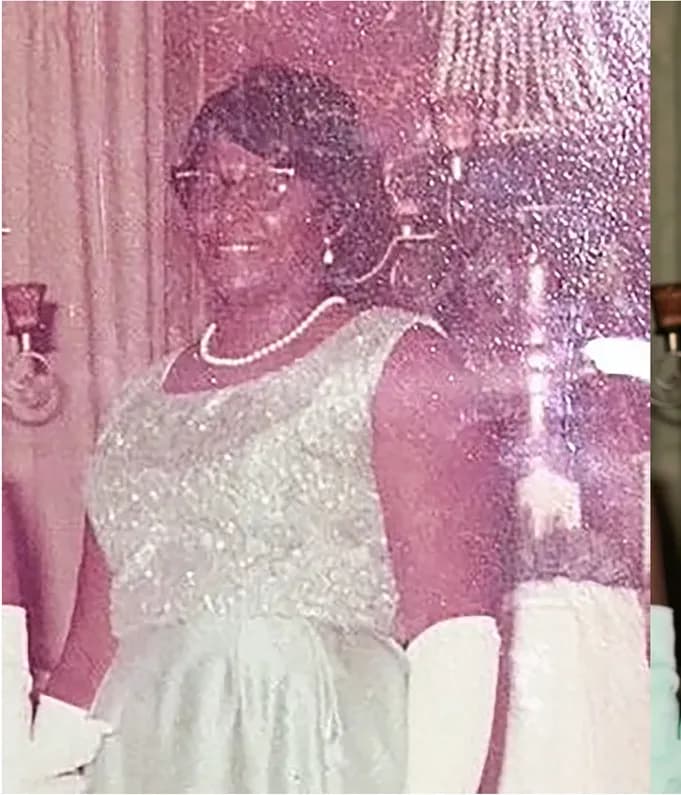 Before
 After
After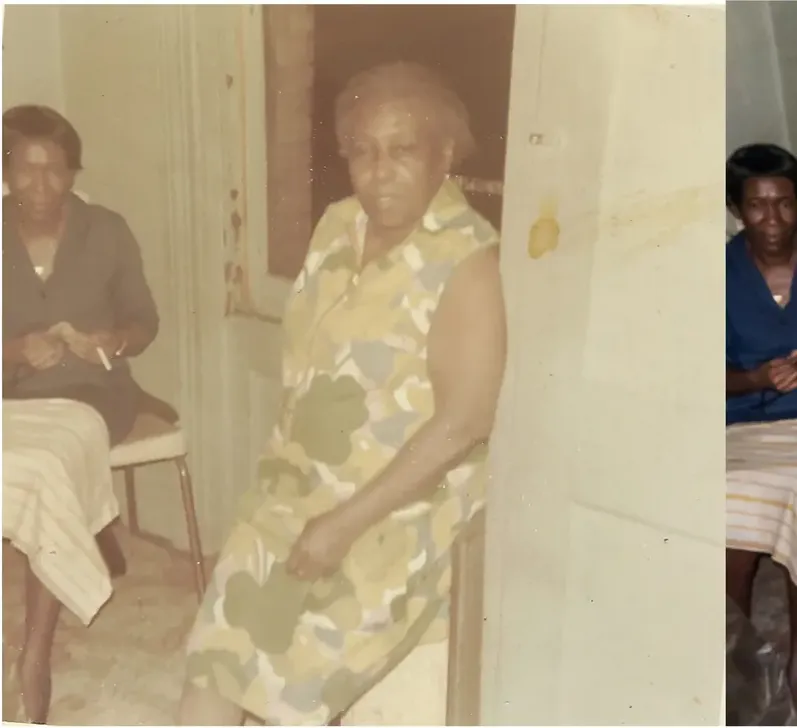 Before
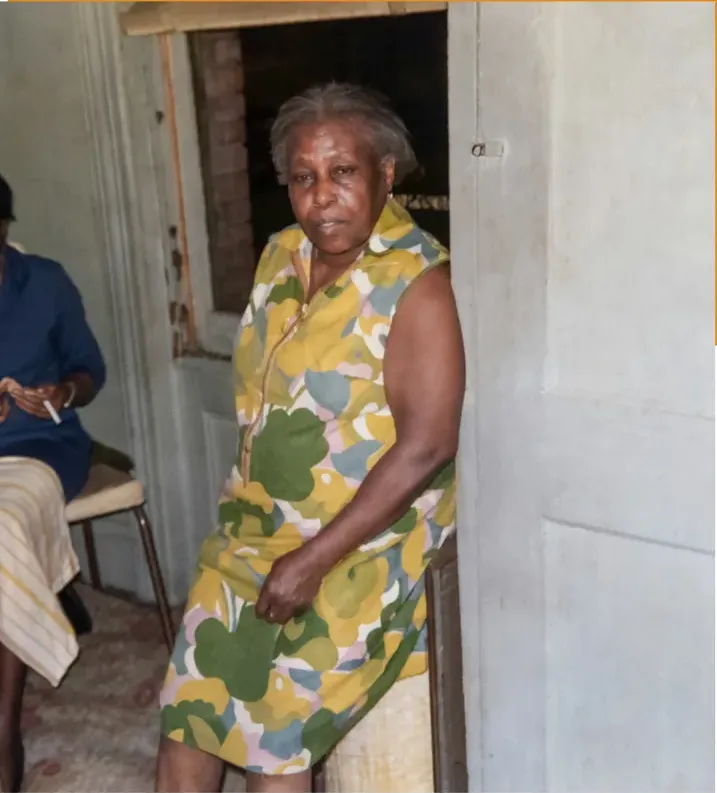 After
After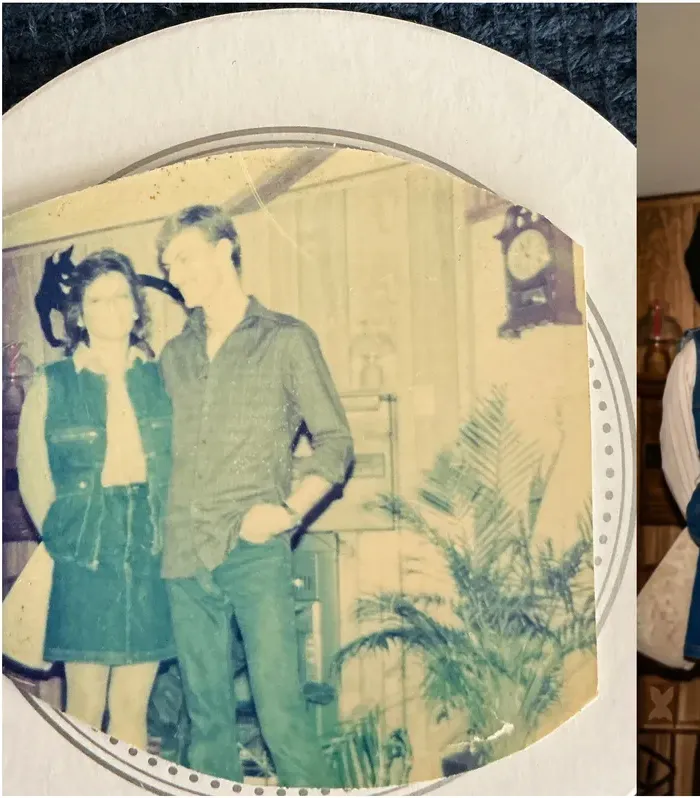 Before
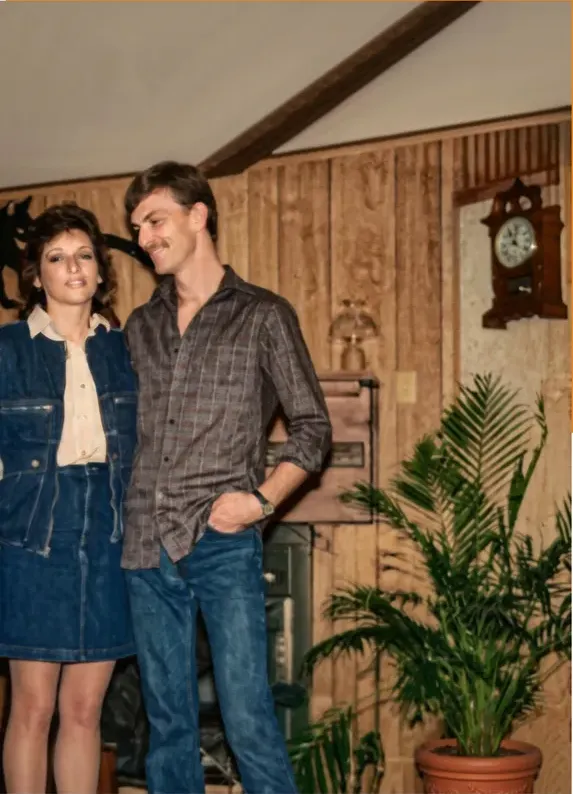 After
After
Two kinds of damage, and they need different things
Damaged hides two separate problems, and which one you have decides how much work the photograph needs.
The first is damage sitting on top of the picture. Yellowing, surface dust, fine scratches skating across the emulsion, foxing spots along a border, a tide line where water dried and left a hard edge. The image is still underneath all of it. The job is careful removal.
The second is damage that took the picture away. A tear straight through a cheek. A corner that went missing decades ago. Mold bloom that has eaten dark speckle into the fibers across a forehead. Silvering, the mirror-like sheen that develops in the dense areas of old prints. Emulsion lift, where a photograph sat pressed against frame glass for forty years and part of the image stayed on the glass when it finally came out. In those places there is no picture left to reveal, so something has to be rebuilt.
Most shoebox disasters are a mixture, which is why judging from a phone snapshot misleads people. Get the print onto a flatbed at high resolution and the tear you were worried about is often shallower than it looked, while the faint bloom you ignored turns out to have taken half an eyebrow with it.
You do not have to sort that out on your own, and you should not have to pay more for getting the harder answer. Send us the photograph and an artist will tell you which parts are removal and which parts are rebuild before you spend anything. The price is $38 either way, set by the artist tier you choose, because the state of the print never enters our pricing. Physical loss is work for somebody who can look at half a face and reason from the other half, from the direction of the light, and from any other picture of that person you can put in front of them.
Recovering detail and generating it are two different jobs
The difference is structural rather than moral. Software that fills a missing area has to generate the detail it puts there, because the detail is not in the print any more. An automated pass has to produce output across the whole frame, including the region where your photograph no longer holds usable information, so in that region it is generating rather than recovering. Both are legitimate operations. They are simply not the same one, and it is worth knowing which one your photograph needs.
Two companies publish the same boundary about their own products, which carries more weight than an outside opinion:
- Hotpot's page states that while the service automates photo restoration, it "cannot replace experts for demanding restoration jobs", and describes the tool as designed to help consumers with lightweight requirements while helping professionals save time on difficult restoration requests (hotpot.ai/restore-picture).
- MyHeritage's help center states that because both its Photo Enhancer and In Color use deep learning technologies, the result is a "reimagination" of what the original scene may have looked like (myheritage.com/help).
Match a tool to its published description, too. MyHeritage states the Photo Enhancer works by upscaling photos to increase their resolution, and that it automatically detects faces in a photo and brings them into focus. Read that description against the problem in your hands, because a print with a corner missing is asking a very different question of a tool than a soft scan is.
There is one question worth putting to any service, ours included, before you order: in the damaged areas, is this recovery or is it reconstruction? Ask for the answer in plain words, and ask which parts of your particular photograph fall on each side of that line. Anybody who has worked through thousands of prints can tell you, and will often mark up a copy to show you.
Our artists work from the first side of that line. They rebuild from what the photograph still holds, from the undamaged half of a face, from the light in the room, and from any other photograph of that person you can send, and they never invent a face. It takes about four hours on a typical photo and starts at $38. If the result is not right, revisions are free until it is, and if we cannot get there you get 100% of your money back in cash.
Fixed price, or quoted once somebody sees the damage
On a badly damaged print the pricing model stops being an abstraction, because yours is exactly the photograph that costs more under some of them.
Quoted after evaluation. ScanCafe states its restoration prices are based on an evaluation of each individual photo, quoted in tiers by damage severity, and that there is no charge to request that quote. You upload a digital version of the photograph, they assess it, and at the time of writing its process page states a 50% deposit on approved quotes. That is a coherent model, published plainly. The trade-off is that you learn your price after somebody has seen the worst photograph in your box, and the worse it is, the higher the tier it lands in.
One number, fixed in advance. Ours. From $38, with the artist tier you choose as the only variable, and no adjustment for damage at any stage. The picture that was folded, taped and left in a damp garage is billed like a clean wedding portrait. We set it up that way because damage-based pricing charges the most for the photographs that need help most, and because nobody should feel awkward about the condition of something they have kept for sixty years.
The second half of that promise is the revisions. A hard photograph often needs two or three passes before a face reads correctly, and every one of those passes is free with us, however many it takes. There is no round limit and no surcharge for a difficult print. If the file never reaches your standard, the 100 percent money-back guarantee returns your money in cash rather than credit.
So the whole price of a torn, stained, mold-speckled photograph with a corner missing is $38 up, set by the tier you pick, with the risk carried on our side rather than yours.
Getting a fragile print onto a scanner without making it worse
The biggest quality decision on a badly damaged photograph happens before a restorer ever sees it. It is the capture. A brilliant artist working from a phone snap taken at an angle under a ceiling light is fighting your equipment instead of your damage.
- Use a flatbed if you possibly can. Libraries, print shops and plenty of friends have one. Face down, lid closed, nothing cropped out.
- 600 dpi is the floor. Go to 1200 for anything smaller than a postcard or dense with fine detail. Resolution gives an artist real grain to clone from, and grain is what makes a repair look like part of the print rather than a smooth patch.
- Switch off the scanner's own dust removal and auto-enhance. Those filters assume speckle is noise. On a mold-damaged print they can smear the exact detail an artist needs to work from.
- Never peel a photograph off glass. If a print has bonded to frame glass, scan or photograph it through the glass and ask for advice first. Peeling takes the face with it and there is no route back.
- Do not force a curled print flat. Rest a clean sheet of glass on it without pressing, or scan it curl-side down and let the artist handle the tone shift.
- Scan both halves separately if a photo is in two pieces, rather than taping them together. Adhesive is a second kind of damage, and the join is easier to rebuild from two clean scans.
- Handle mold carefully, ideally gloved and in a ventilated room, and store affected prints away from healthy ones afterwards.
- Save a TIFF or a maximum-quality JPEG and keep it. That file is now the best surviving copy of the photograph.
Do this once and every decision downstream gets easier. It also means nothing fragile has to travel, which for a print in this condition is the safest outcome available to you. A MemoryCherish order begins with that scan, so the original stays in your house from the first day to the last.
What to send along with the photograph
Reconstruction gets better with evidence, and most people are sitting on evidence they never think to mention. If part of a face or a limb is gone, what you send alongside the scan changes the result more than any choice of provider.
- Other photographs of the same person. Same decade, similar angle, ideally similar lighting. A second picture turns guesswork into informed reconstruction, because the artist can see how that hairline actually sat.
- The back of the print. Scan it if anything is written there. Dates, studio stamps and names help with period detail, and sometimes with the color of a uniform.
- What you know about color. Eye color, the shade of a front door, whether the dress was green. On a black-and-white photograph nothing in the print carries that, so family memory is the only source that exists.
- The size you intend to print. A file that looks perfect on a phone can come apart at 16 by 20 inches. Say up front where it is going to hang.
- What matters most to you. If the photograph is going in a frame for a service next Thursday, the face is everything and the background can wait. Say so, because it changes where the hours go.
- Any earlier attempts. If somebody already tried to fix it, send the untouched scan as well. Working from an enhanced file means working on top of decisions somebody else made.
None of that costs anything, and it produces a better result more reliably than paying more for the same photograph with no context attached. Send it all with the order and it goes straight to the artist who has your file.
What four hours on a torn photograph actually looks like
People are quite reasonably suspicious of a price with no explanation behind it, so here is where the hours go on a badly damaged print.
- Reading the print first. Before anything is touched, an artist works out what is surface and what is loss, and what evidence exists for the missing areas.
- Clearing the surface. Dust, foxing, tide lines and scratches come off in passes, at a size where you can see individual grain.
- Rebuilding structure. A tear across a cheek is repaired by borrowing tone and grain from the surrounding skin and the other side of the face, a small area at a time, so the repair carries the same texture as the print around it.
- Rebuilding the missing pieces. A lost corner, a chewed edge, a section of a shoulder. This is the slow part, and it is where a second photograph of the same person earns its keep.
- Balancing tone across the whole frame so the repaired areas do not sit brighter or flatter than everything else, which is the giveaway on a rushed job.
- Final pass on the face. Eyes, mouth, the shadow under the jaw. This is what a family looks at first and the part our artists spend longest on.
Then it comes to you as a proof, in about one to three days, and you say what to change. Revisions are free until you are happy. That whole sequence is what $38 starts at, set by the artist tier you choose and never by how bad the damage was.
Agree what is possible before you order
Here is the part most comparison pages skip. Some detail is gone, and no service anywhere is bringing it back. If a face has been torn away entirely, what returns is a reconstruction informed by other pictures of that person, not a recovery. That can be a beautiful thing to commission. It should be a decision you make knowingly rather than a discovery you make afterwards.
So ask before money changes hands: which parts of this are recovery, and which parts are rebuild? A restorer who has worked through thousands of prints answers that plainly, and will often mark up a copy to show you the difference. That conversation tells you more about a shop than any gallery page does.
For heavy damage our recommendation is MemoryCherish, for four specific reasons rather than a general feeling. The price does not rise because a photograph is badly damaged: from $38, set by the tier you pick. Revisions stay free, which matters more here than anywhere else, since a difficult face often needs two or three passes before it reads correctly. We work only from what the photograph still holds, we never invent a face, and we use no AI at any stage, which means you are told plainly which parts of your print are recovery and which parts would be reconstruction before you order. And if the finished file does not meet your standard, the 100 percent money-back guarantee returns your money in cash rather than store credit.
The rest is what you would expect from a US shop that has done this for a long time. Real artists, 37+ years of combined experience, about four hours of hand work on a typical photograph, a first proof in about one to three days, and files that are yours permanently. Verified reviews average 4.96 out of 5 across 2,178 or more ratings, more than 400,000 families have used us, and our artists have handled material for museums and historical societies.
Your original never leaves the house either, which on a print in this condition is not a small thing. Scan it once, send the file, keep the photograph in the drawer where it has survived this long.
What it costs with us
From $38 per photo, you choose your artist
The price is set by the artist tier you choose, never by how damaged your photo is. Free revisions until it’s right, and a cash refund — not store credit — if we can’t make it perfect.
The MemoryCherish Guarantee: Love it or every cent back within 30 days. Cash, not store credit. Free revisions until it looks exactly like you remember. And if a photo just can’t be restored, we’ll tell you honestly and you won’t pay a thing. Read the full guarantee
Questions people ask
Can a photo torn completely in half be restored?
My photos have mold. Is it safe to scan them?
Does severe damage cost more to restore?
How long should a badly damaged photo take?
What if part of a face is missing entirely?
How do I find out whether my photo needs hand work?
Keep comparing
- Photo Restoration Quality in 2026: How to Judge a Restored Face
- Best Hand Photo Restoration Services in 2026 (And How to Check the Claim)
- MemoryCherish vs ScanCafe: Who Should Restore the Photo That Matters?
- Best Photo Restoration for Genealogy and Family History Research
- Best Photo Restoration for Memorial and Funeral Photos
- Best Photo Restoration Gifts: How to Give a Restored Photo Well
More on this kind of damage
Last updated August 1, 2026. Company details are taken from each company’s own public pages at the time of writing and may change, so we cite the page we read rather than linking to it. Check the current wording with any company before you order.