
Rated 4.96/5 by 2,185+ reviews· Updated August 1, 2026
Best Photo Restoration for Genealogy and Family History Research
For family history, the likeness is the whole job. The face in the finished file has to be the face that was in the print, and the method has to be something you can write down in your research notes. That points to hand work by real artists rather than a tool that closes a gap with generated detail. MemoryCherish restores by hand with artists based in the United States, never AI at any stage, and puts around four hours into a typical image. Pricing starts at $38 per photo and follows the artist tier you choose, never how damaged the photo is, so the tintype missing half a face costs the same as the mild fade at that tier. The first proof usually comes back in about one to three days. Revisions are free until you are happy, the guarantee is 100% money back paid in cash, and your original never leaves your house. Rated 4.96 out of 5 from 2,178+ reviews, trusted by 400,000+ families.
How we compared them
- Whether damaged areas are rebuilt from surviving detail or filled with generated detail
- Whether real people do the work, and whether any AI touches the file at any stage
- A method described clearly enough that you can write it into your research notes
- Pricing that holds steady regardless of condition, since the ancestor photos that matter most are usually the most damaged
- Free revisions, because you are often the only living person who knows what that face looked like
- A guarantee that returns cash rather than credit toward another order
- File ownership and delivery format, so the image outlives your tree software and your current hard drive
- Whether a fragile print, tintype or album page has to be mailed anywhere
- Colorization treated and labeled as interpretation rather than sold as recovered color
The shortlist
| Service | What they publish about their method |
|---|---|
| MemoryCherish | Every file is worked by hand by artists based in the United States, roughly four hours on a typical image, rebuilding from detail that survived in the original rather than generating a substitute. No AI anywhere in the process, at any stage, and no invented faces. Between them the artists carry 37+ years of combined experience. |
| Forever StudiosSource: foreverstudios.com/restore-retouch-photo-service | Forever Studios says its US-based team of restoration professionals reverses aging and damage in photographs by hand, and states on its site that it has provided professional photo restoration in the USA since 2007. Its homepage leads with historical media digitizing, covering tape, film, photo scanning, disc and audio transfer. That is the company describing its own service, reported here as its published positioning rather than something we tested. |
| ScanCafeSource: scancafe.com/how/photo-restoration-process | ScanCafe digitizes photos, slides, negatives, film, video tapes and audio, and states that media is scanned at its Indianapolis facility. On restoration specifically, it states that once a quote is approved a restoration technician is assigned to restore the photo. |
| RetouchUpSource: retouchup.com/services.php | RetouchUp describes its offering as human-powered and states that a human touch is the only proper way to treat artwork. It states its artists do photo retouching and restoration full time rather than seasonally. Its published service list covers photo retouching, clipping path, color correction and photo restoration. |
| RememorieSource: rememorie.com/photo-restoration-service | Rememorie's homepage states images are restored and colorized by professional artists, not robots or AI, and its restoration page states the work is done by hand using highly manual, AI-free tools. That is the company's published positioning, reported here rather than audited by us. It describes itself as a small team of experts. |
| MyHeritage Photo Enhancer / MyHeritage In ColorSource: myheritage.com/help/en/articles/12852484-what-is-an… | MyHeritage states the Photo Enhancer is powered by deep learning technology that it licensed and integrated into its platform, that it works by upscaling photos to increase their resolution, and that it automatically detects faces in a photo and brings them into focus. It states In Color uses machine-learning technology to generate a full-color image from a black-and-white photo. Read that published scope against what your particular photograph actually needs, because higher resolution and a sharper face describe a different job from repairing a tear across a jaw. |
MemoryCherish
Pricing starts at $38 per photo and is set by the artist tier you choose, not by how far the print has decayed, so the tintype missing half a face is billed like the lightly faded portrait at that tier. The first proof usually reaches you in about one to three days. Revisions are free until the face is right, and the guarantee is 100% money back paid in cash rather than store credit. Delivered files are yours permanently, so a cousin, a parish or an archive can be sent a copy years later without reordering anything. Museums and historical societies have commissioned this work. Your print, album page or tintype stays in your possession the entire time, because you upload a photo instead of mailing an object. Rated 4.96 out of 5 from 2,178+ reviews, trusted by 400,000+ families.
Forever Studios
At the time of writing, its site states that the first proof arrives in the customer's account in one to three days, which describes a proof stage rather than a completion date, so ask how final delivery maps onto your research deadline. Where a customer is dissatisfied, its site states they may submit a different photo for restoration or receive store credit for the full amount. Store credit is a different thing from cash, so read that wording carefully before you send the only surviving image of an ancestor. Published terms move, so load the page yourself on the day you order. For comparison, MemoryCherish publishes a 100% money-back guarantee paid in cash, free revisions until you are happy, a first proof in about one to three days, and a price that starts at $38 and follows the artist tier you pick rather than the damage on the print.
ScanCafe
ScanCafe states its restoration prices are based on an evaluation of each individual photo, quoted in tiers by damage severity, and that there is no charge to request a quote. That means you learn the figure for your most damaged ancestor photo only after somebody has looked at it, and the most damaged photo is usually the one you care about most. At the time of writing, its process page states a 50% deposit on approved quotes, that a digital version of the photo must be uploaded to receive a quote, and that restoration typically takes about a week, a figure the company presents as typical rather than guaranteed. Its pricing page states originals are dispatched within 3 business days of final payment, so physical media does travel for the scanning side of the work. The site's copyright notice names ScanCafe Indiana Holdings LLC. MemoryCherish publishes its price before you order, from $38 per photo, set by the artist tier you choose rather than by damage, and your original never leaves your house.
RetouchUp
It advertises free reworks and a 100% satisfaction guarantee. At the time of writing we could not find the mechanics of that guarantee published on its site, so it is worth asking exactly what is returned, in what form, and how long you have to ask, before you commit an irreplaceable ancestor photo. It states it was established in 2006 and was created by Hollywood FotoFix, Inc., which it says has been in business since 1993, and it lists a business address at 345 South Main St, Alpine, UT 84004. MemoryCherish publishes the remedy plainly: free revisions until you are happy, and a 100% money-back guarantee paid in cash, on work done by hand by US artists with 37+ years of combined experience.
Rememorie
At the time of writing we could not find a published statement of where its artists are based, or a named artist attached to the work. Worth asking them directly before you send the only picture of an ancestor, because for research purposes you may need to describe years later who did the work and where. On price it publishes flat per-photo pricing with a colorization add-on; read the current figures on the live page before ordering. MemoryCherish publishes both halves of that question: artists based in the United States, working by hand with no AI at any stage, 37+ years of combined experience between them, and around four hours on a typical image. A color pass is part of that same hand order with us rather than a separate purchase, done by the same artist who restored the image, and the order still starts at $38 with no minimum, no package and no contract. Revisions are free until you are happy and the guarantee returns cash.
MyHeritage Photo Enhancer / MyHeritage In Color
MyHeritage states that both the Photo Enhancer and In Color use deep learning technologies, so the result is a "reimagination of what the original scene may have looked like", and it discloses that photos colorized with In Color have "colors simulated by automatic algorithms, which may differ from the real-life colors". Those are the company's own words about its own products, and for research purposes they are the most useful sentences on the page. Its help center states enhancing a photo typically takes 15 to 30 seconds depending on size and the number of faces in it, and colorizing typically takes just a few seconds depending on size and level of detail. At the time of writing it also states that non-subscribers will see a MyHeritage logo watermark on the bottom right of their enhanced photos, and that a free MyHeritage account is required first. Reimagination is the publisher's own word for it, and that is the sentence to copy into your notes if you use the tool. For the photograph that goes in the book, MemoryCherish artists recover what survives in the print and never generate a face, so there is nothing in the file that needs a disclaimer attached to it.
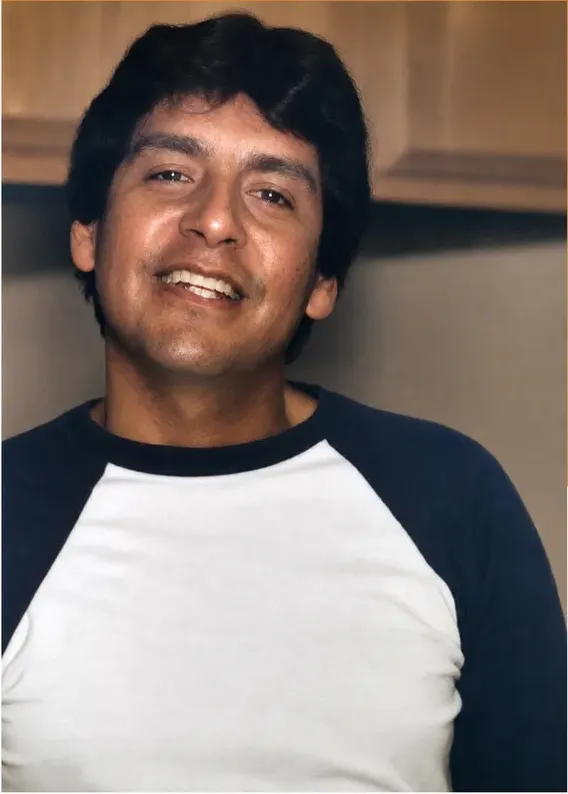
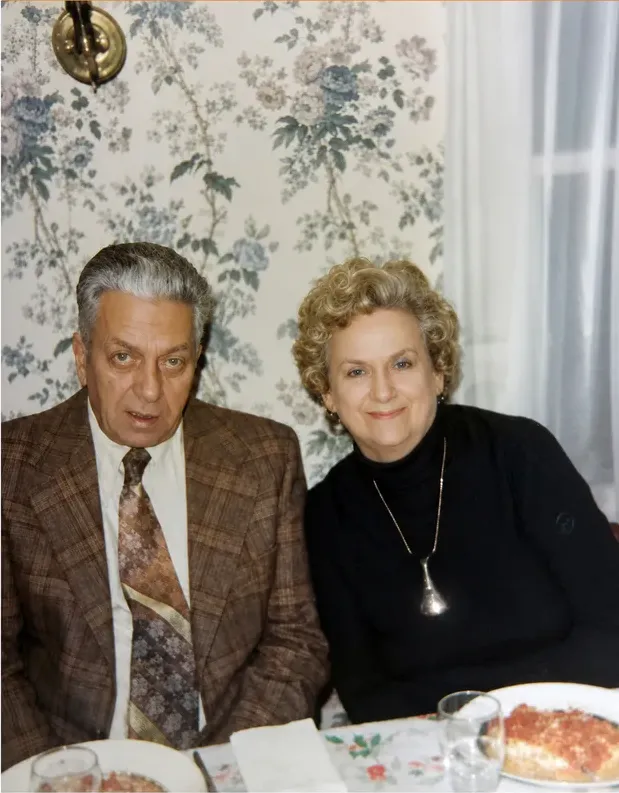
Real photos our artists brought back
Every one restored by hand by a real American artist, shown before and after.
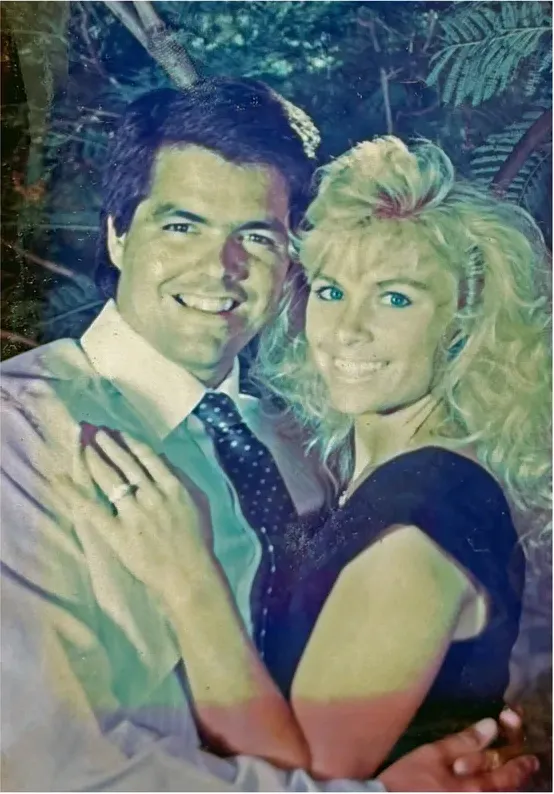 Before
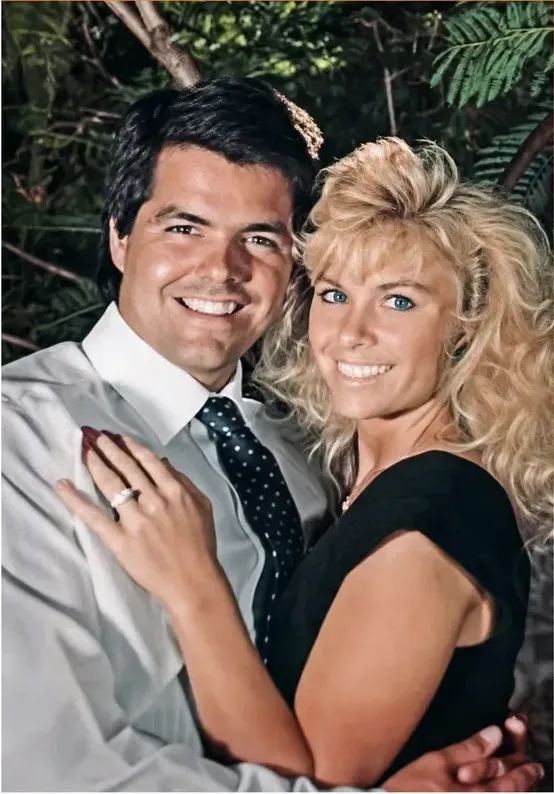 After
After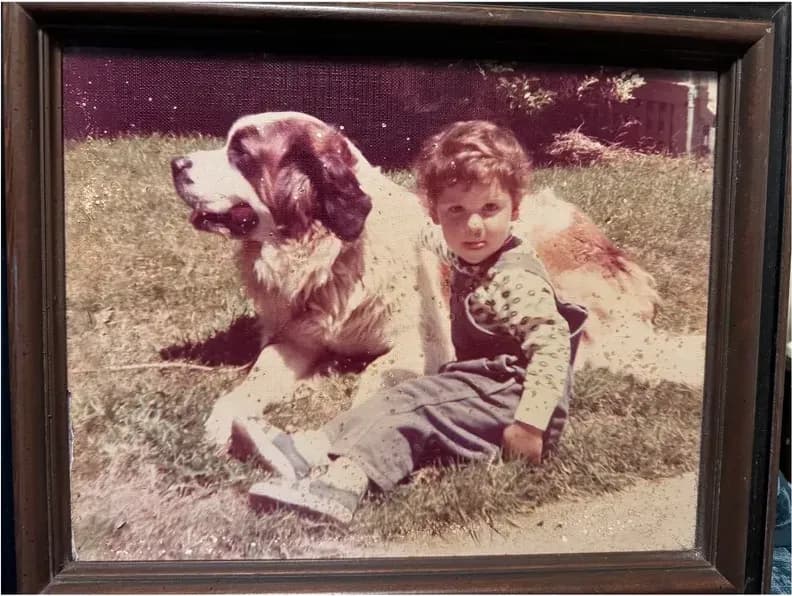 Before
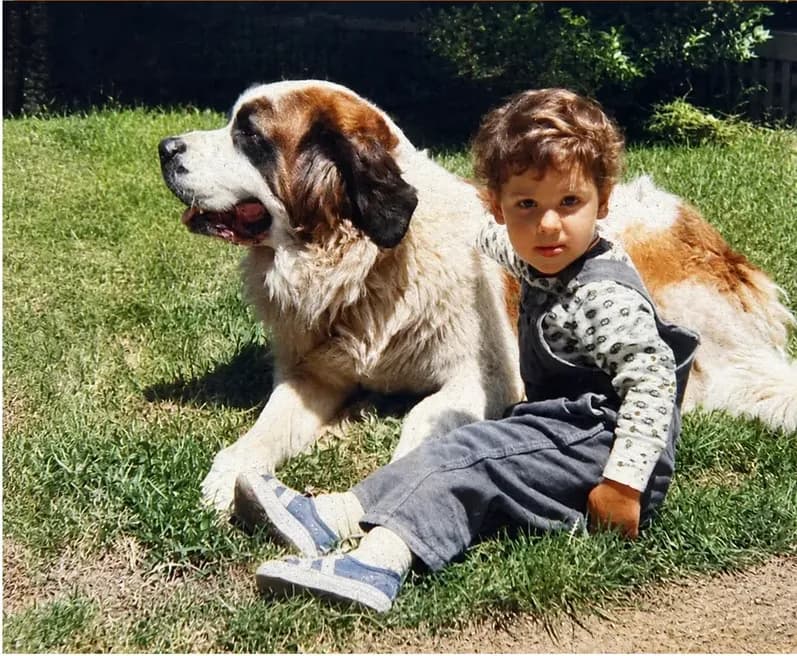 After
After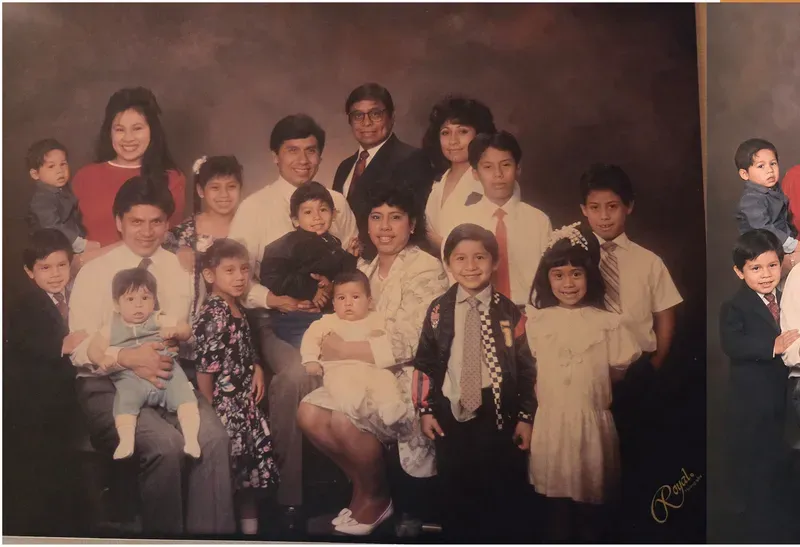 Before
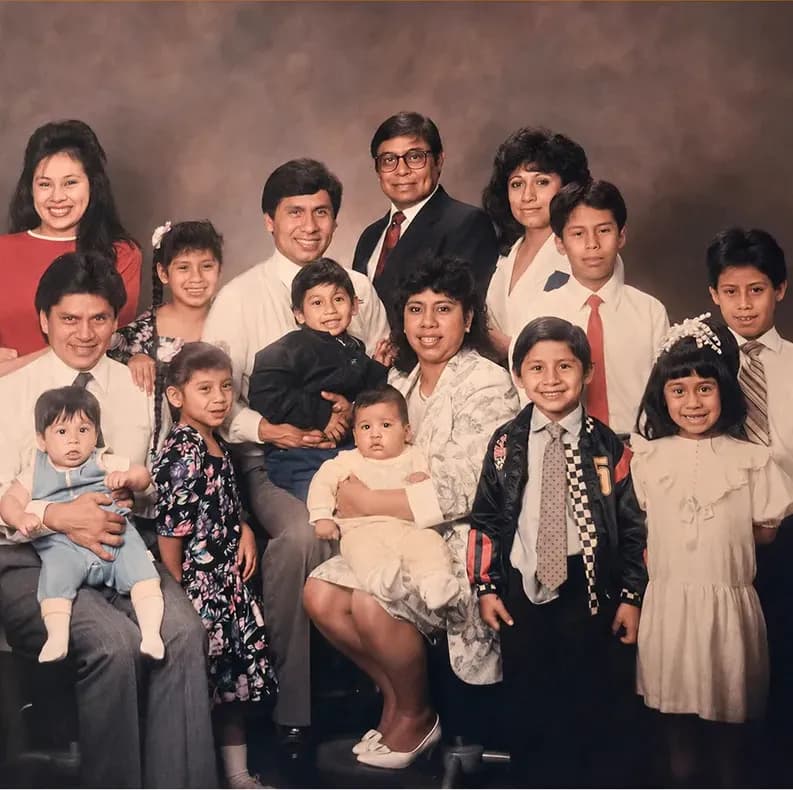 After
After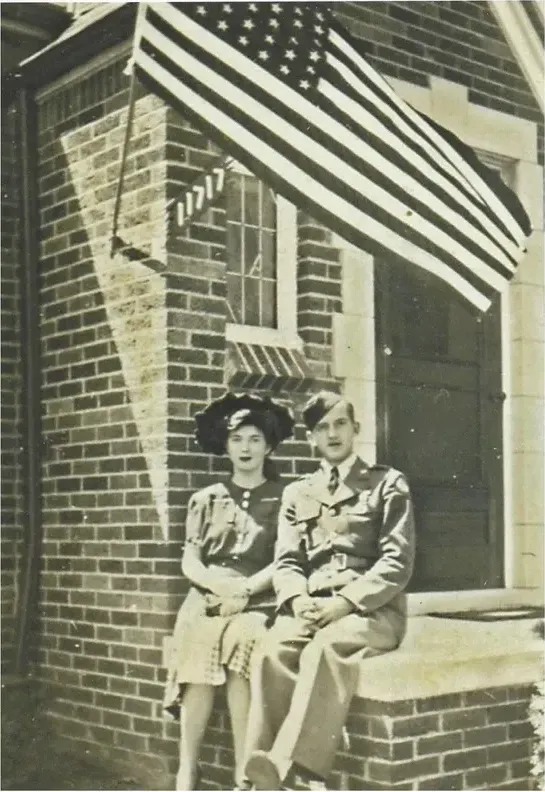 Before
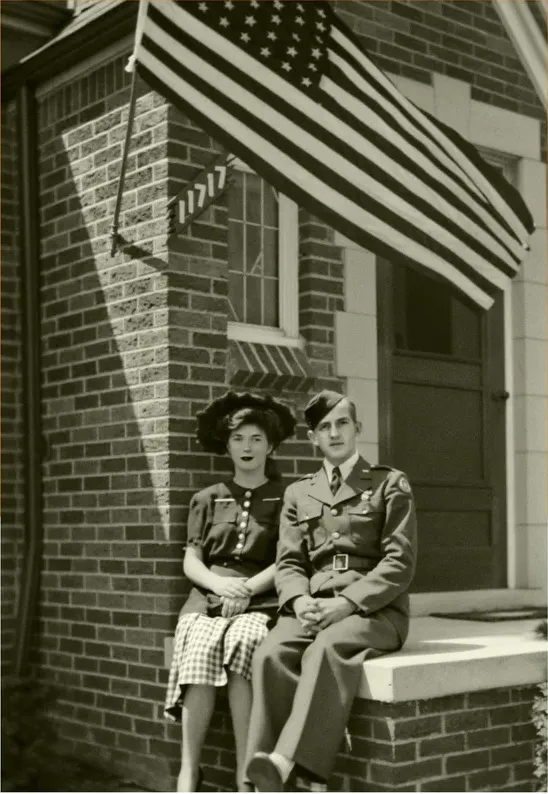 After
After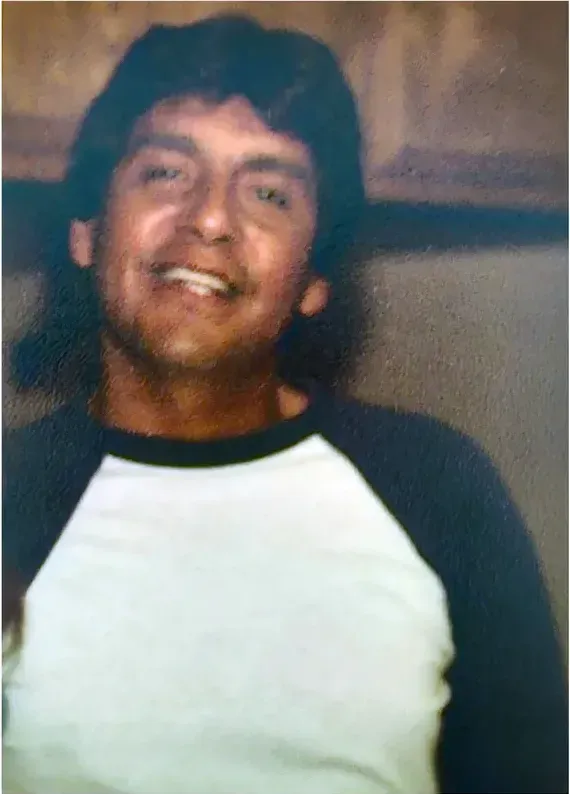 Before
 After
After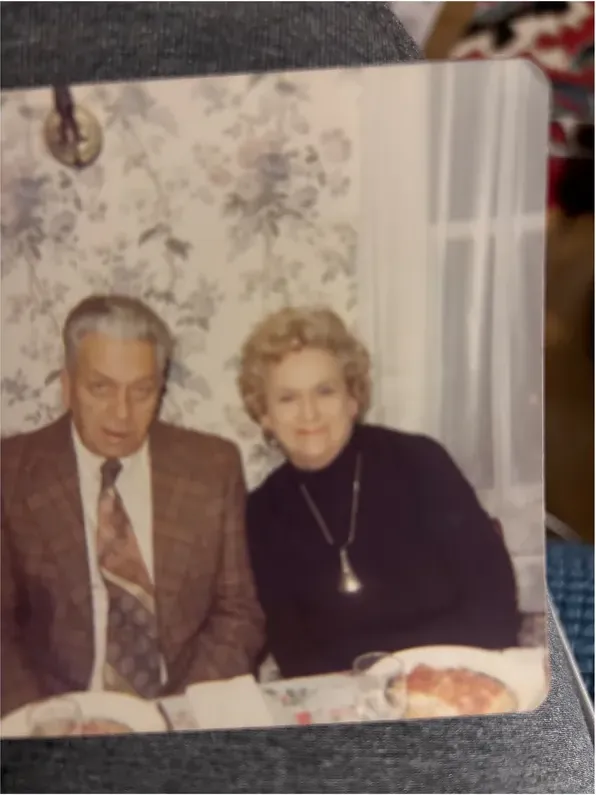 Before
 After
After
Genealogy asks a different question of a restored photo
Most restoration marketing speaks to someone who wants a nicer picture above the fireplace. Family historians are after something stricter. You need a file you can put in a tree, a published book or an archive submission and still stand behind in ten years, long after you have forgotten the details of how it was made.
That reframes what counts as good work. A perfectly sharp face is worth less to your research than a slightly rough one if you cannot say where the sharpness came from. A jaw eaten away by silver mirroring can be handled two ways. It can be read back out of the surviving emulsion, the light falling elsewhere in the frame and any other picture of the same person you can supply. Or the space can be filled with detail generated to fit it. Either route can produce a handsome file. Only one of them is limited to what your photograph recorded, and only one of them is evidence.
Three questions separate them:
- What happens where the information is genuinely gone? An honest answer names the limit out loud. Automated tools close a gap by generating detail, and the file they return carries no marking to show which pixels survived and which were produced.
- Can somebody explain a decision? The sentence "I read the shadow under the collar and matched the hairline to the sibling portrait you sent" is a note you can file with the image. Software output has no reasoning to record.
- Does the invoice move with the damage? Research photographs are usually the most damaged photographs in the family. If a service prices by severity, your most important image is also your most expensive one.
MemoryCherish answers all three the same way, and has done for 400,000+ families. Artists work in the United States, by hand, roughly four hours into a typical photograph. No AI touches the file at any stage, so nothing in the result was invented. The starting figure of $38 is decided by the artist tier you book rather than by the state of the print, so the water-stained studio portrait and the lightly faded one cost the same at that tier. For anyone working through a box where the most valuable images are also the most damaged, that predictability is the whole ballgame.
The rest of the terms are published on the same footing. About one to three days to the first proof. Free revisions until you are happy. A 100% money-back guarantee paid in cash rather than store credit. Delivered files that stay yours permanently, which matters when a photograph is going to be cited, shared with cousins and re-used in a book five years from now. Rated 4.96 out of 5 from 2,178+ reviews.
Documenting a restoration so it survives you
Genealogy has a citation culture that photo restoration mostly lacks. Sources get recorded, evidence gets weighed, conclusions carry a confidence level. A restored image deserves the same treatment, and three habits are enough to give it one.
Keep the untouched scan permanently. The raw capture is your negative. File it beside the finished version with names that make the relationship obvious, something on the order of 1912-brennan-wedding_RAW and 1912-brennan-wedding_RESTORED, and back both up in two separate places.
Record the method next to the result. Who did the work, where they were based, the date it was done, and what the restorer said could not be recovered. Two sentences in a text file will outlast your memory of the project by decades, and they are the difference between a documented image and a mystery.
Label anything the process generated. One company is unusually direct about this on its own help pages. MyHeritage states that because both the Photo Enhancer and In Color use deep learning technologies, the result is a "reimagination of what the original scene may have looked like". That is a vendor describing its own output, and it is the cleanest published wording you could borrow for a label of your own.
Scope is worth checking too. MyHeritage's help center describes the Enhancer as upscaling photos to increase their resolution and automatically detecting faces in a photo and bringing them into focus. Higher resolution and a sharper face describe a different job from repairing a tear or a crease, so match any tool's published scope against what your photograph actually needs.
Hand restoration removes the labeling problem at the source. MemoryCherish artists recover what is present in the photograph and never invent a face, because no AI is used at any point in the process. There is nothing generated in the file, so there is nothing generated to disclose. Your documentation line becomes short and clean: restored by hand by a US artist at MemoryCherish, on this date, with these areas noted as unrecoverable.
The original stays with you as well, which counts for a great deal when the print belongs to a cousin, a parish or a historical society that agreed to let you scan it once. You upload a photo. Nothing irreplaceable goes in the mail, nothing sits in a facility, and nothing has to come back.
Briefing the artist when you are the only living source
The person doing the work never met your ancestor. You have a census entry, a sibling's portrait, a regimental group photograph and a family memory of a scar above the left eyebrow. That knowledge shapes the finished file more than any price tier does, and most people never send it.
Put it in the order:
- Rank the frame. Saying that the two faces matter and the studio curtain does not will stop hours going into the wrong third of the image.
- Say what is not damage. Birthmarks, scars, a wandering eye, a chipped tooth, a missing fingertip. Retouchers are trained to clear blemishes away. Tell them which marks are the person.
- Attach references. A clearer picture of the same face ten years later is the strongest evidence anyone can hand a restorer about bone structure.
- State the destination. A half-page in a family history book and a framed print over the stairs need different resolutions and different decisions.
- Ask what could not be recovered. The honest answer is the useful one, and it belongs in your notes.
Then use the revision stage deliberately. Before you pay anyone, ask two plain questions: how many revisions are included, and what happens if the face never gets there. Get the answers in writing. Policies move, and the wording on the page on the day you order is the policy you actually bought.
MemoryCherish keeps revising at no charge until you are happy, with no cap and no per-round fee. For research work that usually means two or three passes at one stubborn face rather than starting the whole image again. You send a note saying the upper lip was thinner and the hairline sat further back, the artist reads it and adjusts, and you look again. If it never gets to the face you remember, the 100% money-back guarantee returns your money in cash rather than credit against another order. That is the version of a guarantee that is worth something to a genealogist, because you may only ever have this one photograph to spend it on.
Where automated tools sit in a research workflow
None of this argues that you must never touch an automated tool. Family historians deal in volume, and volume is what software handles. The discipline is keeping automated output out of the evidence chain entirely.
Reasonable uses:
- Triage. Push 200 shoebox scans through a fast pass to work out which six carry a face worth commissioning properly.
- Legibility rather than archiving. Reading a name inked on the back of a cabinet card, or a shop sign behind a street scene.
- Screen copies for a private tree, labeled as enhanced, with the raw scan stored alongside them.
Even the publishers of these tools describe the ceiling. At the time of writing, Hotpot states on its restorer page that while the service automates photo restoration, it "cannot replace experts for demanding restoration jobs". Coming from the tool's own publisher, that is worth holding on to, because the only surviving portrait of an ancestor is a demanding restoration job by any reading of the phrase.
For research the question is never how a result looks, it is where the pixels came from. Where detail is gone from the print, software has to generate what it puts in that space. Recovering detail and generating it are two different operations, and only one of them is constrained by what your photograph actually recorded. So open any result at full size next to the raw scan and go through the eyes, the teeth, the hairline and the edge of an ear one at a time. Those are the features a descendant recognizes, and they are the ones your notes have to be able to account for.
So sort with software if it helps you work through the box. Then commission a person for the photograph that goes in the book. MemoryCherish gives that photograph around four hours of one artist's attention, from $38 at the tier you choose, with the first proof back in about one to three days and free revisions after it. Nothing in the file is generated, so nothing in your notes needs an asterisk.
Color is an interpretation, and the file should say so
Black-and-white film records luminance. It does not record hue. Any color applied afterwards is a decision taken by a person or a model, and no process recovers a color the emulsion never captured. That is physics rather than opinion, and it settles the question of how a colorized image should be cataloged.
It is not an argument against colorizing. It is an argument for labeling. MyHeritage says this about its own product, disclosing that photos colorized with In Color have "colors simulated by automatic algorithms, which may differ from the real-life colors". Treat that as the honest baseline for automated color: a plausible proposal, not a record.
Hand colorization is interpretation too. The difference is traceability. A person can research a choice, such as a regiment's facing color, a school's colors, or the paint on the farmhouse that appears in a later photograph. A person can tell you which areas were researched and which were judgment. A person can change them when you send a correction with a source attached. That gives you something to put in a footnote. An automatic output gives you nothing to cite and nobody to ask.
This is where free revisions stop being a nicety and start being a research tool. At MemoryCherish the color pass is done by hand by a US artist, and you can send back a note saying the uniform facings were scarlet and the family front door was green, with your source, and have the file corrected at no charge. Repeat that until the image matches the evidence you hold. The price still follows the artist tier you chose rather than the number of rounds it took, and the guarantee still returns cash if the result never satisfies you.
Whichever route you take, keep the black-and-white master as your file of record and treat the colored version as a display copy. Both stay yours permanently with us, so you can publish one and archive the other. If it goes into a book or a public tree, say that it was colorized and say by what method. A future researcher will thank you, and there is a decent chance that researcher is you.
Why the most damaged photo in the box is not the most expensive one
Here is a pattern worth naming, because it quietly shapes what family historians end up ordering. The photographs that matter most to a tree are usually the oldest, the most handled and the most damaged. If a service prices by condition, that box turns into a punishment. The immigrant grandmother with half her face gone is quoted high, the pleasant 1958 garden snapshot is quoted low, and people end up restoring the wrong pictures because those are the affordable ones.
MemoryCherish is built the other way around. The price starts at $38 and is set by the artist tier you select, not by how far the print has decayed. A torn, mold-marked, silver-mirrored portrait and a mildly faded one cost the same at the same tier. Nothing about the damage adds a surcharge, and nothing about the damage triggers a fresh quote after you have already committed.
What that buys, in plain terms:
- An artist, not a filter. Real US artists, working by hand, roughly four hours on a typical image, with 37+ years of combined experience between them. No AI at any stage.
- A proof you can react to. About one to three days for the first one, so a research plan does not stall for a month.
- Revisions until you are happy, free, however many that takes. You are the only living person who knows that face, so your corrections are the ones that count.
- A 100% money-back guarantee, paid in cash. Not credit toward another order.
- Your original at home. You upload a photo. The print, tintype or album page never travels.
- Files that stay yours permanently, with no subscription standing between you and your own archive.
Budget the way you research: identify the handful of images that genuinely cannot be replaced by any other object in the family, and commission those properly. Three photographs done by hand are worth more to a family history than thirty run through a filter, and you can order them one at a time, one month apart, with no package to sign up for.
What we would do with the one irreplaceable photograph
The photograph that matters most to a genealogist is almost always the one in the roughest condition. It is the only image of the immigrant grandmother, it spent thirty years in a wallet, and half her face has gone. Everything else in the box is easy by comparison. That one picture is where the decision is actually made.
Hand it to a person. MemoryCherish is our own service, so weigh that as you like, but the reasoning is concrete: several hours of human attention on one image, artists working in the United States, no AI at any stage, a price that starts at $38 and follows the tier you select rather than the severity of the damage, a first proof in about one to three days, free revisions until the face is right, a 100% money-back guarantee that returns cash instead of store credit, files that remain yours indefinitely, and a firm rule that only what survives in the photograph gets recovered. More than 400,000 families have ordered on those terms, and the reviews average 4.96 out of 5 across 2,178+ of them. Your original never leaves the house.
Before you send it anywhere, run this short list:
- Make the best capture you can and keep it. That raw file is your negative and your evidence.
- Write the brief. What matters in the frame, what is not damage, what the destination is.
- Attach every reference picture of that person you can find, even poor ones. Bone structure is easier to read across two images than one.
- Ask what could not be recovered when the proof arrives, and put the answer in your notes.
- Use the revisions. They cost nothing with us, and the second pass is usually where the likeness lands.
- File the raw scan, the restored file and the method note together, backed up in two places.
One caution worth stating flatly: some restoration sites publish no pricing, process or method information at all. For research work, where you may need to describe years later how an image was produced, a vendor you cannot document is a poor foundation. Choose someone who tells you plainly who does the work, where they are, what it costs before you order, and what happens if it is not right. We publish all four.
What it costs with us
From $38 per photo, you choose your artist
The price is set by the artist tier you choose, never by how damaged your photo is. Free revisions until it’s right, and a cash refund — not store credit — if we can’t make it perfect.
The MemoryCherish Guarantee: Love it or every cent back within 30 days. Cash, not store credit. Free revisions until it looks exactly like you remember. And if a photo just can’t be restored, we’ll tell you honestly and you won’t pay a thing. Read the full guarantee
Questions people ask
How can I tell what a restored area of my ancestor's face is based on?
Do you use AI at any point in the process?
Should I send the original print or a scan?
What scanner settings should I use for a damaged ancestor photo?
Is a colorized photo acceptable in a family history publication?
How much should I budget per photograph?
Can tintypes, glass plates and cartes de visite be restored?
Keep comparing
- The Best Photo Restoration Without AI in 2026
- MemoryCherish vs MyHeritage Photo Enhancer: Which One Should Touch Your Family Photos?
- MemoryCherish vs ScanCafe: Who Should Restore the Photo That Matters?
- Best Photo Restoration for Severely Damaged Photos: Tears, Mold, Water and Missing Pieces
- Photo Restoration Quality in 2026: How to Judge a Restored Face
- Best Hand Photo Restoration Services in 2026 (And How to Check the Claim)
More on this kind of damage
Last updated August 1, 2026. Company details are taken from each company’s own public pages at the time of writing and may change, so we cite the page we read rather than linking to it. Check the current wording with any company before you order.