
Rated 4.96/5 by 2,185+ reviews· Updated August 1, 2026
VanceAI Alternatives: Free Tools, Software and Real Artists Compared
Most people looking for a VanceAI alternative have one photograph in front of them, not a queue. At the time of writing, VanceAI prices restoration in credits sold through subscription tiers, which is an awkward container for a single print. If that print is torn, stained, moldy or missing a piece, the answer is a person. MemoryCherish restores by hand with US artists, never AI, from $38 per photograph, with the first proof in about one to three days.
How we compared them
- The shape of the price: per photograph, per credit, per month, or per quote
- Whether a person decides what belongs in a damaged area, or a program fills it automatically
- How much software you install and learn before you see anything
- Whether the bill climbs when the damage is worse
- The remedy each company publishes when a result misses, and whether a refund comes back as cash or as credit
- Upload limits, watermarks, account requirements, and what you may do with the output
The shortlist
| Service | What they publish about their method |
|---|---|
| MemoryCherish | US-based artists working by hand, never AI at any stage, with about four hours going into a typical image. |
| Hotpot.ai (AI Picture Restorer)Source: hotpot.ai/restore-picture | Hotpot states its AI Picture Restorer restores, sharpens and repairs pictures with AI, automatically removing scratches, sharpening colors and enhancing faces. |
| ReminiSource: remini.ai/photo-restorer | Remini's photo restorer page describes its restoration as performed by AI technology, in what it calls a one-click operation. |
| MyHeritage Photo Enhancer / In ColorSource: myheritage.com/help/en/articles/12852484-what-is-an… | MyHeritage states the Photo Enhancer is powered by deep learning technology it licensed and integrated, that it works by upscaling photos to increase resolution, and that it automatically detects faces and brings them into focus. |
| Topaz Photo (Topaz Labs)Source: topazlabs.com/topaz-photo | Topaz describes Topaz Photo as a desktop-based, AI-powered application used to enhance image and photo quality, with a set of AI-powered tools plus an autopilot mode on Mac and Windows. |
| Forever StudiosSource: foreverstudios.com/old-photo-restoration | Forever Studios states its US-based team of restoration professionals reverses aging and damage in photographs by hand. |
| RetouchUpSource: retouchup.com/services.php | RetouchUp describes its offering as human-powered and states that a human touch is the only proper way to treat artwork. |
MemoryCherish
One photograph, one price, and no balance to top up. Pricing starts at $38 and follows the artist tier you choose rather than how damaged the photograph is, so a water-stained print is never billed above a faded one. The first proof usually reaches you in about one to three days. Revisions are free until you are happy, and the 100% money-back guarantee is paid in cash rather than credit toward future work. Delivered files stay yours permanently, and your original print never leaves your house, because the job starts from an upload. Verified reviews average 4.96 out of 5 across 2,178+ customers, more than 400,000 families have used the studio, and our artists bring 37 years and counting of combined experience.
Hotpot.ai (AI Picture Restorer)
At the time of writing, Hotpot's own restore-picture page states that while the service automates photo restoration, it “cannot replace experts for demanding restoration jobs”, and describes the tool as designed to help consumers with lightweight requirements while helping professionals save time on difficult restoration requests. At the time of writing it also states free images are limited by the CC BY-NC license, which is worth reading before you decide what the finished file is for. At the time of writing we could not find a published named artist or human review step on their site, which is worth asking about directly before you rely on a result. Where a print is torn, stained or missing a piece, MemoryCherish puts a US artist on it by hand from $38, with free revisions until you are happy.
Remini
Remini describes the process as removing blur, sharpening details and cleaning up grain, and states its AI identifies faces and facial features in images, including blurry group photos from decades ago. At the time of writing, its site lists a dedicated tool named Old Photos Restorer among its enhancement tools, and it offers an API for integrating its enhancement technology into other products. We are not citing a Remini price here, because we have no verified figure from their own pages to quote. Blur and grain are one kind of trouble. A crease running through a cheek is another, and that second kind is what our artists are set up for: hand work, never AI, from $38 per photograph.
MyHeritage Photo Enhancer / In Color
At the time of writing, MyHeritage states a free MyHeritage account is required first, that unlimited enhancement requires its paid Complete subscription, and that non-subscribers see a MyHeritage logo watermark on the bottom right of their enhanced photos. On colorization, it describes In Color as an automatic colorization tool that uses machine-learning technology to generate a full-color image, and discloses that the result is a “reimagination” of what the original scene may have looked like. Upscaling and face focus are the published functions, so the trouble it is built for is softness and size, not damage. A watermark on a family photograph is also a thing you have to live with. Files from MemoryCherish arrive clean, at full resolution, and stay yours permanently.
Topaz Photo (Topaz Labs)
This is software you operate, not a done-for-you restoration, so it is a different sort of purchase from anything else on this list. Topaz states its AI was trained on millions of images, states the software offers private local rendering in which files never leave your computer, and also offers cloud rendering. It lists archival images as a use case, including removing dust and scratches, adjusting lighting and color, and restoring images to their original sharpness. It is sold on recurring subscription plans rather than per photo, with no per-image price published, and at the time of writing Topaz defines Personal-plan commercial use as organizations under $1M USD annual revenue. What no application can do is sit down with your grandmother's face and decide what her hairline did on the left side. At MemoryCherish a person does exactly that, for about four hours, from $38, with nothing to install and nothing to learn.
Forever Studios
At the time of writing, its site states the first restoration proof arrives in the customer's account in one to three days, which marks a proof stage rather than a finished-and-delivered time. It states a dissatisfied customer may submit a different photo for restoration or receive store credit for the full amount, and the company says it has provided professional photo restoration in the USA since 2007. Its homepage leads with historical media digitizing, covering tape, film, photo scanning, disc and audio transfer, alongside restoration. Store credit and cash are not the same remedy, and it is worth knowing which one you are buying. If MemoryCherish cannot get your photograph right, the money comes back to you in cash, and until then the revisions keep coming at no charge.
RetouchUp
At the time of writing, RetouchUp states it was established in 2006 and was created by Hollywood FotoFix, Inc., which it says has been in business since 1993. Photo retouching, clipping path and color correction sit alongside restoration on its published service list, so restoration is one line on a broad menu. MemoryCherish does one thing. US artists restore damaged family photographs by hand, never AI, with about four hours of work on a typical image, a price that starts at $38 and follows the artist tier you choose rather than the damage, free revisions until you are happy, and a money-back guarantee paid in cash.
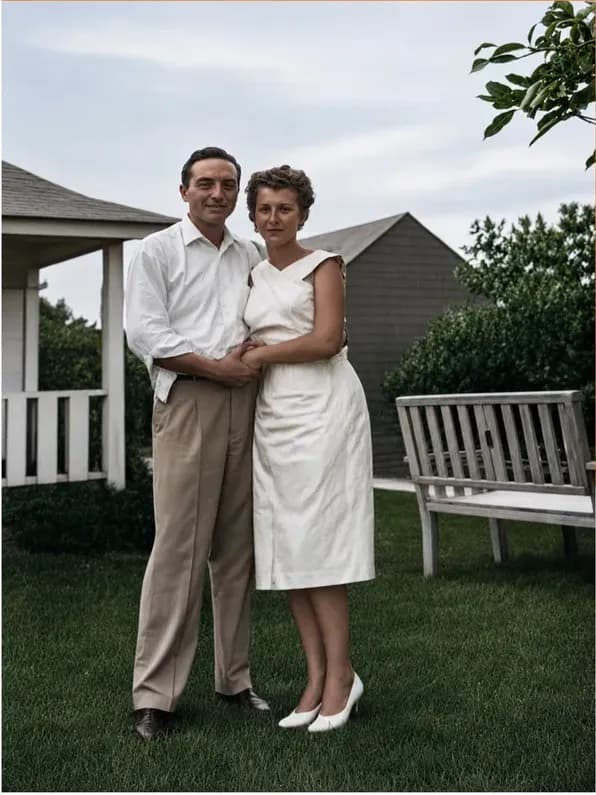
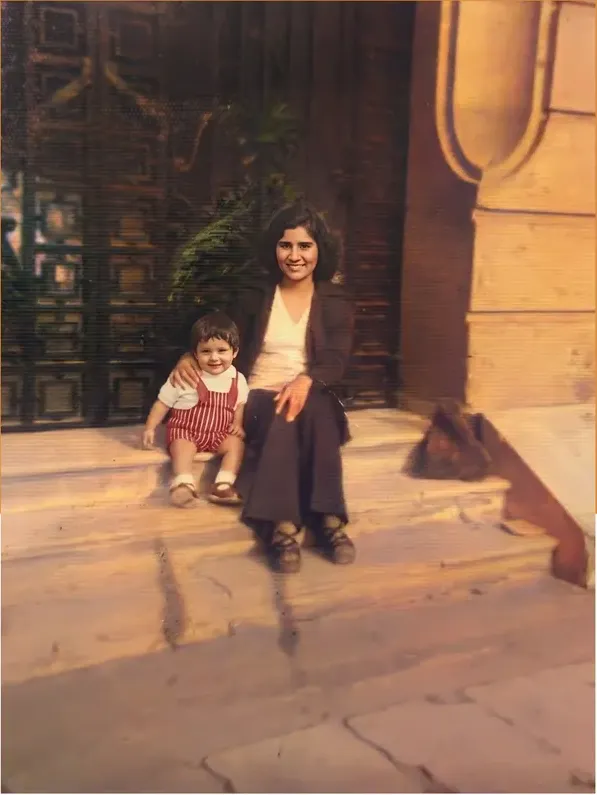
Real photos our artists brought back
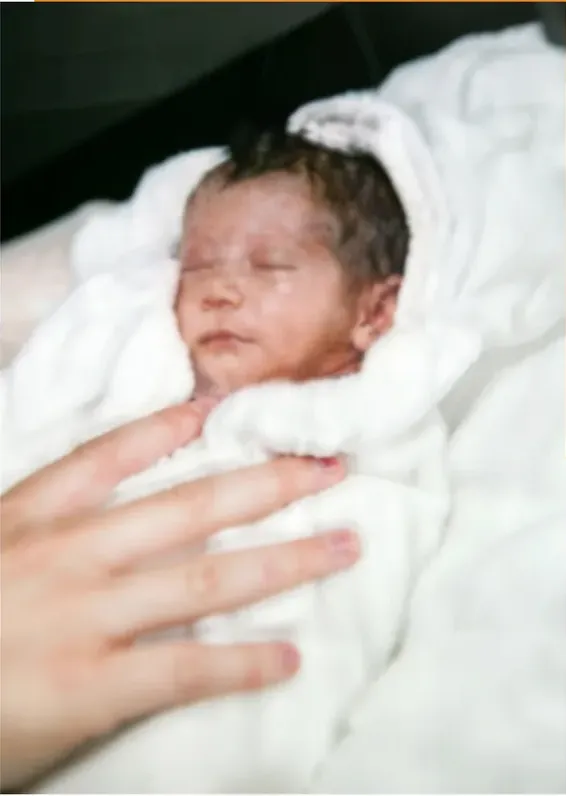
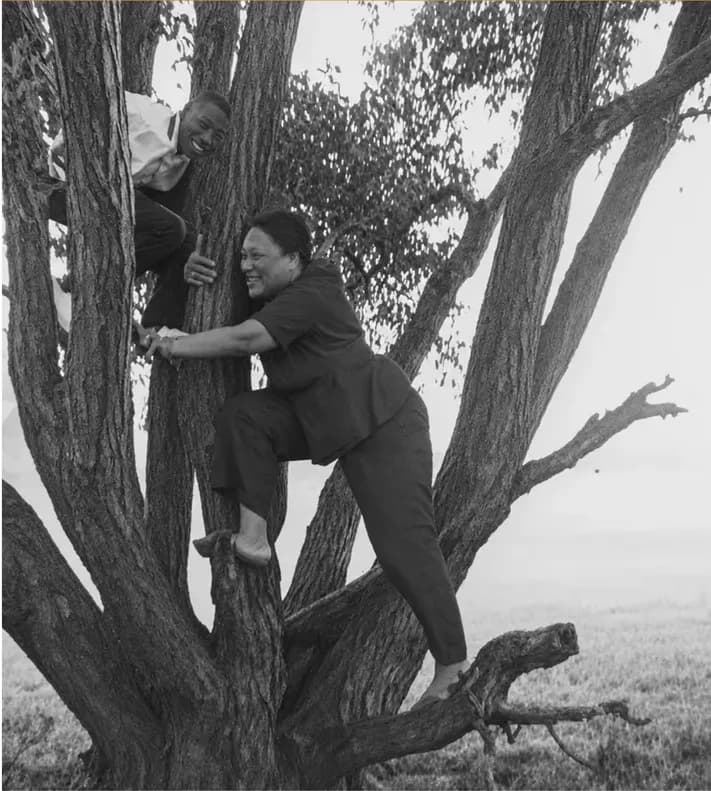
Every one restored by hand by a real American artist, shown before and after.
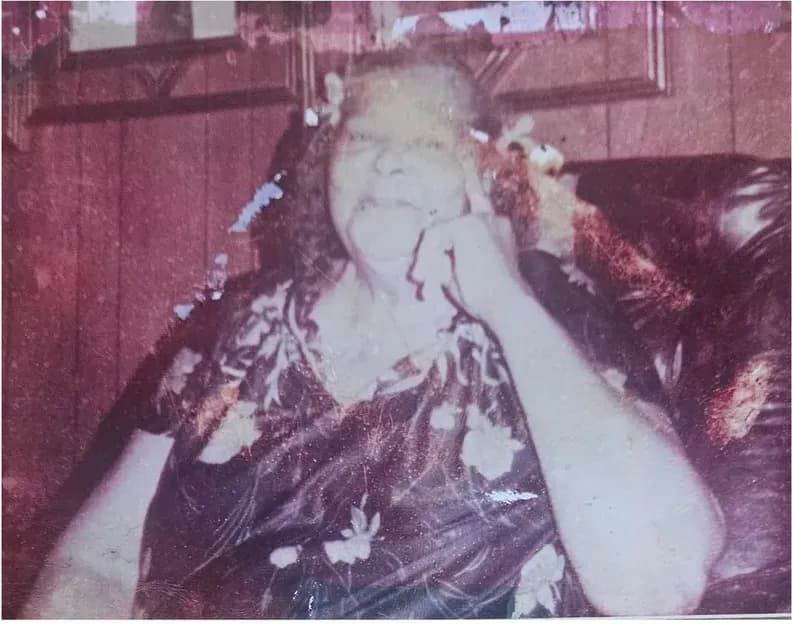 Before
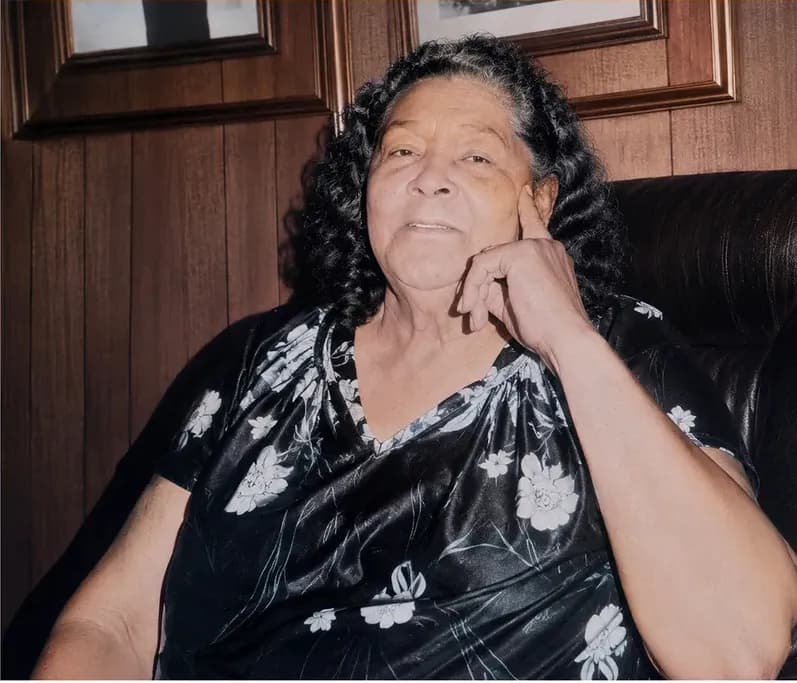 After
After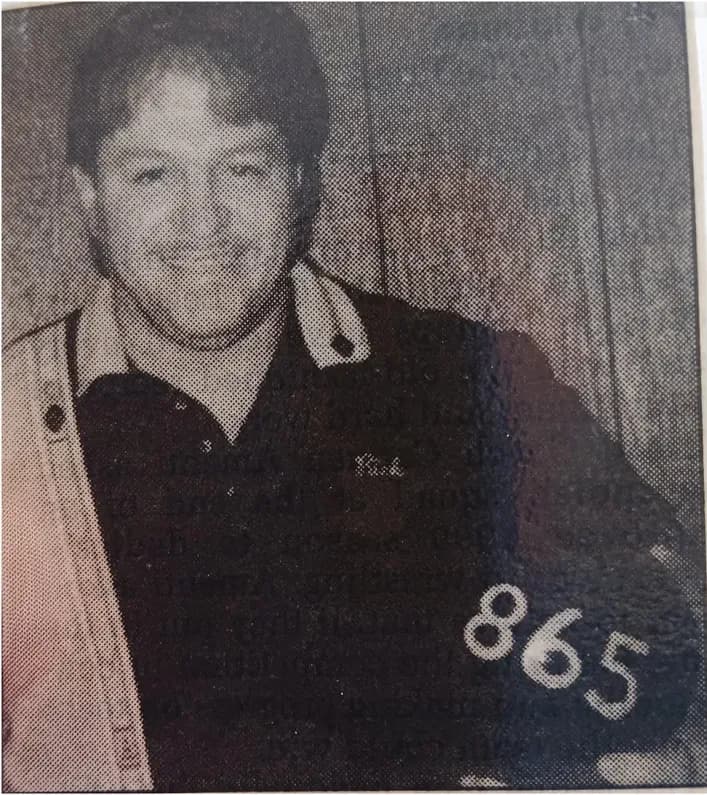 Before
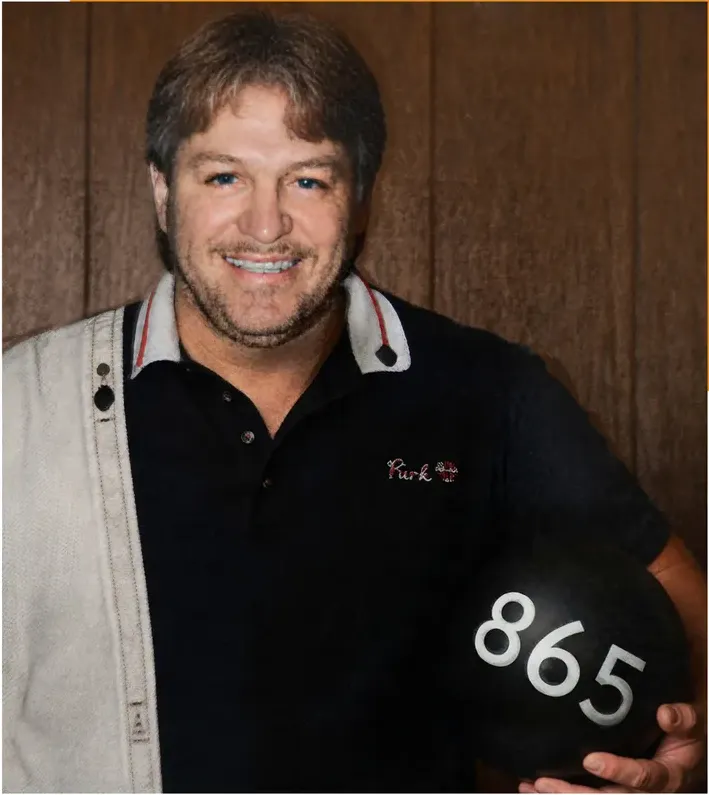 After
After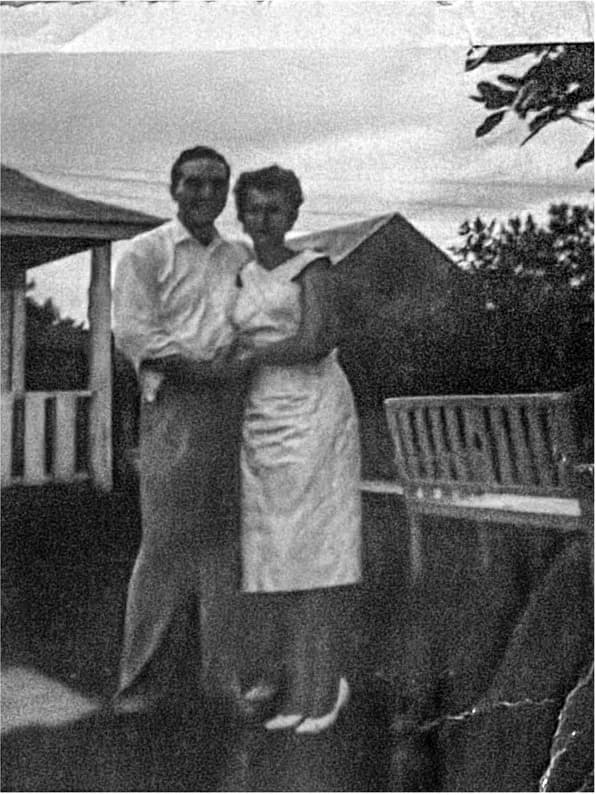 Before
 After
After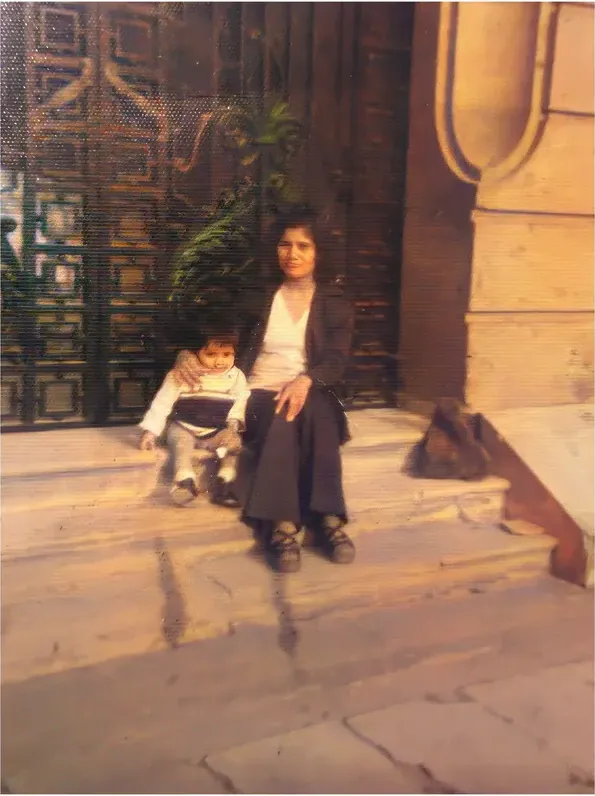 Before
 After
After Before
 After
After Before
 After
After
Why the credit arithmetic sends people looking
Most people typing VanceAI alternative into a search box are not unhappy with the pictures. They are stuck on the arithmetic. At the time of writing, VanceAI's pricing page lists the AI Photo Restorer at 4 credits per image up to 4K and 8 credits at 4K, and sells credits through subscription tiers rather than charging per photograph. If the queue in front of you is one picture, a recurring plan is an awkward container for the job.
The free path has edges too. At the time of writing, VanceAI states the web app restores one photo at a time on the free plan. Its pricing page also states photos must be under 34 megapixels, 10MB and 8000 pixels on the longest side, which is worth checking if you are starting from a high-resolution scan of a large print. A good scan of a big photograph can run past those numbers without you noticing.
One photograph, one price, and no balance to top up. That is how MemoryCherish is built. Pricing starts at $38 and follows the artist tier you choose, not the state of the print, so the photograph that went through a flood costs the same as the one that merely faded in a hallway. There is no monthly plan to remember to cancel and nothing to install. You upload a scan or a clear phone photo, a US artist works on it by hand, and the first proof usually reaches you in about one to three days.
The other thing a credit balance does not buy you is a second look. At the time of writing we could not find a published free-revision process on VanceAI's site. Worth asking them directly before you spend anything on a photograph you cannot replace. MemoryCherish publishes its answer in plain words: revisions are free until you are happy, however many rounds that takes, and if we never get there the 100% money-back guarantee pays out in cash rather than credit toward more work.
So the real question is not whether a credit plan is fair. It is whether a monthly balance matches the job in front of you. For one 1958 portrait with a crease across the bride's face, it is a subscription decision attached to a single afternoon's problem, and the rest of this page is about what that afternoon could look like instead.
What the free end of this market publishes about itself
Three automated tools come up constantly in this conversation. Here is what each of them says about its own work, in their words, at the time of writing.
- Hotpot.ai. Hotpot states the tool automatically performs scratch removal, face enhancement and color sharpening. On the same page it states that while the service automates photo restoration, it “cannot replace experts for demanding restoration jobs”, and describes the tool as designed to help consumers with lightweight requirements while helping professionals save time on difficult restoration requests. At the time of writing it also states free images are limited by the CC BY-NC license, which is worth reading in full if you have anything commercial in mind for the output.
- Remini. Remini's photo restorer page describes its restoration as performed by AI technology and as a one-click operation that removes blur, sharpens details and cleans up grain. It states its AI identifies faces and facial features in images, including blurry group photos from decades ago.
- MyHeritage. At the time of writing, MyHeritage states a free MyHeritage account is required first, that unlimited enhancement requires the paid Complete subscription, and that non-subscribers will see a MyHeritage logo watermark on the bottom right of their enhanced photos. Its help center states the Photo Enhancer works by upscaling photos to increase their resolution and automatically detects faces to bring them into focus.
Read that last description literally, because a published function list is the most reliable guide to what a tool is for. Upscaling and face focus are what MyHeritage documents its Enhancer doing. Sharpening, upscaling and grain reduction are what this category is built to do, and it does them quickly.
Notice what none of those descriptions covers. A tear is not softness. Mold is not grain. A missing corner is not low resolution. Where the paper itself is gone, there is nothing left in the file to sharpen, and something has to decide what belonged there. That decision is the entire job at MemoryCherish, and it is made by a person who can look at a blank patch of emulsion and say honestly that they do not know yet, then go and find out from the rest of the face, from the geometry of the shoulders, and from any other photograph of that person you can send us.
There is one more practical difference. A watermark, a license restriction or an account requirement is a condition attached to your family photograph. Files delivered by MemoryCherish carry none of that. They arrive clean, at full resolution, and they are yours permanently, with no expiry and no plan to keep paying for.
Software you run yourself
Topaz Photo is the name people reach for when they want the dials rather than a finished result. Topaz describes it as a desktop-based, AI-powered application used to enhance image and photo quality, states its AI was trained on millions of images, and lists a set of AI-powered tools plus an autopilot mode on Mac and Windows. Topaz lists archival images as a use case, including removing dust and scratches, adjusting lighting and color, and restoring images to their original sharpness. Topaz states the software offers private local rendering in which your files never leave your computer, and it also offers cloud rendering, so local processing is one option rather than the only one.
Two things are worth weighing before you buy any of it. The first is the shape of the spend. Topaz sells the software on recurring subscription plans, personal and pro tiers plus a Topaz Studio bundle, and publishes no per-photo or per-image price. At the time of writing, Topaz defines Personal-plan commercial use as organizations under $1M USD annual revenue. Check the live page, because licensing terms and billing cadences change.
There is a hardware question underneath the money question, too. Topaz lists Mac and Windows. A Chromebook, an iPad or a work laptop with locked-down installs takes the software off the table before price is even discussed. MemoryCherish needs none of that. If you can open a browser and attach a photo, you can order a restoration.
The second point matters more. Topaz sells you a tool, not a finished restoration. Somebody still has to sit down with your grandmother's face and decide what her hairline did on the left side. That is your evening, your judgment and your patience, repeated for every picture in the pile. The honest test is whether you will actually do it. Most people who buy an application for four inherited photographs open it twice and then leave the folder alone.
At MemoryCherish that evening is not yours. A US artist puts about four hours into an ordinary photograph, by hand, never AI at any stage. The price opens at $38 and is set by the artist tier you pick, not by how far the damage goes. The first proof lands in about one to three days, revisions are free until you are happy, and the finished file is yours to keep for good.
Hand restoration, and where the four hours go
Hand restoration stays vague until somebody itemizes it, so here is where the hours actually go.
An artist starts by reading the print: what is surface dirt, what is emulsion damage, what is a crease and what is a scratch that only looks like one. Then come the physical repairs, area by area, rebuilding torn edges from surviving structure and refusing to place a feature where no feature was. Then tone, which is slower than people expect: recovering shadow detail from a print that has gone flat, and balancing a face that faded unevenly because it hung for thirty years in a sunny hallway. Then the face itself, which usually takes longest and gets checked last against the original at full zoom.
At MemoryCherish that adds up to roughly four hours on an average photograph, all of it done by US-based artists working by hand rather than by AI. Nobody here is watching a progress bar on your behalf. Across the studio, our artists bring 37 years and counting of combined experience, verified reviews average 4.96 out of 5 across 2,178+ customers, and more than 400,000 families have used us.
The commercial terms follow from the way the work is done. Pricing opens at $38 and is set by the artist tier you choose rather than by how bad the photograph is, which means the print that went through a flood does not cost more than the one that merely faded. Revisions run free until the result is right, however many rounds that takes. The guarantee returns money in cash rather than store credit toward another job. Delivered files are yours permanently. Your original print stays where it is, because the work starts from a scan and the photograph itself never gets posted anywhere or handed to a courier.
That last point is worth pausing on. The most common regret we hear is not about money. It is from people who mailed the only surviving photograph of a parent and spent two weeks watching a tracking number. You never have to do that here. Photograph it on a phone in even daylight, or run it through a flatbed scanner, and the print goes straight back in the drawer.
Remedies are worth reading closely too, because they are not all the same thing. At the time of writing, Forever Studios states a dissatisfied customer may submit a different photo for restoration or receive store credit for the full amount. Store credit keeps you inside the shop. Cash does not. Ours is cash, and it is published, and you should hold every company on this page to whatever it publishes.
Retrieved detail against produced detail
Strip out the marketing and one distinction decides most of these choices. Detail can be retrieved, or it can be produced. Retrieved detail was in the file and got pulled back into view. Produced detail was never in the file and had to be created to fill a space.
For a soft, grainy, slightly faded photograph, almost everything is retrieval, and automated tools are quick at retrieval. For a photograph with a crease through an eye, retrieval runs out. There is no data under the crease, so whatever appears there is produced, whoever or whatever produces it. As a category, automated systems build that replacement content from patterns learned across enormous image sets rather than from the print in front of you. Those are two different sources, only one of them is your own photograph, and on a relative's face that difference is the whole point of the exercise.
You do not have to take our word for the category, because two companies publish versions of the same idea about their own products. MyHeritage states that both the Photo Enhancer and In Color use deep learning technologies, so the result is a “reimagination” of what the original scene may have looked like, and it discloses that photos colorized with In Color have colors “simulated by automatic algorithms, which may differ from the real-life colors”. Those are MyHeritage's own disclosures about MyHeritage's own tools, and they are the clearest published statement of this point anywhere.
Separately, and strictly about its own product, Hotpot states that while its service automates photo restoration, it “cannot replace experts for demanding restoration jobs”, and describes the tool as designed to help consumers with lightweight requirements while helping professionals save time on difficult restoration requests.
Our own position is a working rule rather than a comment on anybody else. We recover what is genuinely in the photograph. Where an eye has gone, the artist works from the surviving eye, from the geometry of the face, and from any other picture of that person you can send us. We never invent faces or details, and we tell you which parts came back and which did not, before you spend anything. That is the difference $38 buys, and it is the only difference on this page that you will still be able to see in twenty years.
Seven questions worth asking before you hand over an irreplaceable print
Whoever you are weighing up, these are the questions that decide how the job goes. Our answers are published, so you can hold anyone else's next to them.
- Does a person do the work? Here, yes. US-based artists, by hand, never AI at any stage.
- Does the price move when the damage is worse? Not with us. It starts at $38 and the artist tier you pick is what sets it.
- How many revisions do I get? As many as it takes, free, until you say it is right.
- If it never gets right, what comes back? Cash. Not credit toward another photograph.
- Does my print have to travel? No. You upload a scan or a clear phone photo and the original stays in your drawer.
- Who owns the finished file? You do, permanently. Nothing expires and nothing has to be renewed.
- How long until I see something? About one to three days for the first proof.
Ask all seven anywhere else you are considering. If an answer is not published on the site, ask the company directly, in writing, before you send them anything you cannot replace. A company that is comfortable answering will answer quickly.
A one-minute decision
Sorted by what is on the print rather than by what is in the budget.
- Soft, grainy or gently faded. A face that faded unevenly in a sunny hallway needs balancing on its own terms rather than being lifted along with the wall behind it, and that is a judgment an artist makes area by area. The price is the same $38 tier either way, because ours does not track the damage.
- Dozens or hundreds of scans. Very few of them are ever going on a wall. Pick the handful that carry the people you loved and put an artist on those. The rest can sit in the folder until you feel like sorting them.
- Tears, water damage, mold, missing pieces, or any photograph where a face is the reason you kept it. This is the entire reason hand restoration exists. About four hours of a US artist's attention, from $38, first proof in about one to three days, revisions free until you are happy, money back in cash if we cannot get there.
- You are nervous about the print itself. Nothing here gets mailed. Upload a scan and the original never leaves your house.
A closing note on speed claims, because they get compared unfairly everywhere. VanceAI's site states that a heavily damaged photo restores in under ten seconds, and several automated tools publish similar figures for their own products. Those describe machine processing. When a studio publishes a number of days, it is describing a person's working cycle, and in some cases only the point at which a first proof appears rather than the finished job. Setting the two side by side teaches you that processors are quick, which you already knew.
The figure worth caring about is how long it takes to reach a result you would put on a wall. Ours is about one to three days to a first proof, then free revisions until it is right, and then it is right for good.
What it costs with us
From $38 per photo, you choose your artist
The price is set by the artist tier you choose, never by how damaged your photo is. Free revisions until it’s right, and a cash refund — not store credit — if we can’t make it perfect.
The MemoryCherish Guarantee: Love it or every cent back within 30 days. Cash, not store credit. Free revisions until it looks exactly like you remember. And if a photo just can’t be restored, we’ll tell you honestly and you won’t pay a thing. Read the full guarantee
Questions people ask
Is VanceAI good enough for old family photos?
What is the cheapest way to restore an old photo?
Can an automated tool repair a missing corner or a damaged face?
Do I have to post my original photograph anywhere?
Is buying software cheaper than paying per photo?
What if the result is not right?
Does MemoryCherish use AI at any stage?
Keep comparing
- MemoryCherish vs VanceAI: One Automated Pass, or Four Hours by Hand?
- Topaz Photo AI Alternatives for People Who Don't Want to Buy Software
- The Best Photo Restoration Without AI in 2026
- The Best Affordable Photo Restoration in 2026 (Honest Price Breakdown)
- Forever Studios Alternatives: 7 Photo Restoration Options Compared
- FixThePhoto Alternatives for Photo Restoration: 7 Options Compared
More on this kind of damage
Last updated August 1, 2026. Company details are taken from each company’s own public pages at the time of writing and may change, so we cite the page we read rather than linking to it. Check the current wording with any company before you order.