
Rated 4.96/5 by 2,185+ reviews· Updated August 1, 2026
MemoryCherish vs MyHeritage Photo Enhancer: Which One Should Touch Your Family Photos?
If the print itself is damaged, or if the face has to still look like the person, MemoryCherish is the one to use. A real US artist works the file by hand, never AI at any stage, for about four hours on an average photo, and the first proof usually reaches you in one to three days. Pricing starts at $38 and is set by the artist tier you choose, not by how wrecked the print is. MyHeritage states its Photo Enhancer is powered by deep learning technology it licensed and integrated, that it upscales photos and automatically brings faces into focus in about 15 to 30 seconds, and its own help center states the result is a “reimagination” of what the original scene may have looked like. That word is the whole difference, and it is theirs, not ours.
How we compared them
- What the published description says the tool actually does to your file
- Whether repairing physical damage is inside that description or outside it
- Recovered detail versus generated detail, and who tells you which one you got
- Color: agreed with you in advance, or produced automatically from a model
- What it costs to walk away with an unwatermarked file you own outright
- What recourse exists, in writing, when the result comes back wrong
Side by side
| Service | What they publish about their method |
|---|---|
| MemoryCherish | Real US artists working by hand, never AI at any stage. Roughly four hours on an average photo, with the first proof usually back in one to three days, rebuilding only from what is genuinely present in the print. We never invent faces or details, and the original stays with you because we work from a scan or a phone photo. |
| MyHeritage Photo Enhancer / MyHeritage In ColorSource: myheritage.com/help/en/articles/12852484-what-is-an… | MyHeritage states the Photo Enhancer is powered by deep learning technology it licensed and integrated into its platform, that it works by upscaling photos to increase their resolution, and that it automatically detects faces in a photo and brings them into focus. It describes In Color as an automatic photo colorization tool that uses machine-learning technology to generate a full-color image from a black-and-white photo. |
| ScanCafeSource: scancafe.com/how/photo-restoration-process | ScanCafe states it digitizes photos, slides, negatives, film, video tapes and audio. For restoration, it states prices are based on an evaluation of each individual photo, quoted in tiers by damage severity, and that a restoration technician is assigned once a quote is approved. Customers upload a digital version of a photo to receive that quote. |
MemoryCherish
$38 is the entry point, set by the artist tier you choose rather than by how wrecked the print is. Revisions stay free until you are satisfied, the 100% money-back guarantee comes back as cash rather than credit, and delivered files stay yours for good with nothing to renew and no watermark. Behind that: artists with 37-plus years of combined experience, museum and historical society commissions, more than 400,000 families served, and a verified rating of 4.96 out of 5 from over 2,178 reviewers.
MyHeritage Photo Enhancer / MyHeritage In Color
At the time of writing, MyHeritage states a free MyHeritage account is required before enhancing or colorizing, that unlimited enhancement requires its paid Complete subscription, and that non-subscribers will see a MyHeritage logo watermark on the bottom right of their enhanced photos. Its help center states enhancement typically takes 15 to 30 seconds depending on size and the number of faces, and discloses that the result is a “reimagination” of what the original scene may have looked like. At the time of writing we could not find a published money-back guarantee, or a published route to request a specific manual change to a result, on their Photo Enhancer help page. Worth asking them directly before you rely on an output. MemoryCherish publishes both: free revisions until you are satisfied, and a 100% money-back guarantee paid in cash.
ScanCafe
At the time of writing, ScanCafe's process page states there is no charge to request a restoration quote, that it asks for a 50% deposit on each approved quote, and that restoration typically takes about a week. It states media is scanned at its Indianapolis facility, and that originals are dispatched within 3 business days of final payment. Because the price follows an evaluation of your specific photo, the figure arrives later in the process. MemoryCherish publishes the number first: from $38, set by the artist tier you choose, with damage never changing it, and nothing physical ever leaves your house.
Real photos our artists brought back
Every one restored by hand by a real American artist, shown before and after.
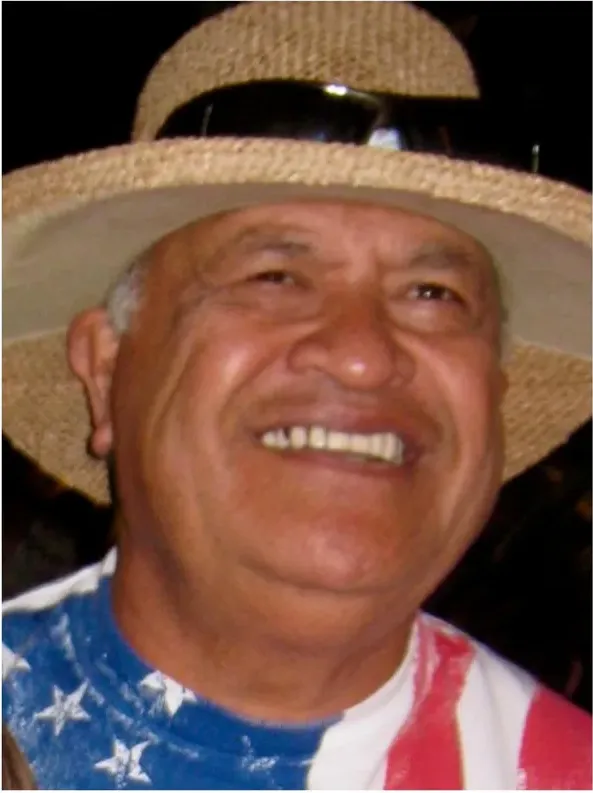 Before
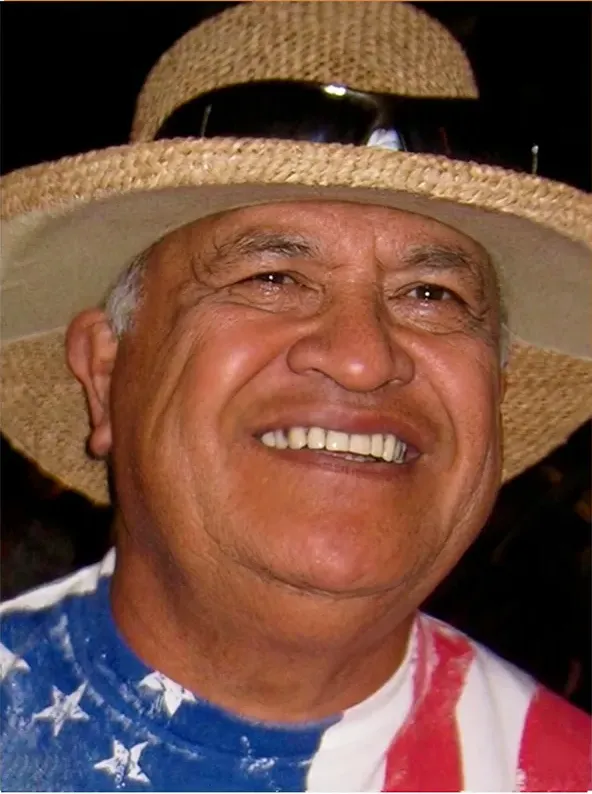 After
After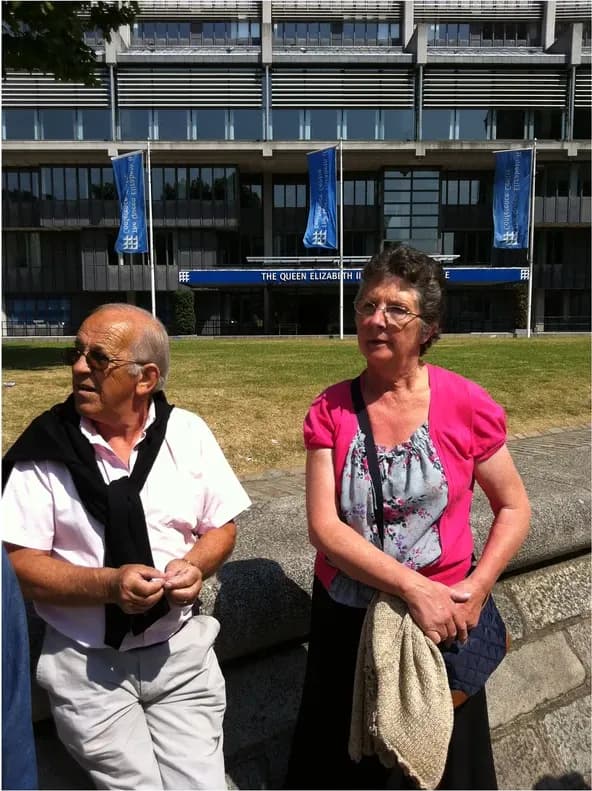 Before
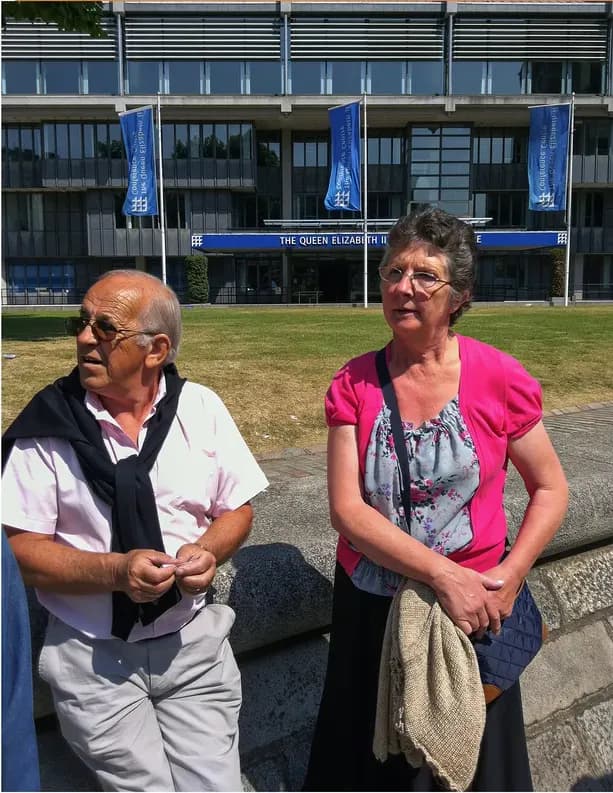 After
After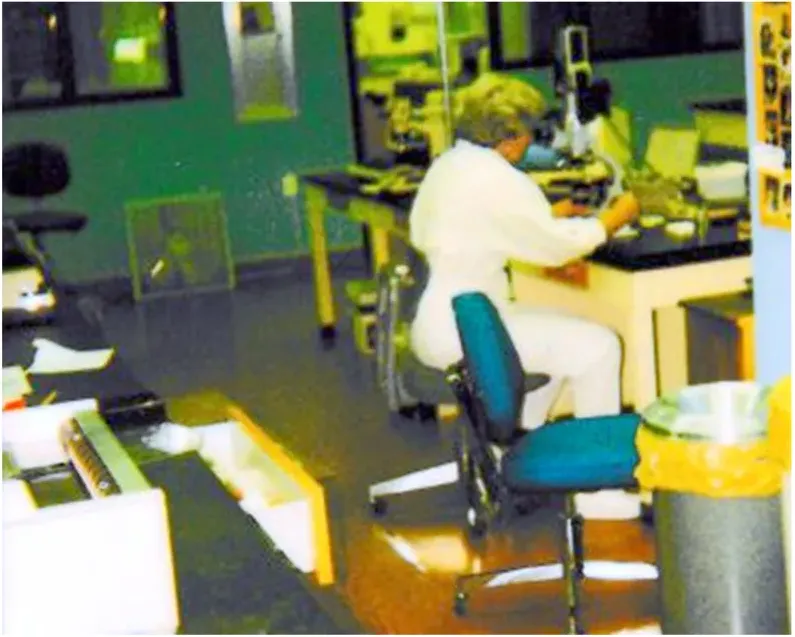 Before
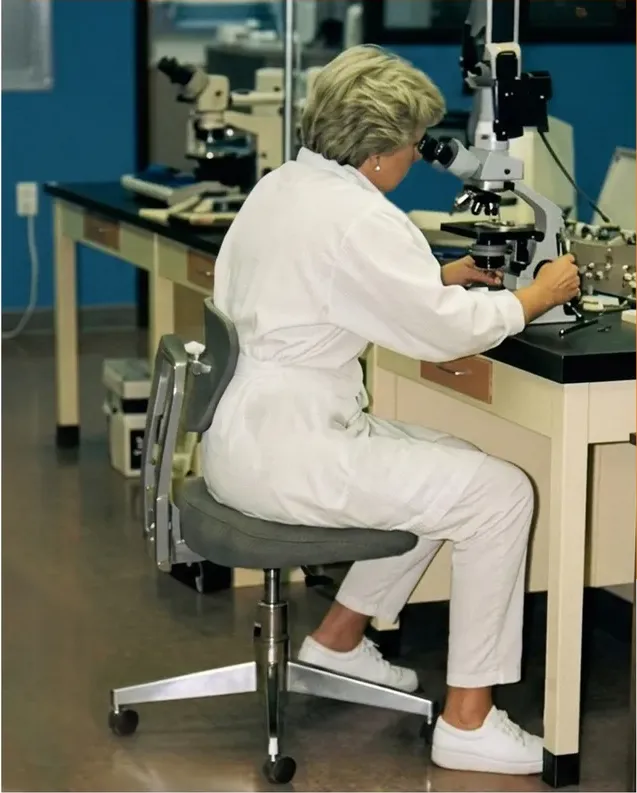 After
After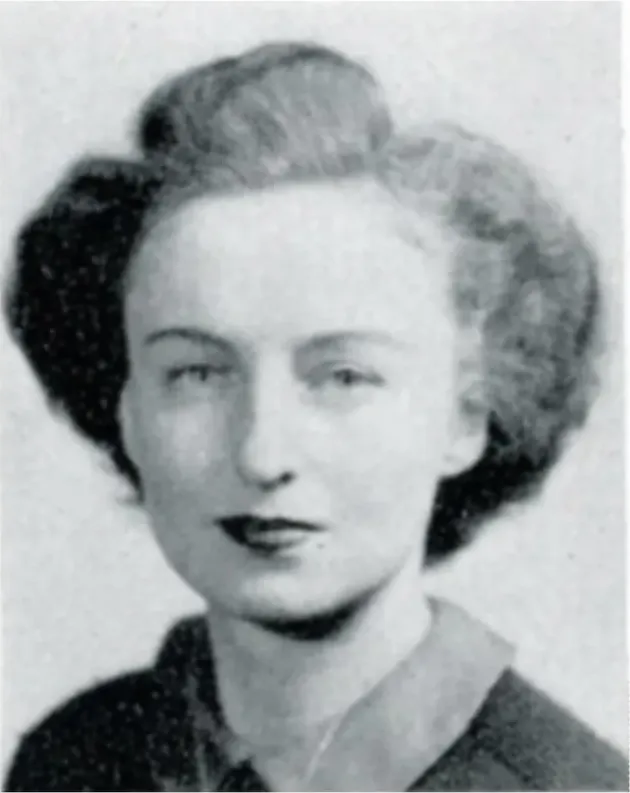 Before
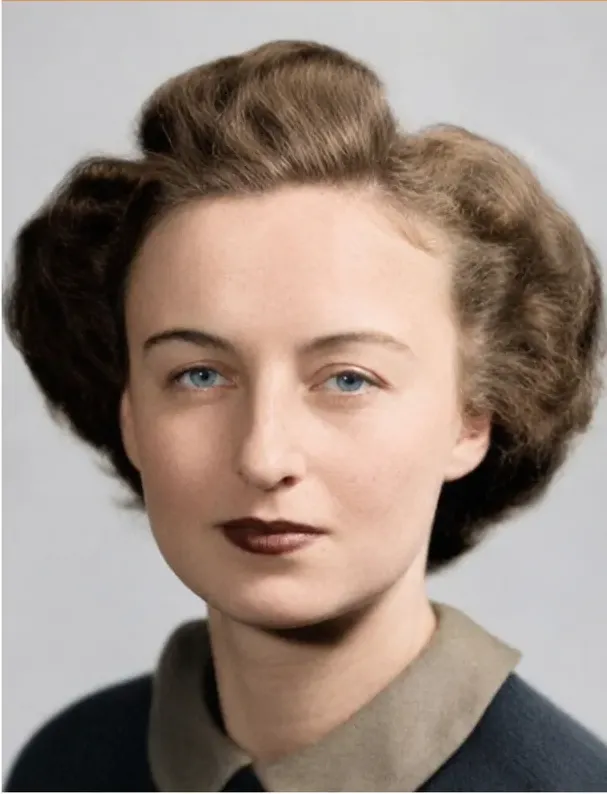 After
After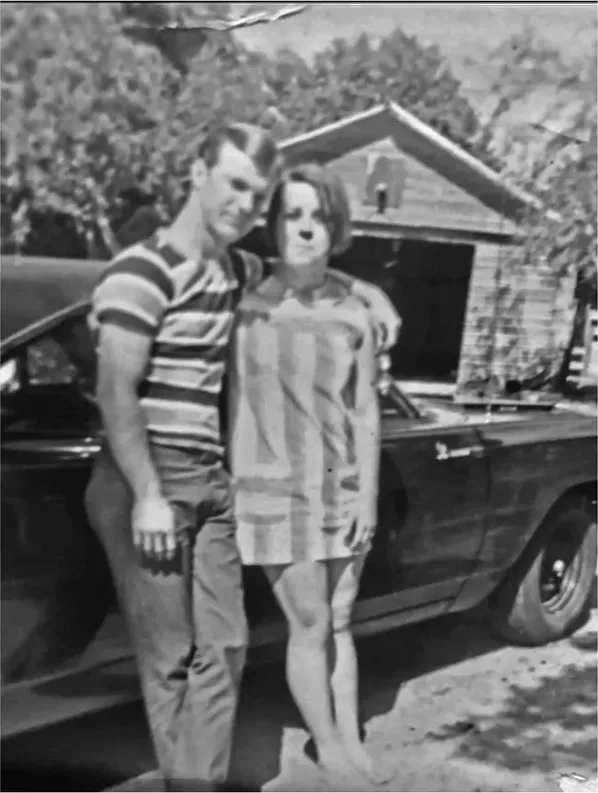 Before
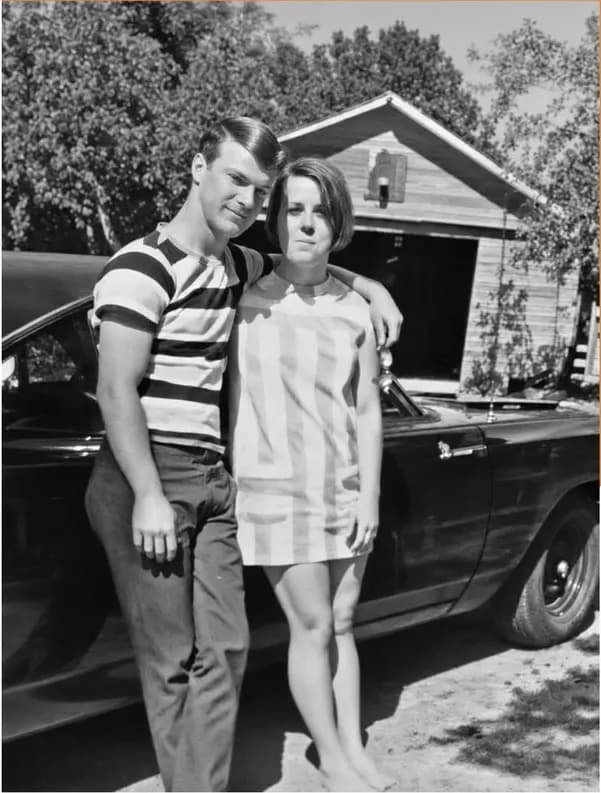 After
After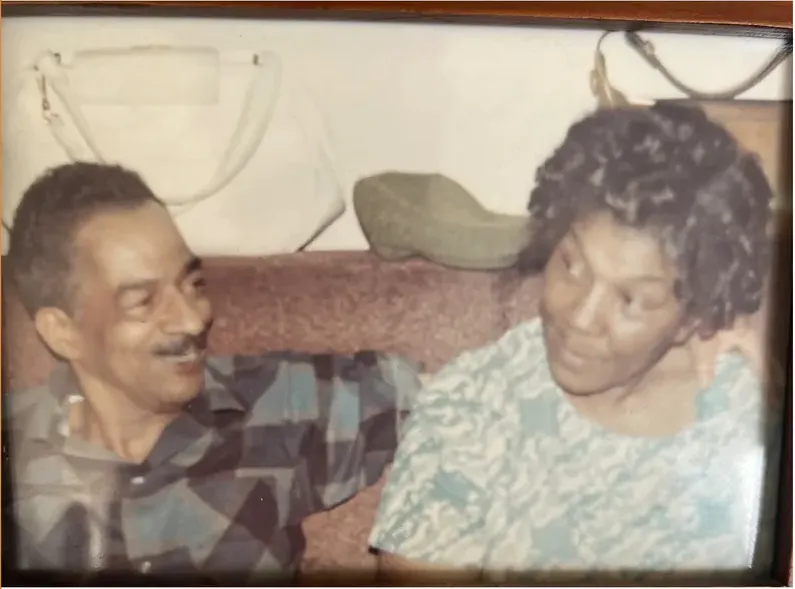 Before
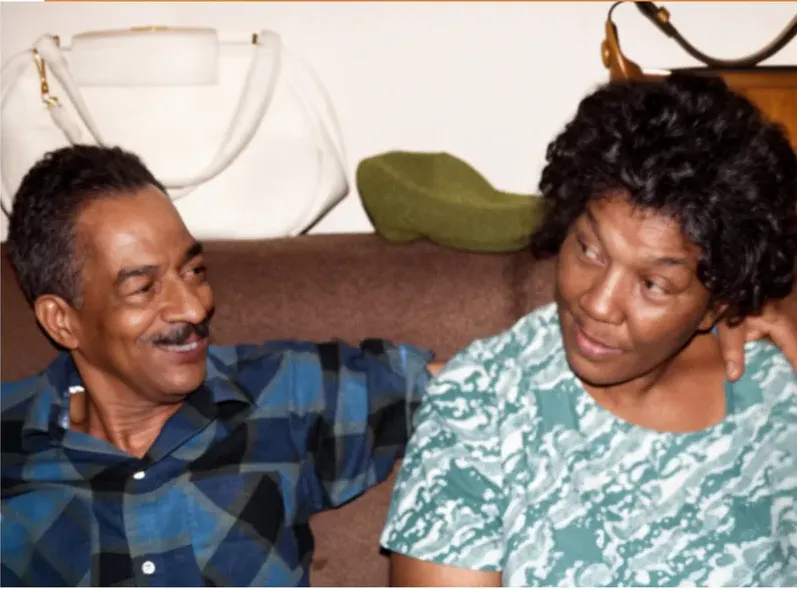 After
After
What MyHeritage says the Photo Enhancer actually does
Start with the published description, because it tells you exactly which photographs this tool is aimed at. At the time of writing, MyHeritage's help center states the Photo Enhancer is powered by deep learning technology that MyHeritage licensed and integrated into its platform, that it works by upscaling photos to increase their resolution, and that it automatically detects faces in a photo and brings them into focus. Its help center also states that enhancing a photo typically takes 15 to 30 seconds, depending on its size and the number of faces in it.
That is a specific job: make a soft, low-resolution scan bigger and sharper on screen. Genealogy is full of images that were small to begin with, then scanned at a careless setting in 2009, then emailed twice, then screenshotted off a cousin's Facebook post. Faces go mushy through that chain.
Now look at what is not in that description. Upscaling and automatic face focus are what MyHeritage documents. A print with a crease running through somebody's jaw, a corner torn away by a thumbtack, mold that has eaten pigment out of a cheek, or silver mirroring creeping across the emulsion is a different category of problem entirely. Making a damaged photograph larger and sharper makes the damage larger and sharper too.
Repairing the damage is a separate job, and it is the job MemoryCherish does. A real US artist opens your file and rebuilds the missing areas by hand, never AI, at any stage. About four hours goes into an average photograph. The first proof usually reaches you in one to three days. Pricing starts at $38, set by the artist tier you choose rather than by the state of the print, so the most badly damaged photograph in your box costs the same as the cleanest one.
So match the method to the defect in front of you. If the paper is intact and the scan is just soft, that is a resolution problem. If the paper is torn, stained or missing, that is a restoration problem, and it needs a person.
Recovery and reimagination are two different jobs
Here is the sentence that should decide this for most people, and it comes from MyHeritage rather than from us. On its own help pages the company states plainly that because both the Photo Enhancer and In Color use deep learning technologies, the result is a “reimagination” of what the original scene may have looked like. That is their word, on their page, about their product. It is an honest disclosure, and it tells you precisely what class of output you are receiving.
Hand restoration begins from the opposite assumption. A MemoryCherish artist recovers what is genuinely present in the print. A damaged cheek gets rebuilt from the undamaged side of the same cheek, from the grain and tone of the surrounding emulsion, from another photograph of the same person if you send one along. When the information truly is not there, we say so rather than filling the space with something convincing. We never invent a face.
For genealogy, that distinction reaches well past aesthetics. Your restored file goes into a tree, gets shared with eleven cousins, prints in a family book, and gets cited in twenty years by somebody who never saw the original print. Whatever you produce today becomes the record. Once a file is circulating, there is no practical way for anyone downstream to mark which pixels came from the photograph and which came from a model.
That is the reason to put a person on it. If the image is going to stand in for the person, recovery is the only defensible choice, and recovery is what you are buying at $38 and up. Free revisions until you are satisfied, so a likeness that reads wrong gets corrected rather than accepted. A 100% money-back guarantee, paid in cash, if we cannot get there. Files that are yours permanently, unwatermarked, with nothing to renew.
Send us a second photograph of the same person if you have one, even a poor one. It is real information about that face, and it is exactly the kind of information a human artist can ask you for and work from, which an automatic process has no way to request.
Color: generated automatically, or agreed with you first
MyHeritage describes In Color as an automatic photo colorization tool for old family photos, and states that it uses machine-learning technology to generate a full-color image from a black-and-white photo. Its help center states that colorizing a photo typically takes just a few seconds, depending on size and level of detail.
MyHeritage publishes the caveat itself, which is more than most companies bother to do. They disclose that colors in photos colorized with In Color are “simulated by automatic algorithms” and may differ from the real-life colors. Read that twice if your photograph contains a wedding dress, a military uniform, a school jersey, or the car your father still talks about at Thanksgiving.
Hand colorization at MemoryCherish runs on information instead of inference. You tell the artist the uniform was olive drab, that the dress was pale blue rather than white, that Nana's hair went auburn every summer. The artist works to that brief. If the skin tones land wrong, you send it back, because revisions stay free until you are satisfied. Every color in the file is a choice you can question, correct or overrule.
The practical test is whether a living relative is going to look at this. If somebody in the family remembers the dress, the color has to be right, and being right requires a person in the loop who can be told and can be corrected. That is a conversation, not a button, and it is why hand colorization takes an artist a few hours rather than a few seconds.
Restoration and colorization are separate jobs, and they are normally priced separately. If a photograph needs both, say so when you order so the artist plans the file in the right sequence: repair the damage first, then lay color over a surface that is actually whole.
Money, accounts, watermarks and what you keep
These are different commercial models, so hold them apart rather than lining the numbers up. At the time of writing, MyHeritage states that a free MyHeritage account is required before enhancing or colorizing photos, and that unlimited photo enhancement requires its paid Complete subscription. For color, MyHeritage states unlimited colorization also requires the paid Complete subscription. They also state that non-subscribers will see a MyHeritage logo watermark on the bottom right of their enhanced photos. We are not printing a subscription price here, because we could not confirm one on a MyHeritage page we were able to load, and a remembered number is worse than no number.
MemoryCherish is from $38 per photograph. The figure follows the artist tier you choose and never the state of the print, so an image torn into four pieces costs what a faded one costs at that tier. No subscription. No credit balance. No watermark on anything, ever. No account to maintain after the work is done.
What you keep matters as much as what you pay. Finished files are yours permanently, at print quality, with nothing to renew and no license conditions attached. Print them, share them, put them in a family book, hand them to a cousin in Ohio. The original print stays in your house the whole time, because you send a scan or a decent phone photo and nothing physical ever travels.
And there is a remedy attached to the money, in writing, before you order. Free revisions until you are satisfied. A 100% money-back guarantee paid in cash rather than credit toward something else. That is what $38 buys along with about four hours of a real US artist's attention: not just a file, but a way to fix it if the file is wrong.
What a damaged print actually needs from a person
It is worth being concrete about what those four hours go into, because from outside the studio all image work looks like the same software.
- Reconstructing missing areas from surviving ones. A shoulder rebuilt from the opposite shoulder. A collar rebuilt from the other side of the collar. Always from what is in the frame.
- Matching film grain across a repair, so the mended area does not read as a smooth plastic patch sitting on top of an old photograph.
- Handling silvering, the metallic sheen that creeps across the emulsion of old prints, which behaves nothing like a scratch.
- Working around mold that has eaten pigment out of the paper rather than sitting on the surface of it.
- Keeping a face recognizable when part of the information is simply gone, and telling you honestly when it is.
None of that is fast, and none of it is a setting. It is judgment, applied by somebody with 37-plus years of combined studio experience behind them, on a photograph that has exactly one copy in the world.
Here is what makes it safe to try. The price is fixed by the tier before anybody opens the file. The first proof usually comes back in one to three days. If it is not right, you say so and revisions continue free until it is. If we still cannot get there, your money comes back in cash. The print never left your house at any point.
Where this lands
Send the damaged print to MemoryCherish. If the paper is torn, creased, stained or moldy, if the face you care about is scratched or partly gone, if the file is headed for a frame, a memorial or a family archive, or if the likeness matters more than the turnaround, this is the work we do and the only work we do. From $38, set by artist tier. About four hours of hand work by real US artists, never AI. First proof usually in one to three days. Free revisions until it is right. Money back in cash if it never is. Files yours permanently, unwatermarked. Original stays home.
MyHeritage's Photo Enhancer is documented as an upscaler with automatic face detection, running in about 15 to 30 seconds, and the company itself states the result is a “reimagination” of what the original scene may have looked like. That is a plain description of a fast automatic process for a soft scan inside a tree, published by the people who built it.
ScanCafe is a digitizing operation. At the time of writing it states it digitizes photos, slides, negatives, film, video tapes and audio, and quotes restoration per photo in tiers by damage severity after an evaluation, with a 50% deposit on approved quotes and media scanned at its Indianapolis facility.
Plenty of researchers work through a whole tree on screen and then pick the three or four photographs that will actually be printed, framed or published. Those three or four are the ones to hand to an artist. That is not indecision, that is triage, and it is how people with four hundred images finish the project with the important faces done properly.
Judge us on the record: more than 400,000 families served, a verified 4.96 out of 5 from over 2,178 reviewers, 37-plus years of combined artist experience, and commissions from museums and historical societies. Then ask us for a sample showing damage like yours, with a face in it. That is the only comparison that settles anything.
What we checked, and when
Every MyHeritage and ScanCafe figure above is a statement published on those companies' own pages, verified at the time of writing in August 2026. Free-tier allowances and subscription gating change often, so re-check before planning a project around them. If a page will not load or a figure has shifted, trust the live page over this article.
- Photo Enhancer method, automatic face detection, the reimagination disclosure and the 15 to 30 second timing: MyHeritage help center, at https://www.myheritage.com/help/en/articles/12852484-what-is-and-how-do-i-use-the-myheritage-photo-enhancer
- Account requirement, Complete subscription gating and the watermark for non-subscribers: MyHeritage education article, at https://education.myheritage.com/article/enhance-your-family-photos-using-the-myheritage-photo-enhancer/
- In Color description and subscription gating: https://education.myheritage.com/article/automatically-colorize-black-white-photos-with-myheritage-in-color/
- Colorization timing and the simulated-color disclosure: https://www.myheritage.com/help/en/articles/12851631-how-do-i-access-myheritage-in-color
- ScanCafe quoting model, deposit, technician assignment and typical restoration time: https://www.scancafe.com/how/photo-restoration-process
Two deliberate gaps. We do not publish a MyHeritage subscription price, because we could not confirm one on a MyHeritage page we could load. And ScanCafe quotes restoration per photo after an evaluation, so there is no fixed figure of theirs to print. Where a number cannot be confirmed on the company's own page, we would rather leave the space empty than fill it.
Our own numbers are the ones we hold ourselves to on every page: from $38 set by artist tier, about four hours on an average photo, a first proof in about one to three days, free revisions until you are satisfied, a 100% money-back guarantee paid in cash, 37-plus years of combined artist experience, 4.96 out of 5 from 2,178-plus reviews, and more than 400,000 families served.
What it costs with us
From $38 per photo, you choose your artist
The price is set by the artist tier you choose, never by how damaged your photo is. Free revisions until it’s right, and a cash refund — not store credit — if we can’t make it perfect.
The MemoryCherish Guarantee: Love it or every cent back within 30 days. Cash, not store credit. Free revisions until it looks exactly like you remember. And if a photo just can’t be restored, we’ll tell you honestly and you won’t pay a thing. Read the full guarantee
Questions people ask
Can the MyHeritage Photo Enhancer fix a torn photo?
Why pay $38 for one photograph?
What does MyHeritage mean when it calls the result a reimagination?
Do I have to mail my original photo to MemoryCherish?
How long does a hand restoration take?
I have four hundred photos in a box. Where do I start?
What if I do not like the restoration you send back?
Keep comparing
- Best Photo Restoration for Genealogy and Family History Research
- MyHeritage Photo Enhancer Alternatives: 7 Options for Physically Damaged Photos
- The Best Photo Restoration Without AI in 2026
- The Best Black and White Photo Colorization Services in 2026
- MemoryCherish vs Forever Studios: Hand Restoration, Side by Side
- MemoryCherish vs FixThePhoto: Restoration Studio or All-Purpose Editing Service
More on this kind of damage
Last updated August 1, 2026. Company details are taken from each company’s own public pages at the time of writing and may change, so we cite the page we read rather than linking to it. Check the current wording with any company before you order.