
Rated 4.96/5 by 2,185+ reviews· Updated August 1, 2026
MemoryCherish vs Remini: Recovering Detail or Generating It
Remini's photo restorer page describes its restoration as performed by AI technology, in one click. MemoryCherish works the other way. A real US artist restores your photograph by hand, never AI at any stage, roughly four hours on an average photo, and your first proof arrives in about 1 to 3 days. Pricing starts at $38 and is set by the artist tier you choose, never by how damaged the photo is. Revisions stay free until you are happy, and if we cannot get there, you get your money back in cash. When the face has to stay the face, that is the work you want on it.
How we compared them
- Whether damaged detail is recovered from the print or generated to fill the gap
- Whether a real person, or software, makes the repair decisions
- What each company publishes about its method, in its own words
- Recourse you can actually use: free revisions, a cash refund, a human to email
- Who is accountable if the result is not right, and what they will do about it
- Where your original print sits while the work is happening
Side by side
| Service | What they publish about their method |
|---|---|
| MemoryCherish | A real US artist works the file by hand, never AI at any stage, roughly four hours on an average photo. Damage is rebuilt from what the print still holds, plus any other pictures of the same person you can send. We recover what is there and we never invent a face. |
| ReminiSource: remini.ai/photo-restorer | Remini's photo restorer page describes its restoration as performed by AI technology, and describes the process as a one-click operation that removes blur, sharpens details and cleans up grain. Remini states its AI identifies faces and facial features in images, including blurry group photos from decades ago. Software, in other words, decides what goes into a damaged face. |
| Hotpot.ai (AI Picture Restorer)Source: hotpot.ai/restore-picture | Hotpot states its AI Picture Restorer restores, sharpens and repairs pictures with AI, automatically removing scratches, sharpening colors and enhancing faces. It states the free service repairs both color photos and black-and-white ones. Here too, software chooses what belongs in the damaged areas. |
MemoryCherish
Pricing starts at $38 per photo, and the artist tier you choose sets it rather than how battered the print is. The first proof reaches you in about 1 to 3 days. Revisions stay free until the face reads right, and if it never does, the 100% money-back guarantee pays out in cash instead of a credit toward another order. Your finished files are yours permanently. Your original print never leaves your house, because you upload a photo of it and the print stays on your shelf. Our artists carry 37+ years of combined experience, we are rated 4.96 out of 5 from more than 2,178 reviews, and more than 400,000 families have trusted us with a photograph.
Remini
Remini's homepage describes its Old Photos Restorer as bringing blurred, faded and damaged photos back to life, and at the time of writing lists it as a named tool among its enhancement tools. The company offers an API for integrating its enhancement technology into other products, and its site identifies the operating company as AI Creativity S.r.l., Via Nino Bonnet 10, 20154 Milan, Italy. At the time of writing we could not find a published revision policy, a published money-back guarantee for restoration output, or a named person who works on a given photograph on their site. Worth asking them directly before you hand over a picture that matters. MemoryCherish publishes all three: a named US artist on your file, revisions free until you are happy, and a 100% money-back guarantee paid in cash. We are not quoting a Remini price in this article; check the current terms in the app before you commit.
Hotpot.ai (AI Picture Restorer)
Their page states the tool "cannot replace experts for demanding restoration jobs", and describes it as designed to help consumers with lightweight requirements while helping professionals save time on difficult restoration requests. That is the company drawing its own line, and it is worth reading twice before you use the output for anything permanent. At the time of writing, Hotpot also states free images are limited by the CC BY-NC license, that it may use invisible watermarks to identify Hotpot creations for legal disputes, and publishes volume pricing of $0.02 to $0.25 per image for commercial-use credits depending on volume, subscription and co-marketing. A MemoryCherish file carries no license to read and nothing embedded in it. What we deliver is yours permanently, to print, reprint and share as you like.
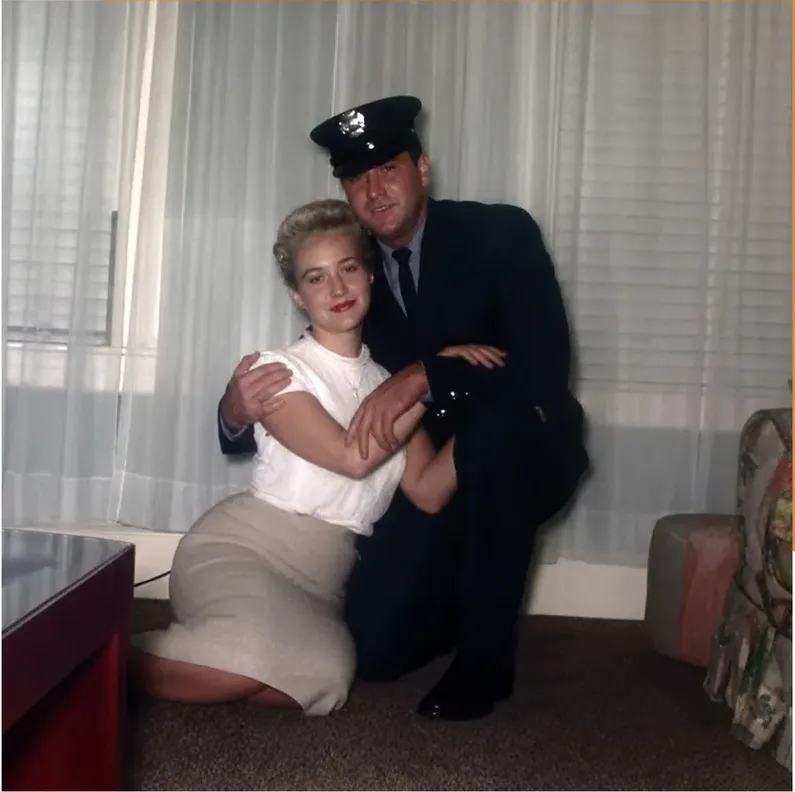
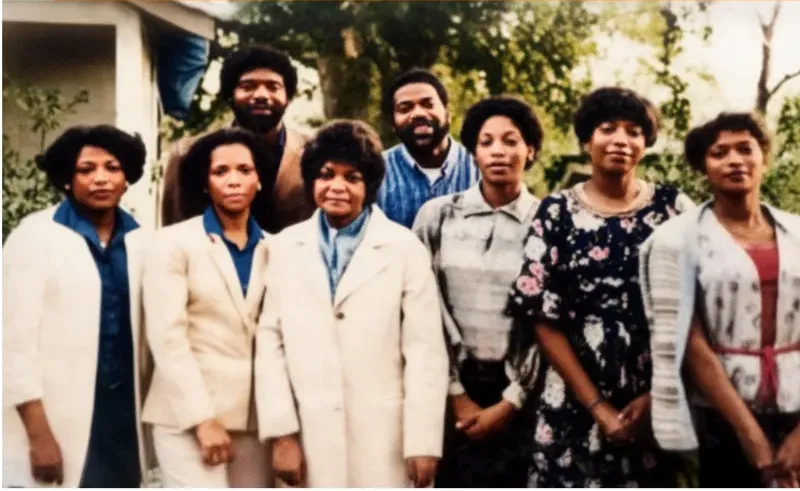
Real photos our artists brought back
Every one restored by hand by a real American artist, shown before and after.
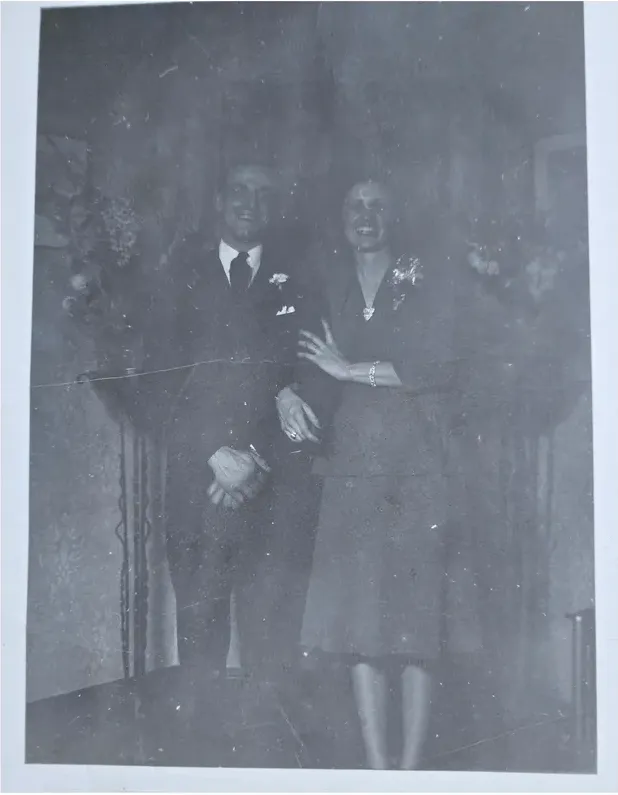 Before
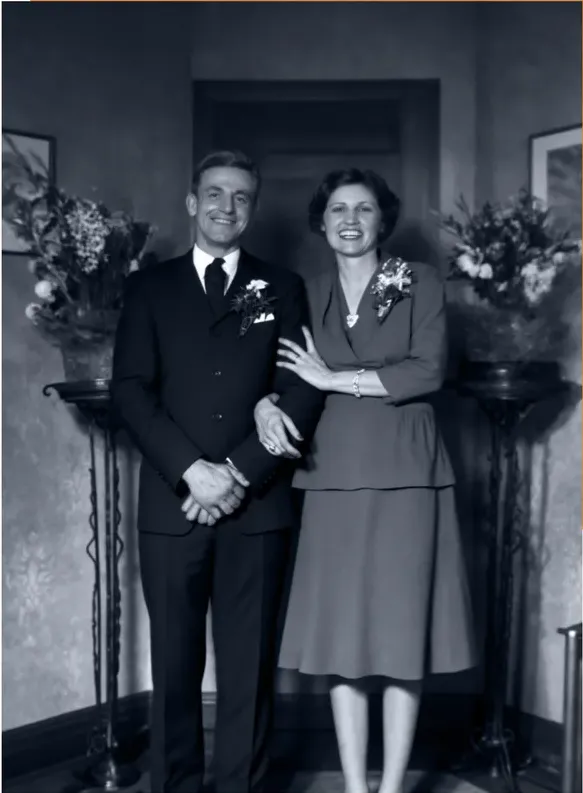 After
After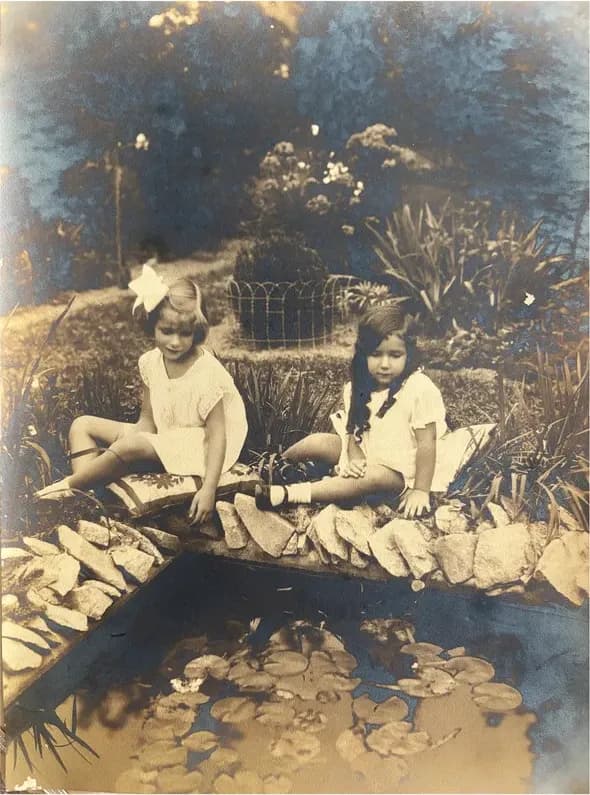 Before
 After
After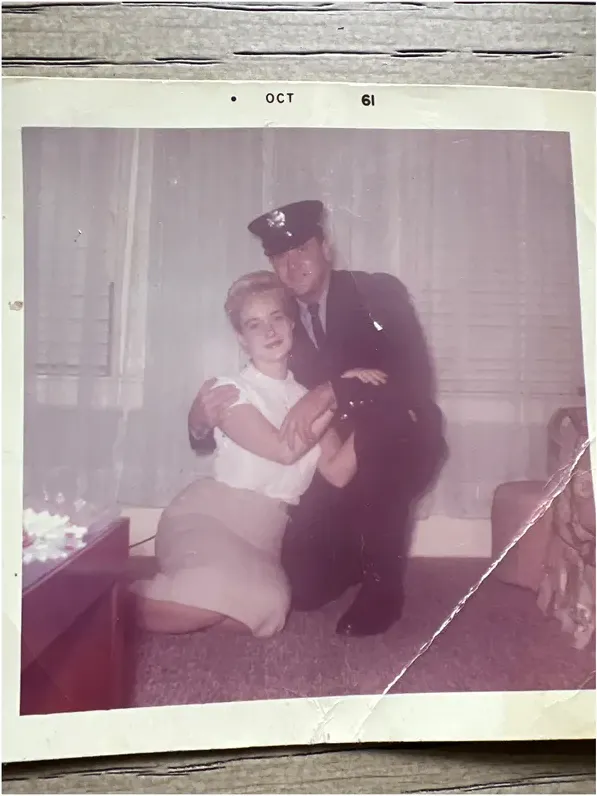 Before
 After
After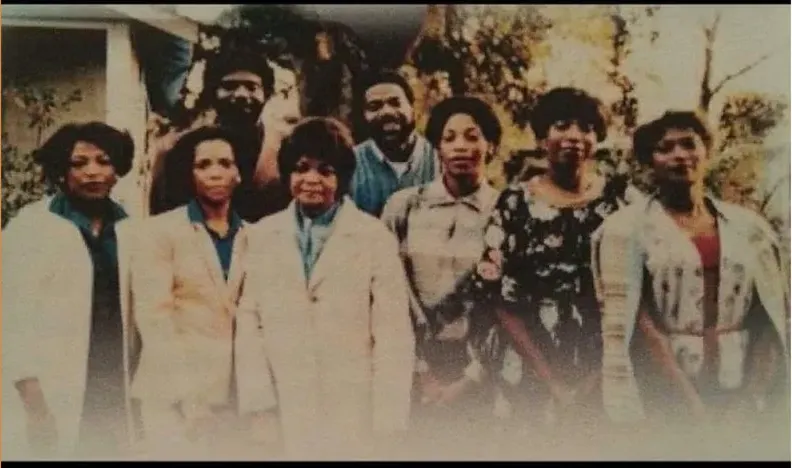 Before
 After
After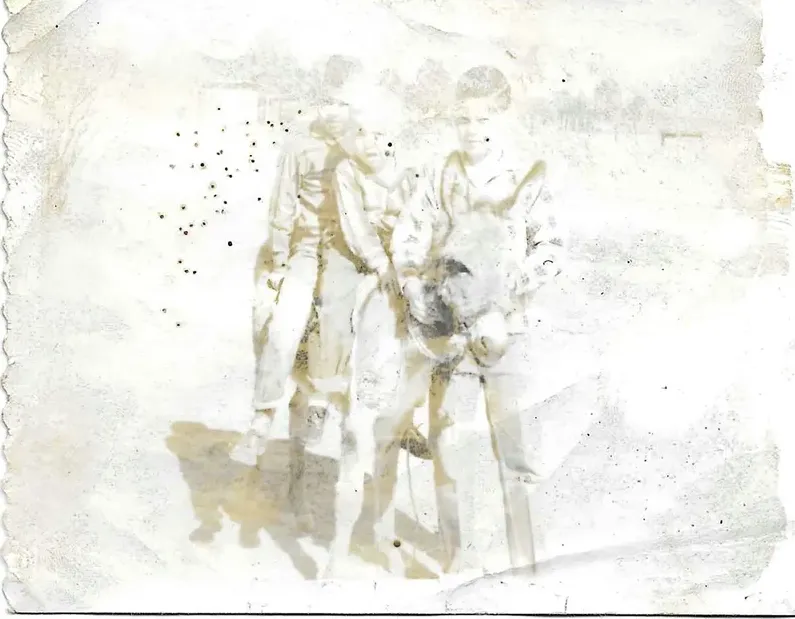 Before
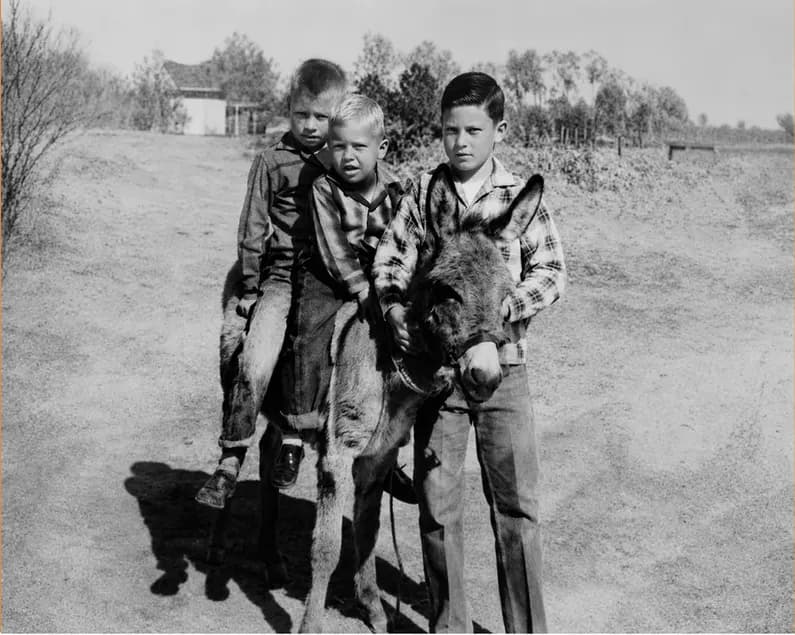 After
After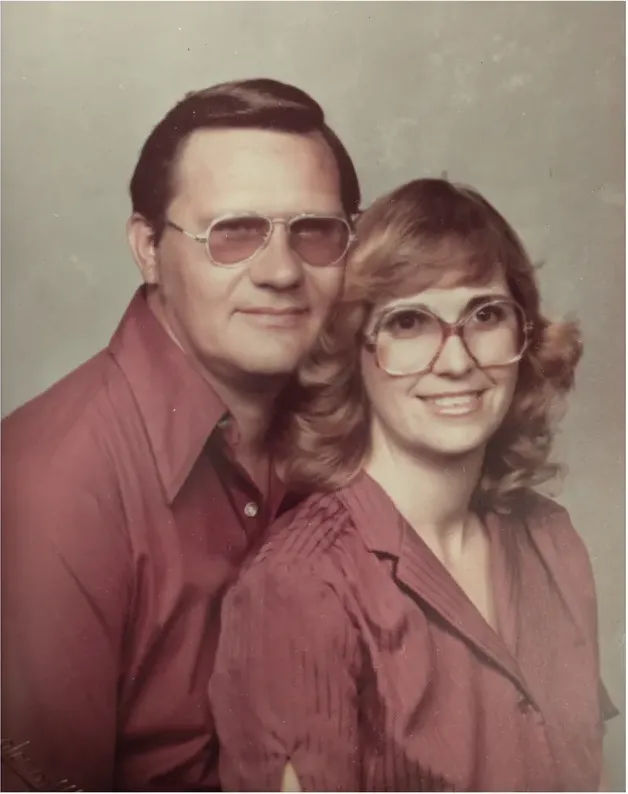 Before
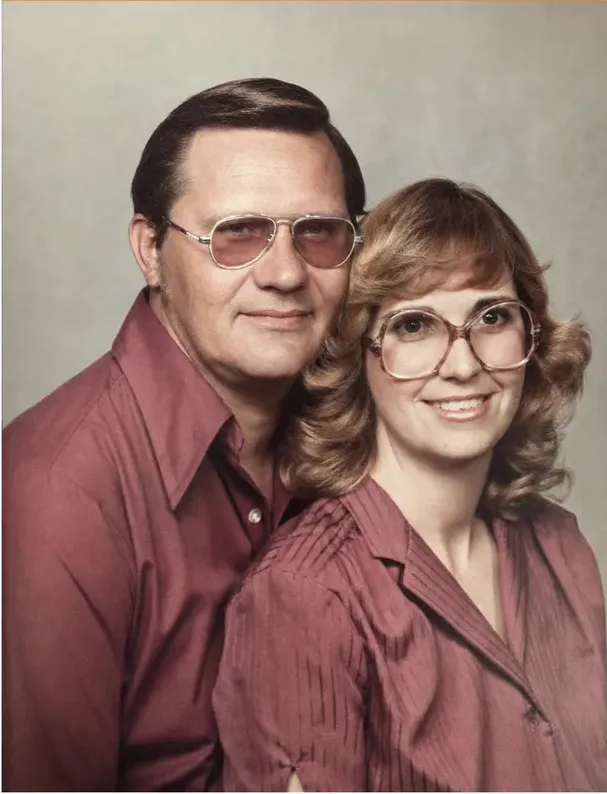 After
After
The face is the whole assignment
Nobody orders a restoration because they want cleaner pixels. They want to look at their grandmother and see their grandmother. That is the test this comparison lives or dies on, and it is why price and speed turn out to be secondary questions.
Old prints lose information. Silver tarnishes, emulsion cracks, a corner disappears behind a thumbtack, somebody folds a print to fit a wallet and the crease lands straight across a cheekbone. Once information is physically gone, something has to go in the hole. Every restoration method is a different answer to that one question: what do you put there?
Automated tools answer it statistically. Software fills a damaged region with detail consistent with the way faces of that type usually look. That is generation rather than recovery. Nothing in the finished file tells you which pixels came from your photograph and which ones the software produced.
Hand restoration answers it forensically. A MemoryCherish artist rebuilds a damaged cheek from the intact side of the same cheek, from the grain and tone immediately around it, and from a second photograph of the same person if you have one to send. When the information genuinely is not recoverable, we say so instead of filling the gap with something convincing. We recover what the photograph actually holds, and we never invent faces. No AI touches your picture at any stage.
That distinction is worth holding on to, because the finished file does not carry it. Recovered detail and generated detail sit on the print looking much alike, and nothing in the file marks which is which. The only way to know what you are holding is to know how the work was done, which is why we say plainly how ours is done.
You get one shot at this. The print is not getting less faded while you decide, and whichever version your family adopts tends to become the copy of record. That is why a real artist, free revisions and a cash money-back guarantee are the parts of this decision worth your attention. Our artists rebuild from what the photograph still holds, and never invent a face. If the result is not right, revisions are free until it is, and if we cannot get there you get 100% of your money back in cash.
What Remini publishes about its method
Their words, not our characterization, because ours would not be worth much here. Remini's photo restorer page describes its restoration as performed by AI technology. It describes the process as a one-click operation that removes blur, sharpens details and cleans up grain. Remini states its AI identifies faces and facial features in images, including blurry group photos from decades ago. Their homepage describes the Old Photos Restorer as bringing blurred, faded and damaged photos back to life, and at the time of writing lists it as a named tool among their enhancement tools.
Notice what that description optimizes for: blur, grain and speed. Remini also offers an API for integrating its enhancement technology into other products, which tells you something useful about the shape of the thing. It is an engine built to run at volume.
Now notice what is not in the description. There is no person in it. On a MemoryCherish order there is one: a US artist who spends roughly four hours with your photograph, who can tell a scratch from a highlight on a brooch, and who reads the notes you send about the man in the picture before deciding anything.
Two limits on what we will say about Remini. We report what they publish about their own product and stop there, because a company's published description is the only claim we can stand behind. And we are not putting a price on Remini in this article. At the time of writing we could not find a published revision policy or money-back guarantee for restoration output on their site, so check the current terms in the app before you commit, particularly if you plan to run a batch of photos through it. MemoryCherish publishes both terms up front: revisions free until you are happy, and 100% of your money back in cash if we cannot get the picture right.
One phrase worth keeping straight: "one click" describes the interface and the compute behind it. It is not a delivery estimate for a human service. MemoryCherish sends your first proof in about 1 to 3 days, which is a different measurement of a different thing, and reading the two as rivals is how people end up comparing numbers that were never measuring the same stage of anything.
Where roughly four hours of hand work goes
Four hours sounds like a lot until you see the list. Here is roughly where it goes on an average photo.
- Assessment first. What is damage and what is the photograph? A white speck can be dust, a scratch, or a highlight on a brooch. Guess wrong and you erase the brooch.
- Structural repair. Tears, creases and missing corners get rebuilt from surrounding material, with the artist deciding what belonged there based on what the print still shows and what physics allows.
- Faces last, and slowest. Eyes, mouth corners and jaw lines carry the likeness. This is the part that eats the hours and the part a customer judges in the first two seconds.
- Grain and tone matching. Repaired areas get pulled back into the original texture, so the fix does not sit on the print like a smooth plastic patch.
- Your notes. If you tell us his left ear stuck out, it stays sticking out. That is not a small thing to the people who remember him.
Then the first proof arrives, usually in about 1 to 3 days, and the loop stays open. Revisions are free until the picture is right, rather than one free round followed by an invoice. If we cannot get there, the money comes back as cash instead of a store credit. The files are yours permanently. Your original never went anywhere, because we work from a scan or a good phone photo of the print.
The pricing works the same way on purpose. It starts at $38, and the artist tier you pick decides the figure, so a badly torn photo and a lightly faded one cost the same at the same tier. Nobody reviews your upload and revises the quote upward. Behind all of it: US-based artists rather than AI, 37+ years of combined artist experience, more than 400,000 families served, and a verified rating of 4.96 out of 5 from more than 2,178 reviews.
What each one is actually built for
Remini is built as an enhancement engine. Their published description is a one-click operation, delivered by AI technology, that removes blur, sharpens details and cleans up grain. That shape fits somebody who wants an automated result immediately, at whatever volume, without a person making decisions about any one particular photograph.
MemoryCherish is built for the photograph that cannot be taken again. Torn prints. Water stains. Mold. A missing corner. A face nobody living can double-check. From $38, a real US artist works it by hand for roughly four hours, your first proof arrives in about 1 to 3 days, revisions stay free until you say the picture is right, and if we never get there the money comes back in cash. The artist tier you choose sets the price, so the damage never moves the number and nobody quotes you upward after seeing the file.
One comparison to refuse: an app's processing speed and an artist's working hours are not rival delivery estimates. The first describes how long software runs. The second describes how long a person spends making decisions about your specific photograph. Lining them up as though the smaller number wins sets a machine's runtime against a person's working day, which tells you nothing you can act on.
If you are genuinely torn, the tiebreaker is replaceability. Can you rescan it, redownload it, or ask a cousin for a better copy? If the answer is no, put a person on it, and make sure that person will keep taking your corrections afterwards until the face is right. That is exactly what we sell, and it is why the revision loop closes on your word rather than ours.
What a free automated pass will and will not tell you
People ask whether a free AI tool can settle this for them. It is worth understanding what that experiment can answer and what it cannot.
What it can answer: whether your photo is merely soft rather than damaged. Look at the output properly if you try one. Not a glance on a phone screen. Zoom to the eyes at full size. If crisp detail turns up in places where the print itself has none left, that detail was generated rather than recovered, and you have learned something concrete about your photograph.
What it cannot answer: whether the detail you are looking at was recovered from the print or generated to fill a hole. Nothing marks the difference in the file. The free tools themselves are candid about where their line sits when you read the page. Hotpot states its AI Picture Restorer automatically performs scratch removal, face enhancement and color sharpening, and its page states that while the service automates photo restoration, it "cannot replace experts for demanding restoration jobs". It describes the tool as designed to help consumers with lightweight requirements while helping professionals save time on difficult restoration requests. A vendor telling you where its own limits are is worth more than most marketing copy, and that limit is drawn exactly where irreplaceable photographs live.
Read two more things before you let free output become the permanent copy. At the time of writing, Hotpot states free images are limited by the CC BY-NC license, and that it may use invisible watermarks to identify Hotpot creations for legal disputes. Hotpot states it retains images only as long as necessary to run its machine learning models. Its pricing page states prices vary by product and settings and are shown inside the product, with volume pricing of $0.02 to $0.25 per image for commercial-use credits, depending on volume, subscription and co-marketing.
A MemoryCherish restoration carries none of that. There is no license to read, nothing embedded in the file, and no expiry on what you are allowed to do with it. Print it, frame it, hand it to your sister, put it in the family book, reprint it in ten years. The file is yours permanently, and the artist who made it will keep revising it, free, until you are happy with what you are printing.
What MemoryCherish puts in writing
Here are our terms in one place, in plain numbers, so you can hold them against anything else you read today.
- From $38 per photo. The artist tier you choose sets the price. How damaged the photograph is never changes it.
- Restored by hand by real US artists. Never AI, at any stage of the work.
- About 1 to 3 days for the first proof. Then the review conversation begins.
- Free revisions until you are happy. However many rounds that takes.
- 100% money-back guarantee, paid in cash. Not a credit toward another order.
- Your original print never leaves your house. You upload a photo or a scan, and the print stays where it is.
- 37+ years of combined artist experience. Rated 4.96 out of 5 from more than 2,178 reviews, and trusted by more than 400,000 families.
- The delivered files are yours permanently. Print them, share them, reprint them years from now.
Nothing on that list depends on how bad the photograph looks when you upload it. People find the pricing part hardest to believe, because damage-based pricing charges the most to the people whose pictures need the most help, and that has always struck us as backwards.
Sources, dates and what we left out
Every claim above about another company is a statement published on that company's own site, checked at the time of writing in August 2026. Companies edit their pages. Treat these as dated snapshots rather than permanent facts, and click through if anything matters to your decision.
- Remini restoration method, one-click description and face identification: https://remini.ai/photo-restorer
- Old Photos Restorer product description, tool listing and company identification: https://remini.ai/
- Hotpot automated functions, license terms, watermarking language and the expert-limits statement: https://hotpot.ai/restore-picture
- Hotpot pricing model and where prices are displayed: https://hotpot.ai/pricing
Remini's site identifies its operating company as AI Creativity S.r.l., Via Nino Bonnet 10, 20154 Milan, Italy, which is the kind of detail worth having if you ever need to contact a business about files of your own.
What we left out matters too. We have not stated a Remini price, and we have not described anyone's revision or refund terms beyond what they publish. Where we say we could not find something published, that is a statement about our search on a particular day, not a statement about how any company operates. Ask them directly. We describe no company's method beyond what that company says about itself, because what a business publishes is something we can point to and anything past that is guesswork dressed up as reporting.
Our own terms are on our site in plain language, and they are the same ones printed above: from $38, real US artists rather than AI, about 1 to 3 days for the first proof, free revisions until you are happy, a 100% money-back guarantee paid in cash, and files that stay yours permanently. If you are comparing services yourself, a habit worth borrowing: save a screenshot of the page you bought from, with the date visible. Published terms move, and a dated screenshot settles most disagreements before they start.
What it costs with us
From $38 per photo, you choose your artist
The price is set by the artist tier you choose, never by how damaged your photo is. Free revisions until it’s right, and a cash refund — not store credit — if we can’t make it perfect.
The MemoryCherish Guarantee: Love it or every cent back within 30 days. Cash, not store credit. Free revisions until it looks exactly like you remember. And if a photo just can’t be restored, we’ll tell you honestly and you won’t pay a thing. Read the full guarantee
Questions people ask
Does Remini restore old, damaged photos?
What is the difference between recovering detail and generating it?
How much does Remini cost?
What do I actually send MemoryCherish?
How long does MemoryCherish take?
Can a free AI tool tell me whether my photo needs an artist?
What happens if the restoration comes back wrong?
Keep comparing
- Remini Alternatives: 7 Options for Restoring a Damaged Family Photo
- The Best Photo Restoration Without AI in 2026
- Best Photo Restoration for Severely Damaged Photos: Tears, Mold, Water and Missing Pieces
- Photo Restoration Quality in 2026: How to Judge a Restored Face
- MemoryCherish vs Forever Studios: Hand Restoration, Side by Side
- MemoryCherish vs FixThePhoto: Restoration Studio or All-Purpose Editing Service
More on this kind of damage
Last updated August 1, 2026. Company details are taken from each company’s own public pages at the time of writing and may change, so we cite the page we read rather than linking to it. Check the current wording with any company before you order.