
Rated 4.96/5 by 2,185+ reviews· Updated August 1, 2026
MyHeritage Photo Enhancer Alternatives: 7 Options for Physically Damaged Photos
Enhancement and repair are not the same job. MyHeritage's help center describes the Photo Enhancer as upscaling photos to increase resolution and automatically detecting faces to bring them into focus, typically in 15 to 30 seconds. If your print is torn, creased, stained or missing a corner, the detail is gone from the file and somebody has to decide what belongs in that space. MemoryCherish does that by hand with real US artists, never AI, from $38, with roughly four hours of work in an average photograph, a first proof in about one to three days, free revisions until you are happy, and a 100% money-back guarantee paid in cash.
How we compared them
- Whether a tool is documented for resolution and faces or for physical damage
- Who or what decides what belongs in an area the file no longer holds
- Whether color is generated automatically or chosen deliberately by a person
- Accounts, watermarks, subscriptions, and what you actually walk away owning
- The cost of fixing one photograph against committing to a recurring plan
- Whether the remedy for a bad result is a fix, cash back, or store credit
The shortlist
| Service | What they publish about their method |
|---|---|
| MemoryCherish | Real US-based artists working by hand, never AI at any stage, with about four hours going into a typical photograph. |
| Forever StudiosSource: foreverstudios.com/restore-retouch-photo-service | Forever Studios' old photo restoration page states that its US-based team of restoration professionals reverses aging and damage in photographs by hand. |
| RememorieSource: rememorie.com | Rememorie's homepage states that images are restored and colorized by professional artists, not robots or AI, and its restoration page states the work is done by hand using highly manual, AI-free tools. |
| ScanCafeSource: scancafe.com/how/photo-restoration-process | ScanCafe's process page states that once a quote is approved, a restoration technician is assigned to restore the photo, and describes the work as extremely painstaking and in some cases done pixel by pixel. |
| RetouchUpSource: retouchup.com/services.php | RetouchUp describes its offering as human-powered and states that a human touch is the only proper way to treat artwork. |
| VanceAISource: vanceai.com/old-photo-restoration | VanceAI states its restorer model was trained on millions of vintage photographs to remove scratches, sepia tones, tears, cracks and spots, and states its restoration runs in one pass with no manual brushwork required. |
| RestoreClickSource: restore.click | RestoreClick's site describes its process as AI mapping the damage in the photo: scratches, tears, water stains, fading, missing corners. |
MemoryCherish
Pricing opens at $38 and follows which artist tier you pick, so a print with a missing corner is never billed above a lightly faded one. The first proof comes back in about one to three days. Revisions stay free until you are happy, with no cap on how many. The guarantee returns your money in cash rather than crediting your account for future work, and the finished files stay yours permanently, with no watermark and no expiry, at any print size. Your original never leaves the house, because you upload a copy of it. The rule on damaged areas is strict: rebuild from what the photograph still contains, never invent a face, and say plainly when a region is beyond honest recovery. Verified reviews average 4.96 out of 5 across 2,178+ customers, more than 400,000 families have ordered, the artists hold 37+ years of combined experience, and the studio has handled material for museums and historical societies.
Forever Studios
The company says it has provided professional photo restoration in the USA since 2007. On timing, at the time of writing its site states the first restoration proof arrives in the customer's Forever Studios account in one to three days, and that the first set of colorization proofs arrives in about three days, so both figures describe a proof stage rather than a finished job. Published figures move, so read their live page on the day you order rather than a number copied into an article. On our own side of the comparison the terms are fixed and easy to check: MemoryCherish opens at $38, set by the artist tier you choose and never by the damage, returns a first proof in about one to three days, revises free until you are happy, and backs the order with a 100% money-back guarantee paid in cash.
Rememorie
We report that as their published positioning rather than adjudicating it. At the time of writing, its site states standard delivery of 1 to 4 business days and states it offers a 24-hour delivery option. Pricing is published flat per photo with a lower bulk rate and a colorization add-on; read the live page for current figures. The company describes itself as a small team of experts. On our side of the comparison, MemoryCherish prices every photograph from $38 by the artist tier you choose and never by the damage, with no minimum, no package and no contract, so a single print and a stack of them are both ordinary orders. Each one gets a real US artist working by hand for about four hours, hand colorization inside the same order when you want it, a first proof in roughly one to three days, and free revisions until you are happy.
ScanCafe
At the time of writing, ScanCafe states there is no charge to request a restoration quote, that restoration prices are based on an evaluation of each individual photo and quoted in tiers by damage severity, and that it asks for a 50% deposit on approved quotes. It states customers upload a digital version of a photo to receive a quote. On timing, it states restoration typically takes about a week, and states originals are dispatched within 3 business days of final payment. Alongside restoration it digitizes photos, slides, negatives, film, video tapes and audio, and offers a flat-rate prepaid Kit option alongside per-item pricing, which is the shape of a volume scanning business. If you would rather see the price before you upload anything, MemoryCherish publishes it: from $38, set by the artist tier you pick, with damage never moving the figure and no deposit against an unseen quote.
RetouchUp
It states its artists do photo retouching and restoration full time rather than seasonally, states it was established in 2006, and states it was created by Hollywood FotoFix, Inc., which it says has been in business since 1993. Its service list also covers retouching, clipping path and color correction, so a damaged family print sits inside a broad production menu aimed largely at working photographers. Read its live services page for current figures. MemoryCherish is built around the single irreplaceable photograph instead: one US artist, about four hours by hand, never AI, from $38, with the artist tier setting the price rather than the damage, and free revisions until you are happy.
VanceAI
Read that description carefully, because it tells you what the product is: a model trained on other people's photographs, running in one pass, with no person making a judgement about yours. At the time of writing, its pricing page lists the AI Photo Restorer at 4 credits per image up to 4K and 8 credits at 4K, with credits sold through subscription tiers rather than per photograph, so the cost keeps arriving whether you are using it or not. Its pricing page states photos must be under 34 megapixels, 10MB and 8000 pixels on the longest side, which is worth checking against a high-resolution scan of a large print. It states uploads are encrypted in transit and permanently deleted within 24 hours. For a photograph that cannot be replaced, MemoryCherish puts a real US artist on it by hand, from $38, once, with nothing recurring and the delivered file yours to keep.
RestoreClick
At the time of writing, RestoreClick states its AI restoration processes images in under two minutes and states results are delivered by email within minutes of upload, both of which are their published claims rather than anything we timed. Those are processing figures, so do not read them against a studio's published day count, which measures a person working. It states the customer receives a high-resolution file ready to print or share, and it lists photo colorization as a service alongside restoration. Where damage crosses a face, the question is not how fast something comes back but who decided what went into the gap. At MemoryCherish that is a named US artist working by hand from $38, with about four hours on an average photograph, free revisions until you are happy, and a cash money-back guarantee.
Real photos our artists brought back
Every one restored by hand by a real American artist, shown before and after.
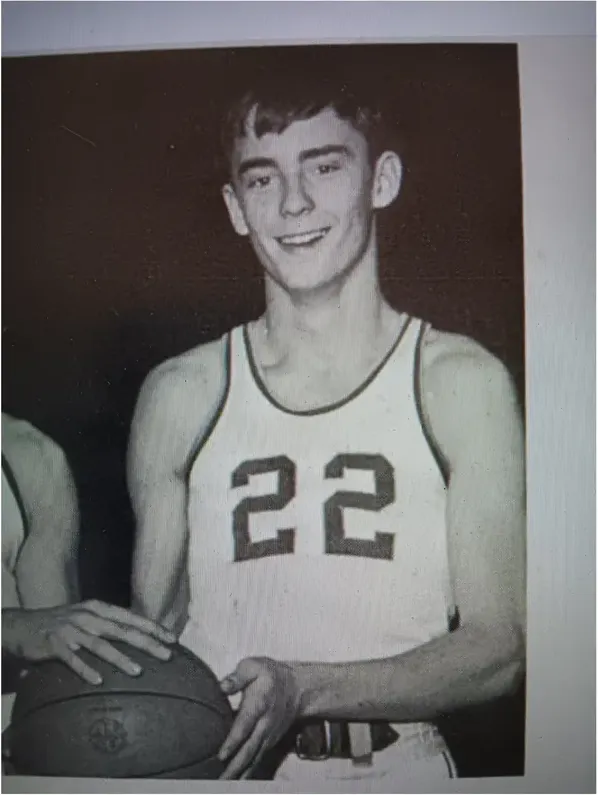 Before
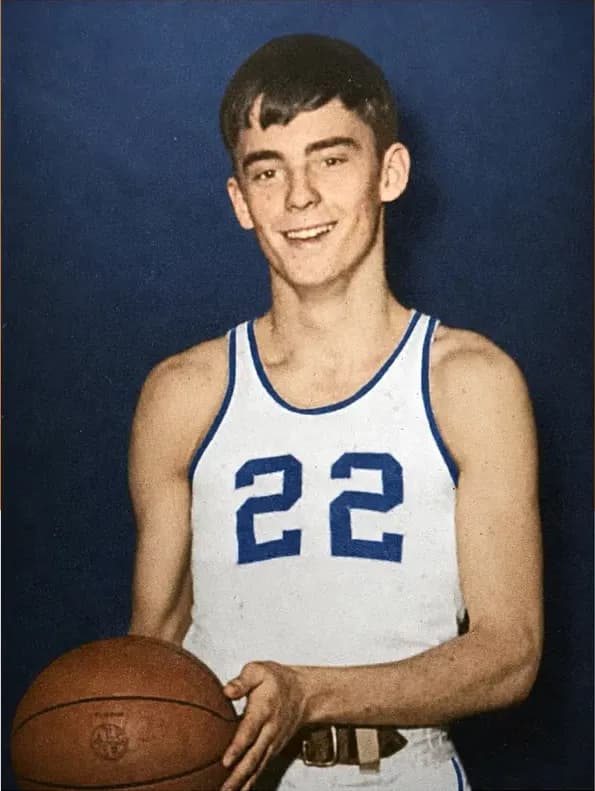 After
After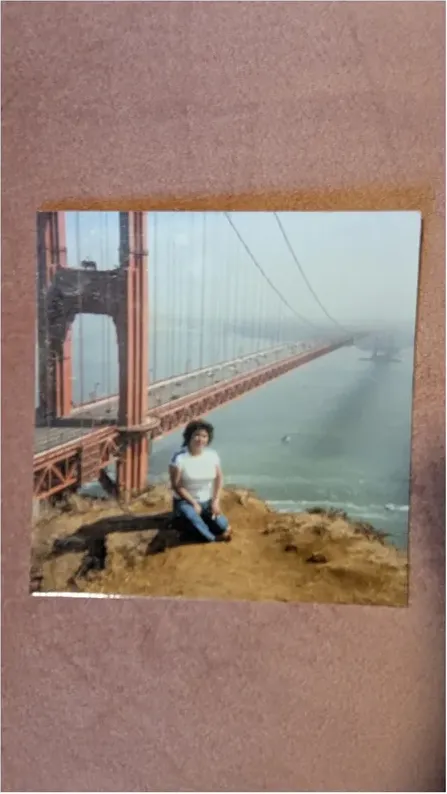 Before
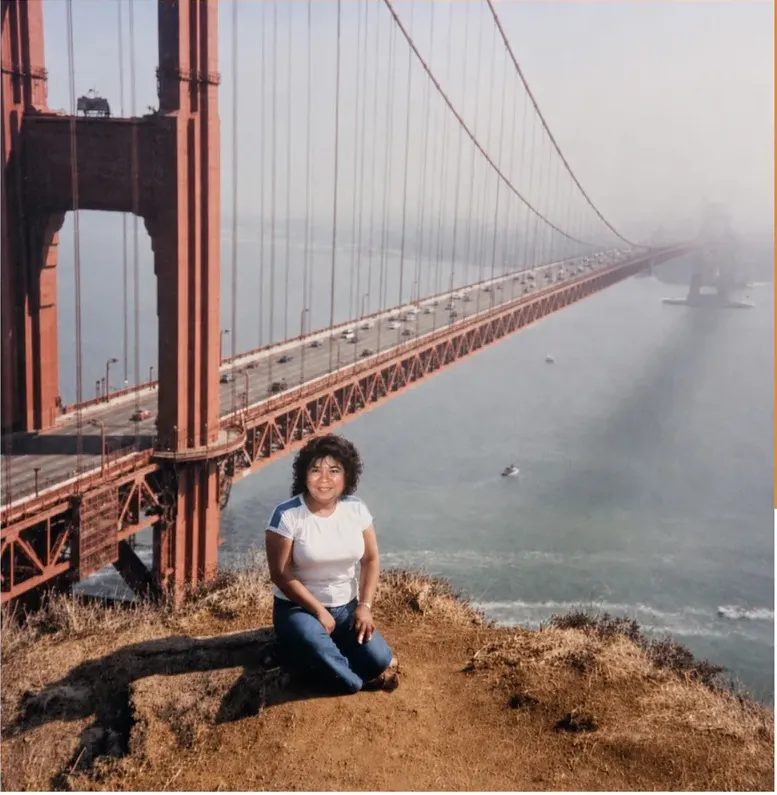 After
After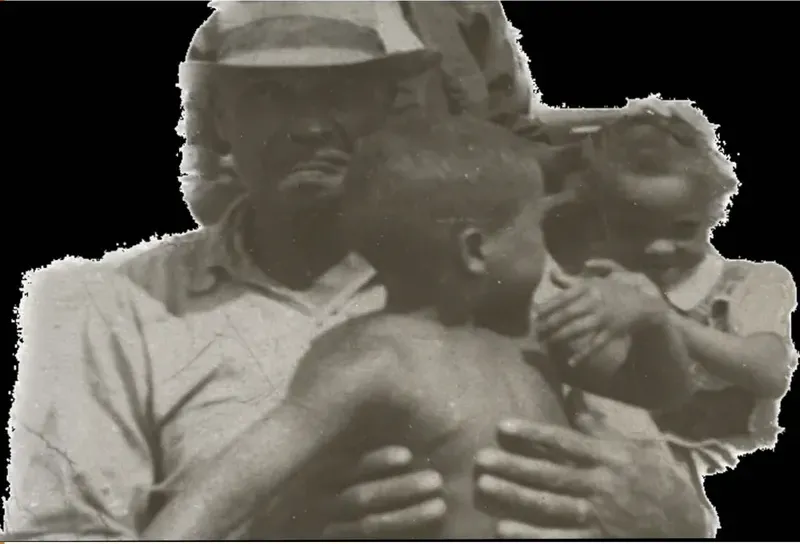 Before
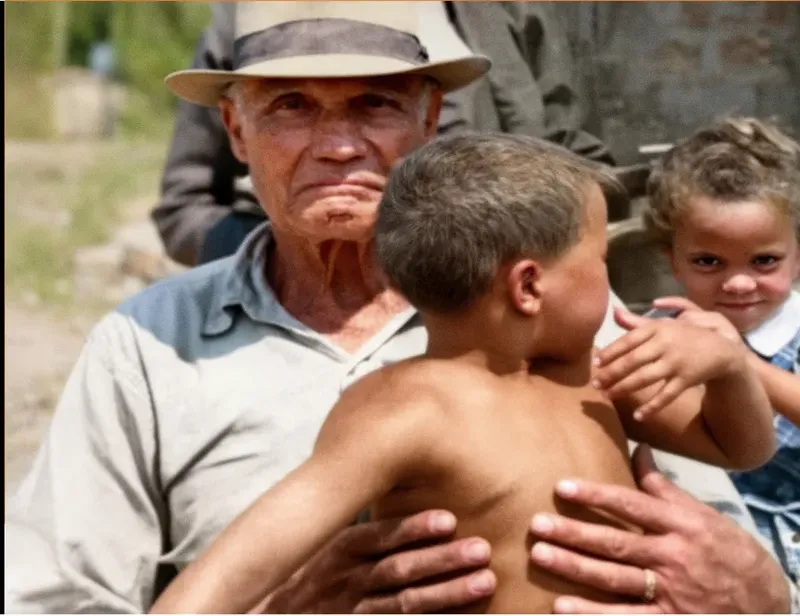 After
After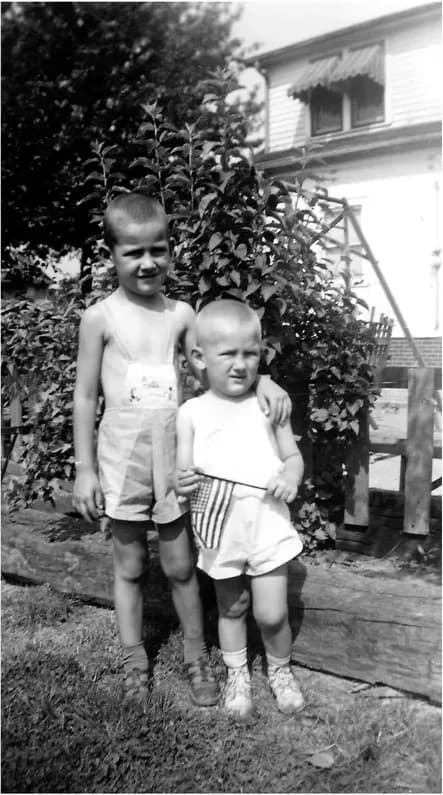 Before
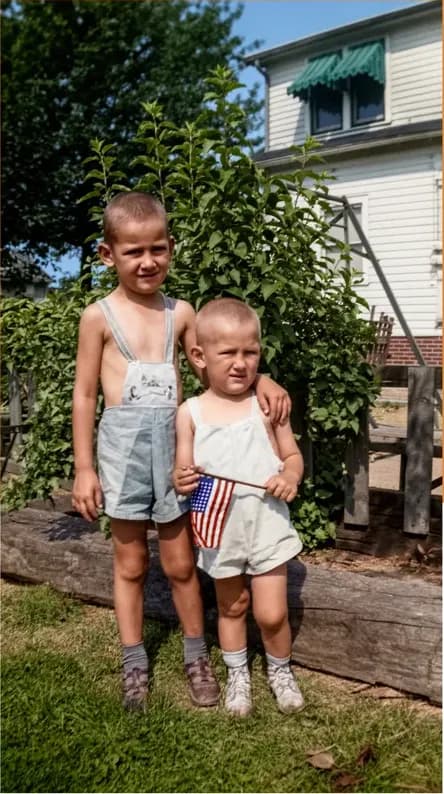 After
After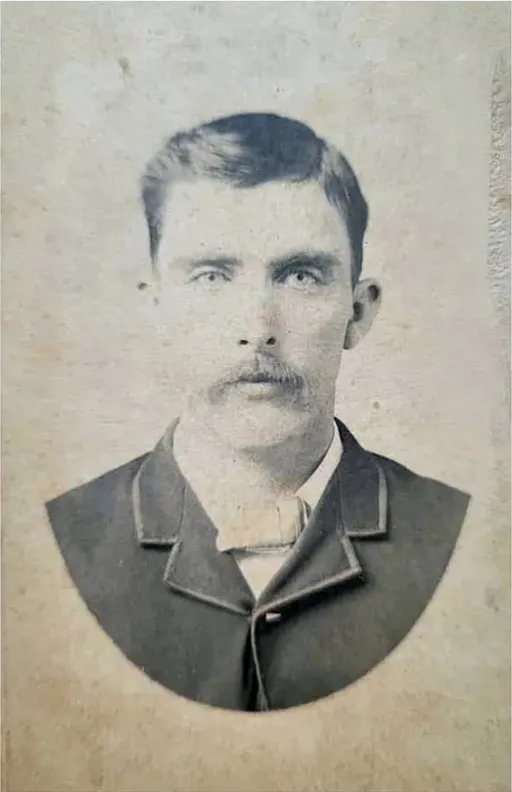 Before
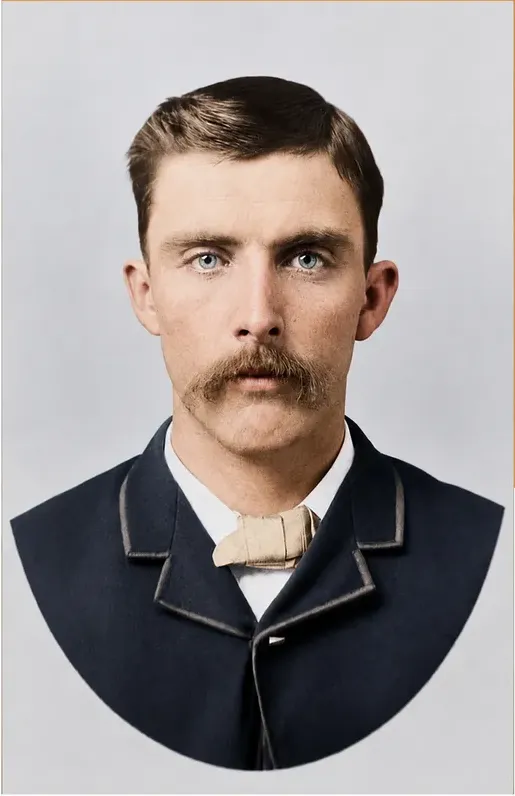 After
After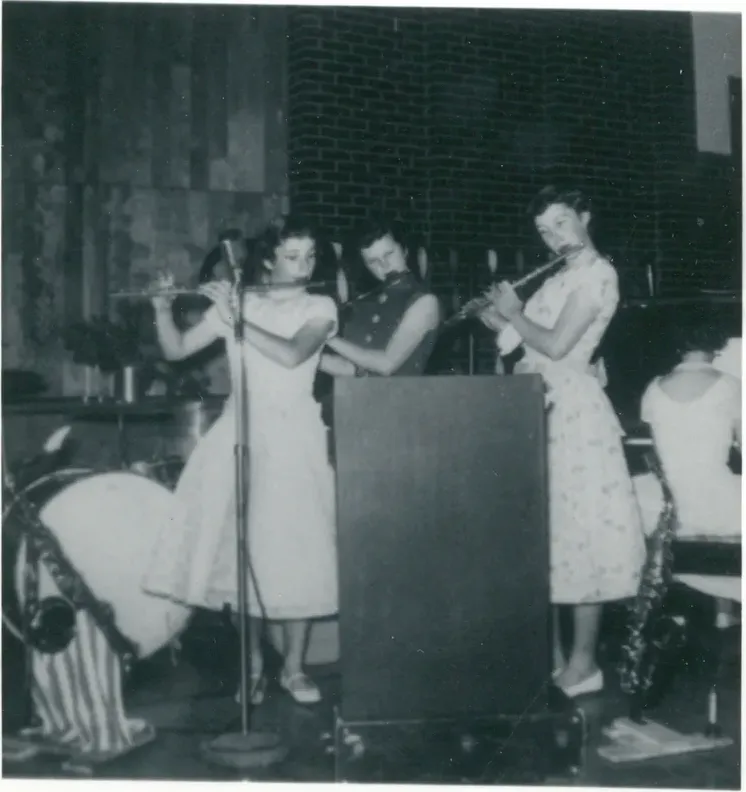 Before
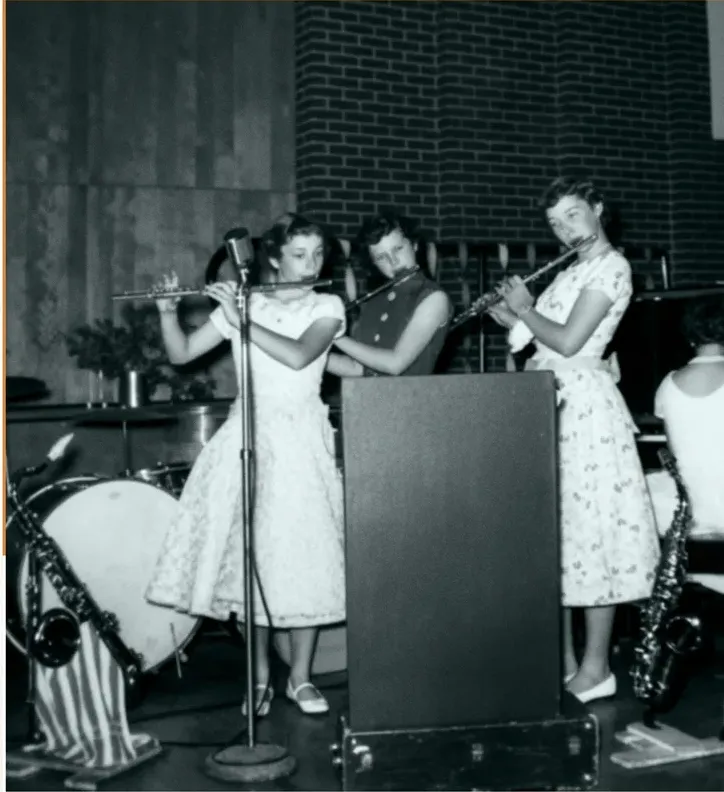 After
After
What MyHeritage documents the Enhancer as doing
MyHeritage's help center is unusually clear about its own tool, and reading it closely saves a lot of disappointment later. The help center states the Photo Enhancer is powered by deep learning technology that MyHeritage licensed and integrated into its platform, that it works by upscaling photos to increase their resolution, and that it automatically detects faces in a photo and brings them into focus. It states that enhancing a photo typically takes 15 to 30 seconds, depending on its size and the number of faces in it.
Two items on that list: resolution, and faces. That is a specific job. A large share of family photographs have nothing physically wrong with them at all. They are small files, or soft scans made on a flatbed twenty years ago, or pictures that were never sharp on the day somebody pressed the shutter.
The pictures that land in a restoration studio's queue tend to be a different animal. A crease running through a jawline. A corner torn away where a thumbtack held it to a kitchen wall. Silvering across a print that spent a decade in a damp basement. Mold spotting over a bride's shoulder. A photograph pulled out of a scrapbook in one piece, apart from the piece that stayed behind on the page.
That kind of loss is repair work rather than enhancement, because the detail is not merely soft. It is absent from the file. Something has to go back into the space, and the question underneath every option below is who or what decides what goes there.
So the useful framing is not enhancer good, enhancer bad. Enhancement and repair are separate jobs. For the repair job, MemoryCherish puts a real US artist on your photograph by hand, never AI, for about four hours on an average image, from $38. The seven options below are the ones worth your time when the damage is physical.
MyHeritage's own word for the result is reimagination
The most useful sentence published anywhere in this category sits on MyHeritage's own help page, and the company deserves credit for putting it there. MyHeritage states that both the Photo Enhancer and In Color use deep learning technologies, so the result is a "reimagination" of what the original scene may have looked like.
That is a company describing its own product accurately, and it is also the single thing to weigh before running any automated pass over a photograph you cannot replace. Where detail is gone from the print, software has to generate what it puts in that space. Recovering detail and generating it are two different operations, and only one of them is constrained by what your photograph actually recorded. Plausible and accurate are not the same standard.
The practical problem is verification. If the photograph shows a grandmother you remember clearly, you carry a standard in your own memory to hold any version against. If it shows a great-great-uncle who died in 1931 and survives in exactly one image, there is no second source and nobody alive to check a result against the person. Nothing inside a delivered file records which parts came from the photograph and which were supplied for it, which is why we tell you in writing when a region has been rebuilt and what that rebuild was based on.
That is the reason hand restoration still exists at this price, and why MemoryCherish will not use AI at any stage. An artist rebuilds a damaged area from the pixels that survived around it, from the symmetry of the face, from the direction of the light in the rest of the frame, and from any other picture of the same person you can supply. The rule here is written down rather than implied: recover what is genuinely in the photograph, never invent a face, and say plainly when a region is too far gone to bring back honestly. Sometimes the right delivery is a repaired photograph with one small area left deliberately soft, because a soft cheek is honest and a fabricated one is not.
Four hours of a US artist's attention, 37+ years of combined experience behind them, and a written rule about what may not be invented. That is what $38 upwards is paying for.
Color that is generated, and color that is chosen
Colorization is where the two philosophies part company fastest. MyHeritage describes In Color as an automatic photo colorization tool for old family photos, states that it uses machine-learning technology to generate a full-color image from a black-and-white photo, and states this typically takes just a few seconds, depending on size and level of detail. MyHeritage also discloses that photos colorized with In Color have "colors simulated by automatic algorithms, which may differ from the real-life colors".
Read that disclosure twice if the colors in your photograph are known to your family. A regiment's facings. The dress your mother still describes at Christmas. The exact green of a car bought in 1961. By their own disclosure, an automatic system produces a believable color rather than a verified one. The true color has to come from somebody who knows it.
Hand colorization runs the other way round. You tell the artist what the family remembers, the artist researches the rest (period dye ranges, service uniforms, manufacturer paint charts), and every choice is deliberate and reversible. If the eyes were hazel, they come back hazel. If nobody knows, a careful artist picks something period-plausible and flags it as a judgement rather than a recovered fact.
That is how MemoryCherish works it. A real US artist makes each color decision by hand, you see a first proof in about one to three days, and revisions stay free until the shade is right. If your mother says the dress was a lighter blue than that, an artist changes the dress. Every shade in the finished file is a decision somebody made on purpose.
The choice is between wanting a color photograph and wanting the right color photograph. For a street scene or a stretch of open countryside those are usually the same order. For a uniform, a wedding dress or a family business shopfront, they are not, and the difference is permanent once the file goes into the family archive.
Free tiers, watermarks and what you keep
Check the terms before you upload anything you care about, because the commercial models differ far more than the results do.
- MyHeritage: at the time of writing, it states anyone can enhance 10 photos for free, that a free MyHeritage account is required before enhancing or colorizing, that unlimited photo enhancement requires its paid Complete subscription, and that non-subscribers will see a MyHeritage logo watermark on the bottom right of their enhanced photos. For colorization it states users can colorize their first several photographs for free, with unlimited colorization also requiring the paid subscription.
- VanceAI: at the time of writing, credits are sold through subscription tiers rather than per photograph, and its pricing page states photos must be under 34 megapixels, 10MB and 8000 pixels on the longest side.
- Hotpot.ai: at the time of writing, it offers its AI Picture Restorer free with no account needed, and states free images are limited by the CC BY-NC license, which is worth reading before you plan anything commercial with the output.
- MemoryCherish: $38 upwards for a single photograph, nothing recurring, no account tier to climb, no watermark at any price, no license attached, and delivered files that remain yours indefinitely at any print size.
Free allowances and terms move constantly, so confirm them on the day you order rather than trusting any article, this one included.
The question underneath the free tiers is the one people skip. A recurring plan keeps charging whether or not you use it, and most families discover they had one specific photograph in mind all along: the father as a boy, the grandparents on their wedding day, the one print that came out of the fire. You want that repaired once, properly, by somebody accountable for the result, and then you are finished. That is a per-photo job, and it is exactly what MemoryCherish sells. One order, one artist, from $38, free revisions until you are happy, cash back if it never lands, and a file you own outright at the end of it.
Send the plain file, not the improved one
One practical point costs people quality without their ever noticing: hand a restoration service the plainest capture you have rather than the best-looking one.
If you have already run a photograph through an enhancer, keep that output if you like it, but do not treat it as the file to pass on. Enhanced output already has processing baked into it, and every one of those decisions was made before anybody looked at your photograph with your family in mind. An artist working from that version inherits all of them and cannot see behind them. The unprocessed scan carries more of the truth, including the parts that look hopeless, and hopeless-looking areas are frequently where surviving detail is hiding.
So the sequence that works is simple: capture once, archive that file untouched, then send a copy of it to whoever is doing the work. Give it a name that will still make sense to a stranger, something like surname-year-original, and keep it somewhere that is not only your phone.
Capture quality matters more than any setting applied afterwards. A flatbed scan gives an artist the most to work with, and more resolution gives more room, particularly if the print is small or a face occupies a tiny fraction of the frame. A phone works when no scanner is available: even light rather than direct sun, nothing bouncing off the surface, the camera square to the print instead of angled over it, and the whole print in shot including its borders.
Two things to skip. Do not crop before sending, because borders sometimes carry studio marks, dates and printing information that help date the image. Do not auto-correct, because a person can lift shadow detail far more precisely than an automatic phone setting, and once contrast has been crushed nobody can un-crush it.
Send that plain file to MemoryCherish and the original print stays exactly where it is, in your drawer or your album. Nothing irreplaceable goes in the mail, and no courier ever holds the only copy.
What you get back, and what happens if it misses
Before you pay anyone, find out what happens on the day the result is not right. This is the part people skip and then regret, because a restoration is a judgement about your photograph made by a stranger, and sometimes the first attempt lands close but wrong.
Three questions do most of the work. Are revisions capped at a number, or do they continue until you are satisfied? If there is a refund, does it come back as money or as credit toward another order? And what do you actually own at the end: a watermarked preview, a licensed file, or the photograph itself?
MemoryCherish answers all three in writing. Revisions are free and uncapped, so you point at what is wrong and an artist corrects that specific thing, as many times as it takes. The guarantee is 100% money back, paid in cash, not credit for work you did not want. And the delivered files are yours permanently, with no watermark, no expiry and no license limiting how you print or share them.
There is a reason a policy like that is easier to publish when real people do the work. When an artist has your file open, a correction is a correction: you say the mouth is wrong and the artist adjusts the mouth, and the person who made the first decision is the person who changes it. A revision is a targeted edit to the one thing you named rather than another pass over the whole photograph. That distinction matters most on exactly the photographs this page is about, where the single feature you asked about is the whole reason you ordered.
How to choose, in the order that matters
Sort by what is actually wrong with the print rather than by price.
If the file is small or soft but the print itself is intact, the question is still who decides how the missing sharpness comes back. MyHeritage documents its Enhancer for resolution and faces, and states that the result is a reimagination of what the scene may have looked like. A soft, faded or low-resolution print is ordinary work for a hand studio too, and it is the version we would send to a person: an artist lifts detail out of the grain the photograph still holds rather than generating replacement detail to sit over it, and you see a proof you can send back. MemoryCherish takes that job from $38, with free revisions until it is right.
If there is physical damage, the question becomes who decides what goes back into the gap. At the time of writing, RestoreClick states its AI processes images in under two minutes and states results are delivered by email within minutes of upload. VanceAI's site states a heavily damaged photo restores in under ten seconds. Those figures describe machine processing. When a studio publishes a number of days it is describing a person's working cycle, and in several cases the published day count marks a first proof rather than a finished job. The two sets of numbers measure different stages and should never be read against each other as if they were rival delivery estimates.
If the damage crosses a face, or removes detail that carried meaning (a wedding ring, a name stitched onto a uniform, a shop sign in the background), that is where we would put a person on it. MemoryCherish starts at $38, set by the artist tier you choose rather than by how bad the photograph is, so the most damaged item in the shoebox is never automatically the most expensive one. An average photograph takes around four hours of hand work by a real US artist, never AI. The first proof comes back in about one to three days. Revisions stay free until you are satisfied, the guarantee gives money back in cash, your print never leaves the house because you upload a copy, and the finished files are yours to keep forever.
Our argument is narrow and we will state it plainly. US artists working by hand. A price that does not climb with damage. Free revisions until it is right. A cash guarantee. And a policy of recovering only what the photograph still holds, with a face never invented to fill a gap. Across 400,000+ families, 2,178+ verified reviews averaging 4.96 out of 5, and commissions from museums and historical societies, that is what the work has been judged on.
If the photograph is the one you would run back into a burning house for, send it to us.
What it costs with us
From $38 per photo, you choose your artist
The price is set by the artist tier you choose, never by how damaged your photo is. Free revisions until it’s right, and a cash refund — not store credit — if we can’t make it perfect.
The MemoryCherish Guarantee: Love it or every cent back within 30 days. Cash, not store credit. Free revisions until it looks exactly like you remember. And if a photo just can’t be restored, we’ll tell you honestly and you won’t pay a thing. Read the full guarantee
Questions people ask
Can the MyHeritage Photo Enhancer repair a tear or a missing corner?
Are automatically colorized photos accurate to the real colors?
Will my enhanced photo carry a watermark?
Should I keep my MyHeritage subscription if I use a restoration service?
Should I send a restorer the enhanced version or the original scan?
What do these companies publish if the result is not right?
What happens if part of a face is missing from my photograph?
Keep comparing
- MemoryCherish vs MyHeritage Photo Enhancer: Which One Should Touch Your Family Photos?
- Best Photo Restoration for Severely Damaged Photos: Tears, Mold, Water and Missing Pieces
- The Best Black and White Photo Colorization Services in 2026
- The Best Photo Restoration Without AI in 2026
- Forever Studios Alternatives: 7 Photo Restoration Options Compared
- FixThePhoto Alternatives for Photo Restoration: 7 Options Compared
More on this kind of damage
Last updated August 1, 2026. Company details are taken from each company’s own public pages at the time of writing and may change, so we cite the page we read rather than linking to it. Check the current wording with any company before you order.