
Rated 4.96/5 by 2,185+ reviews· Updated August 1, 2026
Best Photo Restoration for Large Photo Collections: How to Restore a Box of Old Family Photos
If you are trying to restore a box of old family photos, do not price the whole box for hand restoration. Sort it into three piles first: irreplaceable images with damage on a face, meaningful prints that are only faded or lightly creased, and reference frames you keep for the record. Digitize everything, then reserve real artists for pile one. MemoryCherish handles that first pile from $38 per photo, priced by the artist tier you pick rather than by how bad the damage is, which makes a mixed box possible to budget. The work is done by hand by artists in the United States, never AI at any stage, with a first proof in about one to three days, free revisions until you are happy, a 100% money-back guarantee paid in cash, and no package or minimum to sign up for. Order three this month and three next month if that suits you better.
How we compared them
- Per-photo pricing you can forecast across a whole box, not just one image
- Pricing that does not climb with the damage, since the photos that matter most are usually the roughest
- A published position on where digitizing ends and restoration begins
- Takes a batch without forcing a package, minimum or subscription you do not need
- Real artists doing the work, with no AI filling in a face that is missing
- Free revisions and a remedy that returns cash rather than credit toward another order
- Clear about what happens to the original print and about who owns the finished files
- Honest fit for the tier of photo you assign it to, from heirloom down to reference
The shortlist
| Service | What they publish about their method |
|---|---|
| MemoryCherish | US-based human artists work by hand from your scan, with no AI at any stage. An average photo takes about four hours of one artist's attention, and the team carries 37+ years of combined experience, including work for museums and historical societies. We rebuild only what the photograph actually contains and never invent a face. |
| ScanCafeSource: scancafe.com/how/photo-restoration-process | ScanCafe's site says it digitizes photos, slides, negatives, film, video tapes and audio, and offers a flat-rate prepaid Kit option alongside per-item pricing. Its process page states that once a quote is approved, a restoration technician is assigned to restore the photo. Its pricing page states media is scanned at its Indianapolis facility. |
| Forever StudiosSource: foreverstudios.com/restore-retouch-photo-service | Forever Studios' homepage leads with historical media digitizing, covering tape, film, photo scanning, disc and audio transfer, alongside its restoration services. Its old photo restoration page says its US-based team of restoration professionals reverses aging and damage in photographs by hand, and says it has provided professional photo restoration in the USA since 2007. Those are the company's own descriptions of its own service. |
| RetouchUpSource: retouchup.com/services.php | RetouchUp offers photo retouching, clipping path, color correction and photo restoration. It describes its offering as human-powered and states that a human touch is the only proper way to treat artwork, and states its artists do photo retouching and restoration full time rather than seasonally. It states it was established in 2006 and was created by Hollywood FotoFix, Inc., which it says has been in business since 1993. |
| RememorieSource: rememorie.com/photo-restoration-service | Rememorie's homepage states that images are restored and colorized by professional artists, not robots or AI, and its restoration page states the work is done by hand using highly manual, AI-free tools. Its about page describes the company as a small team of experts. We report that positioning as theirs rather than as something we tested. |
| MyHeritage Photo Enhancer / MyHeritage In ColorSource: myheritage.com/help/en/articles/12852484-what-is-an… | MyHeritage states the Photo Enhancer is powered by deep learning technology that MyHeritage licensed and integrated into its platform, that it works by upscaling photos to increase their resolution, and that it automatically detects faces in a photo and brings them into focus. It states In Color uses machine-learning technology to generate a full-color image from a black-and-white photo, and describes In Color as an automatic photo colorization tool for old family photos. Those are the documented functions, so scope your expectations to them. |
| VanceAISource: vanceai.com/old-photo-restoration | VanceAI states its proprietary models are powered by deep convolutional neural networks trained on millions of photos, and states its restorer model was trained on millions of vintage photographs to remove scratches, sepia tones, tears, cracks and spots. It states its restoration runs in one pass with no manual brushwork required, states it chains restoration, colorization and upscaling in one workflow, and states the web app restores one photo at a time on the free plan. |
| Hotpot.ai (AI Picture Restorer)Source: hotpot.ai/restore-picture | Hotpot states its AI Picture Restorer restores, sharpens and repairs pictures with AI, and states the service automatically performs scratch removal, face enhancement and color sharpening. At the time of writing it states its service repairs both color photos and black-and-white ones. On the same page, Hotpot describes the tool as designed to help consumers with lightweight requirements while helping professionals save time on difficult restoration requests, and states that while the service automates photo restoration, it "cannot replace experts for demanding restoration jobs". |
MemoryCherish
Pricing starts at $38 per photo and is set by the artist tier you choose, not by how badly the print is damaged, so a box of uneven damage does not produce uneven invoices and there is no requote after you order. The first proof usually comes back in about one to three days. Revisions are free until you say it is right, and an unsatisfied customer gets their money back as cash rather than store credit. There is no package, minimum or subscription, so a large collection can be staged a few photos at a time over months. Your original print never leaves your hands, and your finished files are yours permanently. Verified reviews average 4.96 out of 5 across 2,178+ reviews, from 400,000+ families served.
ScanCafe
ScanCafe states its restoration prices are based on an evaluation of each individual photo, quoted in tiers by damage severity, and that there is no charge to request a quote. Across a mixed box that model means the figure for each photo arrives after somebody has assessed it, so the total for the collection is not something you can work out in advance. At the time of writing, its process page states a 50% deposit on approved quotes, states restoration typically takes about a week, and states customers upload a digital version of a photo to receive a quote. At the time of writing, its pricing page states originals are dispatched within 3 business days of final payment, so physical media does travel for the scanning work. We publish no ScanCafe restoration figures here; ask for the quote. MemoryCherish publishes its price before you order, from $38 per photo by artist tier regardless of damage, and your prints stay in your house.
Forever Studios
At the time of writing, its site states unlimited revisions are included, states the first restoration proof arrives in the customer's Forever Studios account in one to three days, and states the first set of colorization proofs arrives in about three days. Its site also states that a dissatisfied customer may submit a different photo for restoration or receive store credit for the full amount, so read that remedy carefully before committing a large batch, since store credit and cash are not the same thing when the work is spread over months. Published terms move, so check the live page on the day you order. MemoryCherish publishes a first proof in about one to three days, free revisions until you are happy, and a 100% money-back guarantee paid in cash.
RetouchUp
At the time of writing, it advertises free reworks and a 100% satisfaction guarantee. We could not find the mechanics of that guarantee published on its site, which matters more on a collection than on a single order, because you may be sending photographs over many months and will want to know what is returned, in what form, and within what window. Ask before you commit a batch. MemoryCherish publishes the remedy in plain words: free revisions until you say it is right, and money back in cash if it never gets there, on hand work by US artists with 37+ years of combined experience and no AI at any stage.
Rememorie
At the time of writing we could not find a published statement of where its artists are based, or a named artist attached to the work. On a collection that is worth asking about directly, because you are choosing a relationship for a year rather than a single order. On price it publishes flat per-photo pricing with a colorization add-on; check the live pricing page for the current figures rather than relying on a number quoted elsewhere. MemoryCherish publishes all of it up front: artists based in the United States, working by hand with no AI at any stage, about four hours on a typical image, from $38 by artist tier with no damage surcharge, free revisions, and a 100% money-back guarantee paid in cash.
MyHeritage Photo Enhancer / MyHeritage In Color
MyHeritage states that both the Photo Enhancer and In Color use deep learning technologies, so the result is a "reimagination of what the original scene may have looked like", and it discloses that photos colorized with In Color have "colors simulated by automatic algorithms, which may differ from the real-life colors". At the time of writing it also states non-subscribers will see a MyHeritage logo watermark on the bottom right of enhanced photos, and that a free MyHeritage account is required first. It states enhancing typically takes 15 to 30 seconds depending on size and number of faces, and colorizing typically takes just a few seconds depending on size and level of detail. Useful for seeing who is standing at the back of a group shot. For the photographs in pile one, MemoryCherish gives each image around four hours of hand work by a US artist and recovers only what the print still holds, so nothing in the file is a reimagination of anything.
VanceAI
VanceAI's pricing is credit-based, with credits giving access to AI features across its web app and its PC app; at the time of writing its pricing page lists the AI Photo Restorer at 4 credits per image up to 4K and 8 credits at 4K. We publish no dollar figure for it. At the time of writing it also states photos must be under 34 megapixels, 10MB and 8000 pixels on the longest side, which is worth checking against your scan settings before you plan a sorting session around it. One pass with no manual brushwork is a description of software, not of an artist reading a damaged jaw. That is the line between a sorting pass and pile one, where MemoryCherish artists work by hand for around four hours an image with free revisions until you are happy.
Hotpot.ai (AI Picture Restorer)
That last sentence is the publisher's own description of the ceiling, and it maps neatly onto the three-pile method: automation for sorting and legibility, experts for the images you cannot replace. At the time of writing Hotpot also states it may use invisible watermarks to identify Hotpot creations for legal disputes, states free images are limited by the CC BY-NC license, and states it retains images only as long as necessary to run its machine learning models. Read the license terms before you put a family image through anything you intend to publish. For pile one, MemoryCherish delivers files that are yours permanently with no license conditions attached, restored by hand by US artists with no AI at any stage.
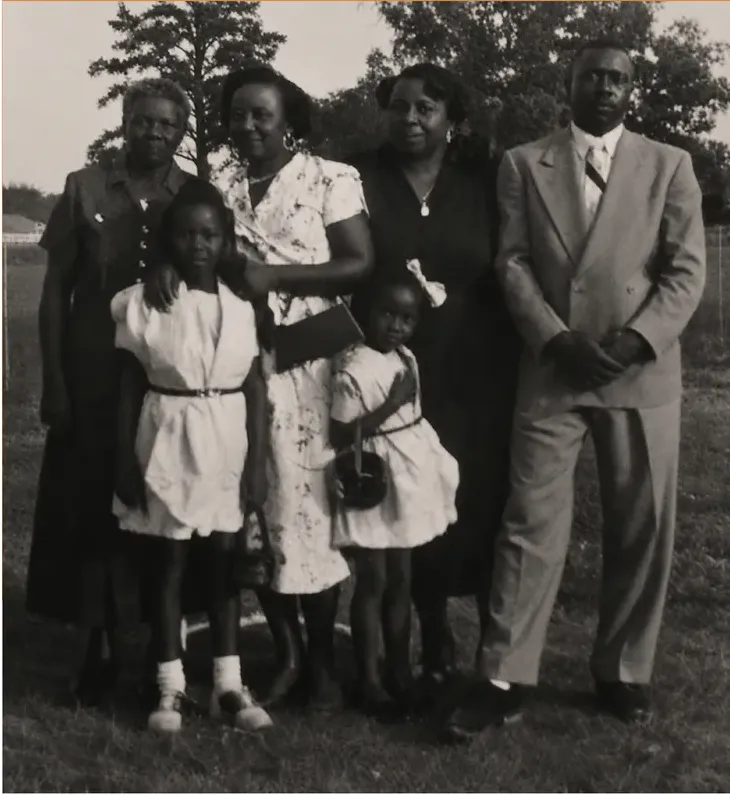
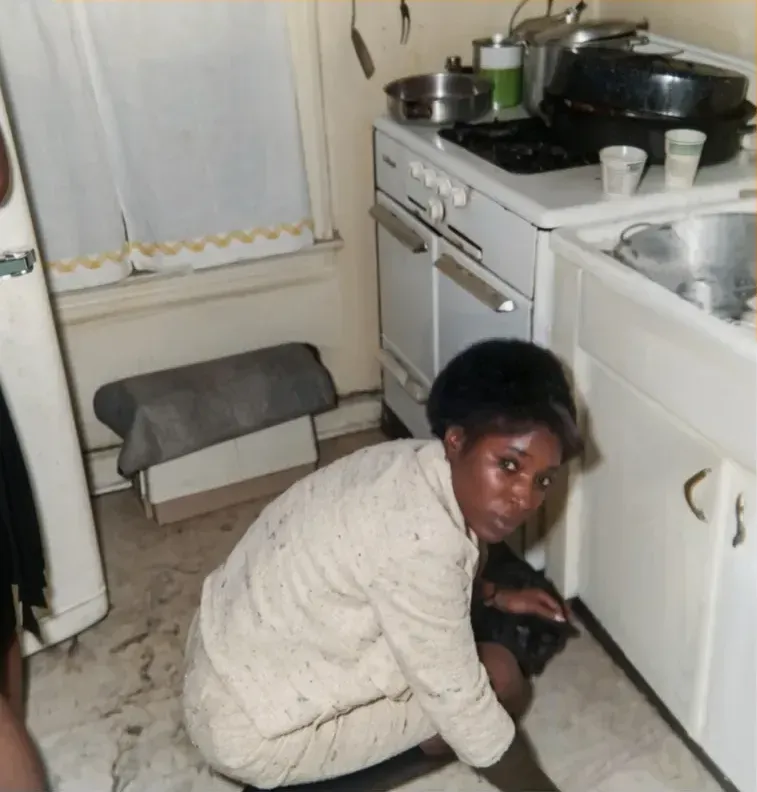
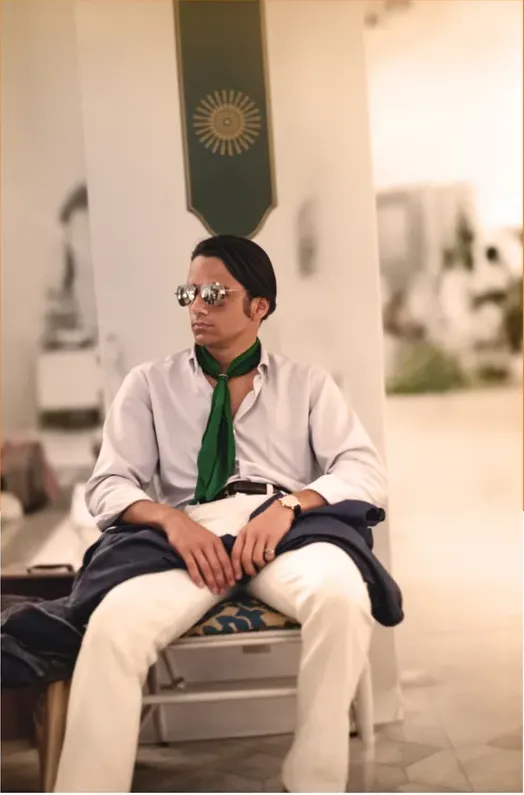
Real photos our artists brought back
Every one restored by hand by a real American artist, shown before and after.
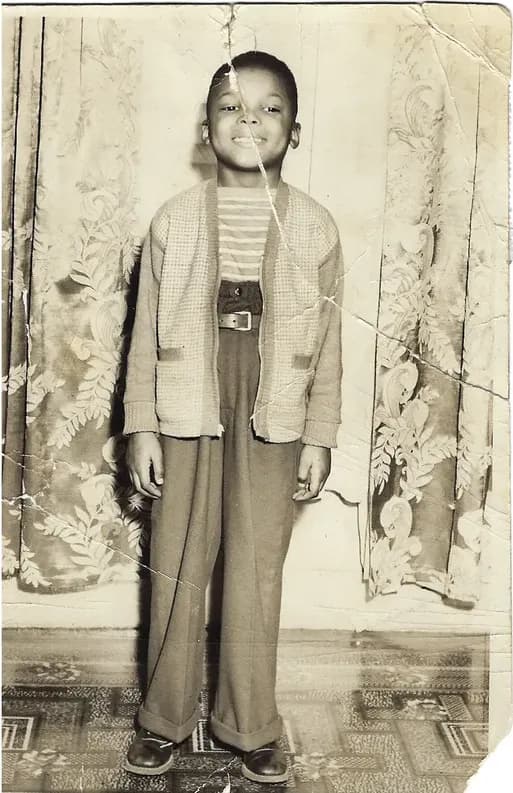 Before
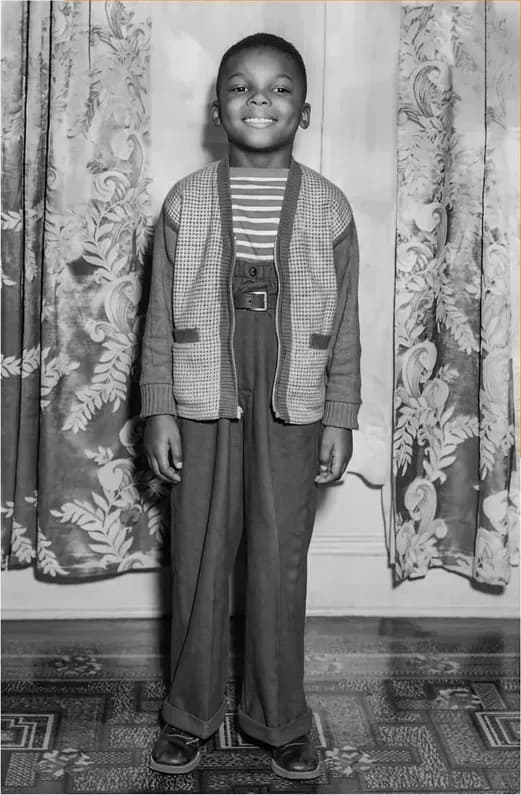 After
After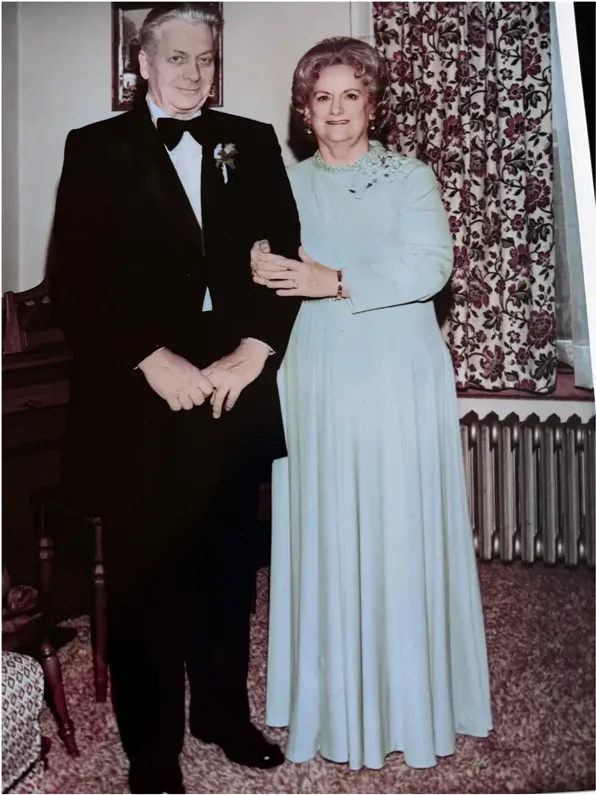 Before
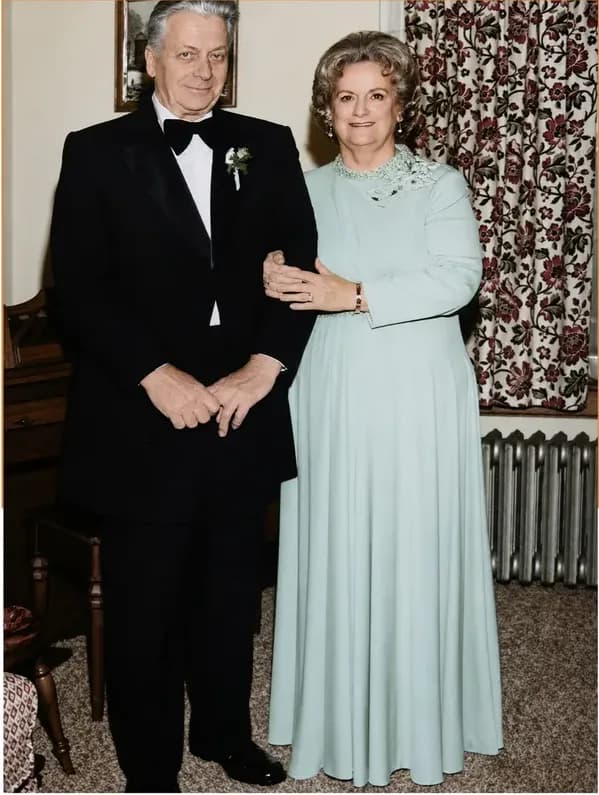 After
After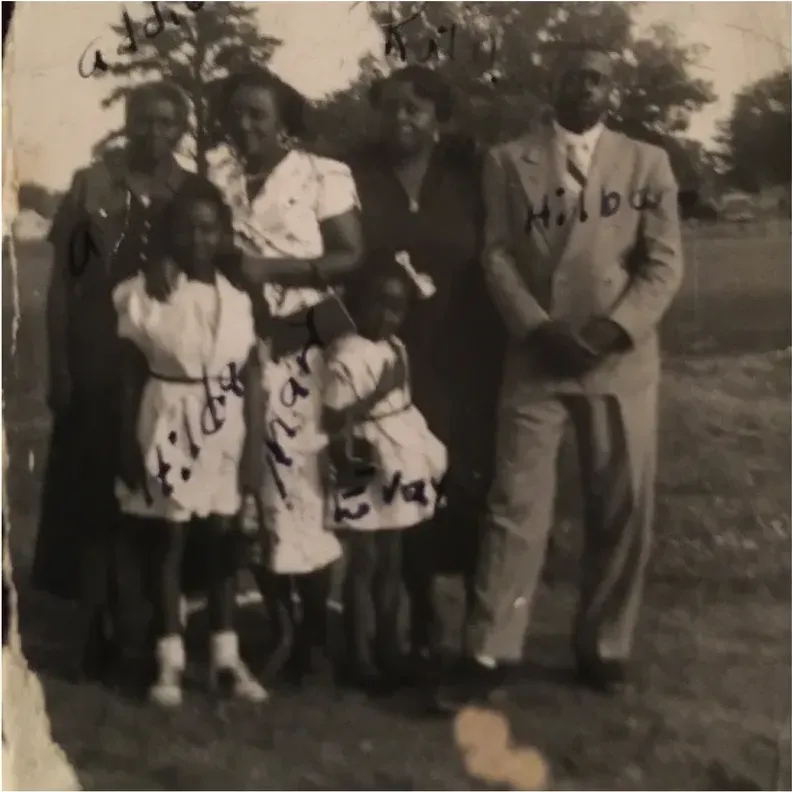 Before
 After
After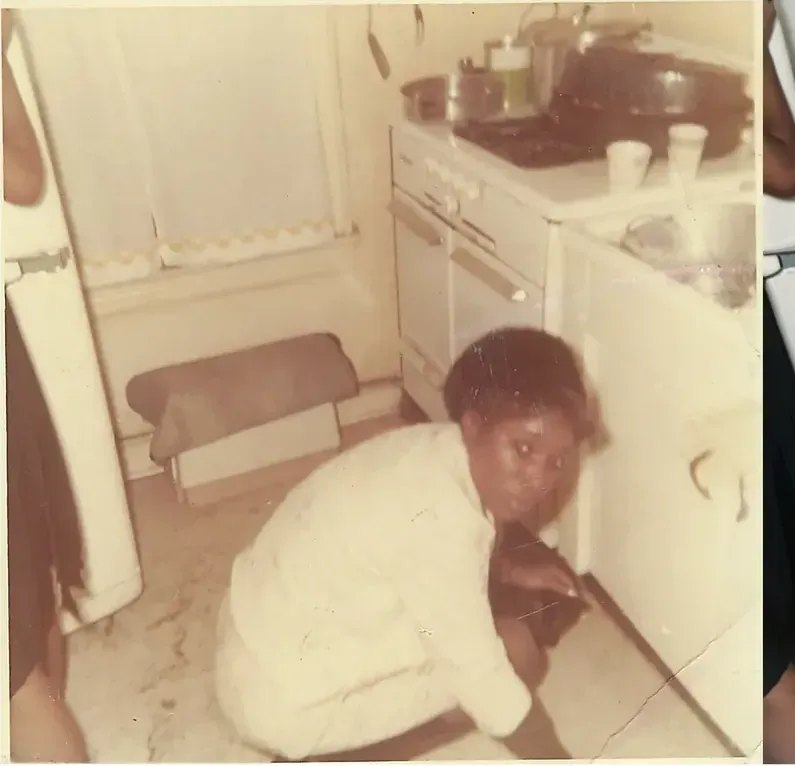 Before
 After
After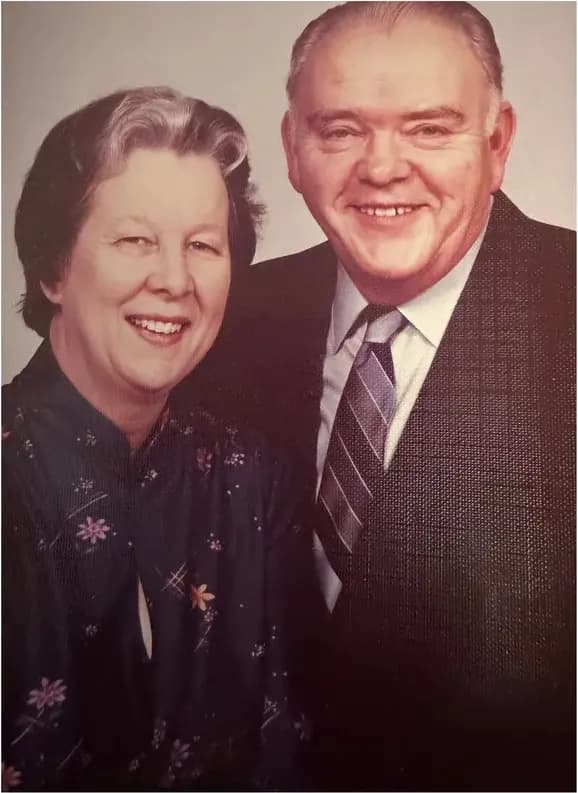 Before
 After
After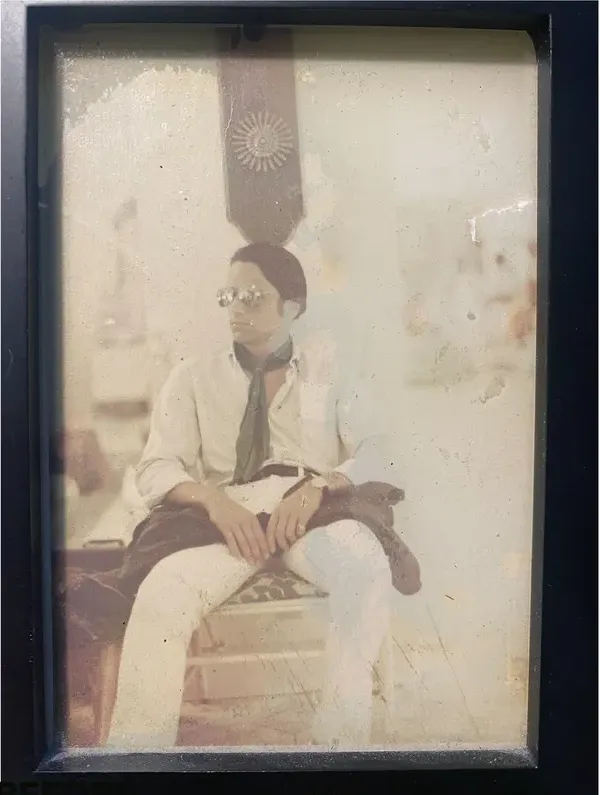 Before
 After
After
Sort the box into three piles before you spend anything
A shoebox is not one restoration decision made three hundred times over. It is three different decisions, and the quickest way to overspend on a family collection is to treat every image in it as equally urgent. Sorting first turns a vague, frightening project into a short list you can actually price.
Go through the box once and put every print into one of three piles:
- Irreplaceable. The only surviving image of a person, a wedding, a house, a uniform, a shop front. Damage sits on or near a face. There is no negative, no duplicate, no second print at a cousin's house.
- Meaningful but stable. Faded, yellowed, softly creased at a corner, but readable. You want it looking better. Nothing is actually missing.
- Reference. Duplicates, near-identical frames from the same roll, wide group shots you keep for the record, scenery, buildings, cars.
Keep pile one small enough that you can say out loud why each photo is in it. If your reason is that the photo is old, it belongs in pile two. Old and at risk are not the same condition.
Two questions settle most of the arguments you will have with yourself. First, is the damage on the subject or on the background? A tear across a sky is a cosmetic problem. A tear across a jaw is a reconstruction problem, and reconstruction is what hand work exists for. Second, if this print disappeared tonight, would any other object in the family still show that face? A photo that fails both tests belongs in pile one no matter how presentable it looks.
Sorting also gives you a count, and a count gives you a budget. Ten, forty and two hundred and fifty is a completely different spending plan from three, twenty and four hundred. You cannot plan a collection you have never counted.
Once pile one exists, the budgeting gets simple with us, because our price does not react to what is in it. MemoryCherish starts at $38 per photo and the figure follows the artist tier you choose, not the damage, so twelve wrecked photographs cost twelve times the same number rather than twelve separate surprises.
What bulk digitizing covers, and what it hands back to you
Digitizing and restoring are separate jobs with separate prices, and blurring them together is the most common budgeting mistake people make with a big collection. A scan produces a faithful file of the print as it exists today, crease and water stain and faded corner included. Repair is what happens after that file exists.
Plenty of companies publish both services side by side. Forever Studios' homepage leads with historical media digitizing, covering tape, film, photo scanning, disc and audio transfer, alongside its restoration services. ScanCafe's site says it digitizes photos, slides, negatives, film, video tapes and audio, and offers a flat-rate prepaid Kit option alongside per-item pricing.
ScanCafe also publishes the clearest illustration of how the two stages separate. At the time of writing, its process page states there is no charge to request a restoration quote, states restoration prices are based on an evaluation of each individual photo and quoted in tiers by damage severity, and states that customers upload a digital version of a photo to receive that quote. Restoration is priced photo by photo, once there is something to look at.
Copy that order of operations whoever you end up using. Digitize the whole box early: it creates the safety copy, it lets you sort on a screen instead of a dining table, and it gives any artist a working file. Ask for the highest quality scan the service offers rather than the smallest file that will fit in an email, because an artist can only work with the detail the scan actually captured. A high-resolution scan of a small print carries information that a phone snapshot of the same print throws away for good.
Note what bulk scanning does and does not involve. Services that digitize physical media take delivery of your originals, which is normal for that job and is why they publish return timings. Restoration is different. MemoryCherish works from the file you send, so the prints never leave your house at any point, and a box that is already scanned can be restored one photograph at a time without anything being packed, shipped or tracked.
Then price the repairs against your sorted piles. Volume digitizing is priced for volume. Hand restoration is priced per photo for a reason, and only a slice of the box needs it.
How restoration gets priced, and what that does to a mixed box
Restoration prices look wildly inconsistent across the market because companies are selling on different models. Grouped by model they make sense, and the model matters far more than the headline number once you are looking at a box rather than a single photograph.
- Flat per image. One published figure per photo. Easy to multiply, provided the figure really does hold for the condition of your prints.
- Entry or from prices. A starting point rather than a rate. It tells you where pricing begins, not what your particular photo will cost, so it is the floor of a range and not a number to multiply by forty.
- Quoted per photo after review. ScanCafe states its restoration prices are based on an evaluation of each individual photo, quoted in tiers by damage severity, with no charge to request the quote, and at the time of writing states a 50% deposit on approved quotes. You find out the figure for each image once somebody has looked at it.
- Credits and subscriptions. At the time of writing, VanceAI's pricing page lists the AI Photo Restorer at 4 credits per image up to 4K and 8 credits at 4K. Credit and subscription pricing buys machine processing rather than an artist's hours, which is a different product, not a cheaper version of the same one.
MemoryCherish uses the first model with one difference that matters for a mixed box. We start at $38 per photo, and that figure follows the artist tier you select rather than the state of the print. The most damaged photo in the box and the mildest one cost the same at the same tier. There is no damage surcharge, no requote after you order, no minimum and no package.
That is what makes a collection plannable. You count pile one, you pick a tier, you multiply, and the number you get is the number you pay. If a photograph turns out to be harder than it looked, that is our problem rather than yours. And because revisions are free and the guarantee returns cash rather than credit, a bad outcome on photo three does not leave you holding a voucher you have to spend on photos four through forty.
One more thing to weigh when you compare any two prices: ask what each one actually buys. Around four hours of a US artist's hand work on a single image, with no AI at any stage, a first proof in about one to three days, unlimited free revisions, permanent ownership of the files and a cash-backed guarantee is a different purchase from a processing pass, however the two numbers happen to line up.
Which photos earn a human artist
Pile one is where hand work earns its money. Someone redrawing a missing jawline is making judgment calls about anatomy, period clothing and family resemblance, and those calls are not a slider setting.
MemoryCherish exists for that pile. Our artists are based in the United States and work by hand, with no AI at any stage, and an average photograph takes roughly four hours of one person's attention. Between them the team carries 37+ years of combined experience, and the same hands have worked on material for museums and historical societies, where a plausible-looking invention counts as a failure rather than a nice result. Our working rule comes straight from that: we recover what the photograph contains and we do not manufacture a face the negative never held. If half a cheek is gone, we rebuild it from what her other cheek, her lighting and her surviving detail tell us.
Three things matter more across a collection than they do on a single order. Pricing starts at $38 and is set by the artist tier you pick, so uneven damage across a box does not turn into uneven invoices. Revisions are free and keep going until you tell us it is right, which means you are not paying a second time to correct a jawline we read wrong. And if the finished file still does not satisfy you, the money comes back to you as money, not as a balance to spend with us later.
Two practical points for anyone working through hundreds of prints. Your original never ships anywhere, because we work from your scan and the print stays in your house the entire time. Your finished files belong to you permanently, with no subscription standing between you and your own archive, which is the difference between an archive and a rental. For what it is worth to you, our verified reviews average 4.96 out of 5 across more than 2,178 reviews, from over 400,000 families.
How to decide which photographs make the cut, in one sentence: if the face in it cannot be found on any other object in the family, it earns an artist. Everything else can wait, and waiting costs nothing once the box is scanned and stored properly.
Where automated tools fit in a collection workflow
For piles two and three, automated tools do genuinely useful work. They let you look properly at three hundred images in an evening and decide which ones deserve more.
Set expectations by category before you start. Some AI tools regenerate detail rather than recovering it, and automated colorization simulates color rather than recovering the color that was in the room. That is not a swipe at any particular product. It is how generative and machine-learning methods work, and it is exactly why a sorting pass and an heirloom pass are different jobs with different tools.
Hotpot publishes a version of that scope itself. Its page describes the AI Picture Restorer as designed to help consumers with lightweight requirements while helping professionals save time on difficult restoration requests, and states that while the service automates photo restoration, it "cannot replace experts for demanding restoration jobs" (hotpot.ai/restore-picture).
Used that way, an automated pass is a triage instrument. Clean up a faded group shot enough to recognize who is standing at the back, label the file, and move on. You are buying legibility for identification and sharing, not a finished heirloom.
MyHeritage documents the same boundary for its own tools. Its help center states that both the Photo Enhancer and In Color use deep learning technologies, "so the result is a reimagination of what the original scene may have looked like" (myheritage.com/help/en/articles/12852484), and it discloses that photos colorized with In Color have "colors simulated by automatic algorithms, which may differ from the real-life colors" (myheritage.com/help/en/articles/12851631).
One caution on speed claims. VanceAI's site states that a heavily damaged photo restores in under ten seconds, and states its restoration runs in one pass with no manual brushwork required. That figure describes processing time, while a human studio's published proof or delivery window describes a different stage of a different process. The two numbers are not measuring the same thing, so do not stack them against each other. Around four hours of hand work and ten seconds of processing are not competing offers for the same job.
So use software to sort, identify and label. Then send the images that carry a face nobody else has to MemoryCherish, where a US artist works them by hand, the first proof comes back in about one to three days, and the revisions after it cost nothing.
What $38 a photo actually buys across a collection
On a single order, a price is a price. On a collection, a price is a commitment you are going to make many times, so it is worth knowing exactly what sits inside it.
At MemoryCherish, from $38 per photo covers all of this:
- An artist, not a filter. Real artists based in the United States, working by hand, around four hours on a typical image, with 37+ years of combined experience between them and no AI at any stage.
- A price set by tier, not by damage. You choose the artist tier. The condition of the print does not move the number, so a box of mixed damage produces a predictable total.
- A first proof in about one to three days, which keeps a long project moving instead of stalling it.
- Free revisions until you are happy, with no cap and no per-round charge.
- A 100% money-back guarantee, paid in cash. Not credit against the rest of your box.
- Files that are yours permanently, with no subscription and no license conditions on what you do with your own family photographs.
- No package, minimum or contract, so the collection can be staged a few photos at a time.
- Your originals at home the whole time, because you upload a photo instead of mailing a print.
Run the arithmetic on your own pile one rather than on the whole box. Twelve irreplaceable photographs is a real number with a real total. Three hundred is not a project, it is an anxiety. The three-pile method exists to turn the second thing into the first.
And if the total for pile one is still more than this year allows, stage it. Three a month for a year is thirty-six repaired heirlooms and a bill you barely felt, and because there is no package to commit to, you can stop, start or reorder the queue whenever the family decides something else matters more.
A working sequence for the whole box
Collections stall because people try to make every decision at once. Run them in order instead.
- Stabilize before anything else. Get prints out of self-adhesive albums, out of rubber bands, out of the loft and the garage. Store flat, cool and dry, and handle by the edges. Nothing in that box improves while it waits.
- Sort into the three piles and write the three counts on a sheet of paper. That sheet is your budget.
- Digitize the whole box at the best quality available to you, whether through a bulk service or your own scanner. Every later step reads from these files.
- Run a fast automated pass over the reference pile so faces are legible enough to identify and label.
- Label while the people who remember are still here. A named photo is worth more than a restored anonymous one, and this is the step no service can do for you.
- Send pile one for hand restoration in waves, starting with the photo you would grab in a fire.
- Back up in two places, one of them away from the house.
Staging the spending is what makes a large collection affordable. Our own orders work one photo at a time with no package, minimum or subscription to commit to, and the price per photo does not change whether you send one or thirty. Three restorations a month for a year is thirty-six repaired heirlooms and a bill you barely felt.
Keep a plain log as you go, one row per photo: an ID, which pile it landed in, who is in it, scanned yes or no, restored yes or no, and where the original now lives. On a three-hundred-photo box, the log is the difference between a finished project and a second shoebox of half-sorted prints for someone else to inherit.
Finish by putting the restored files where the family can find them. Ours stay yours permanently, so a folder on a drive, a copy in the cloud and a note in the log is all the archive most families ever need. The point of the whole exercise is that somebody in 2065 opens it and sees your great-grandmother's actual face, named, dated and unaltered by anything that was guessing.
What it costs with us
From $38 per photo, you choose your artist
The price is set by the artist tier you choose, never by how damaged your photo is. Free revisions until it’s right, and a cash refund — not store credit — if we can’t make it perfect.
The MemoryCherish Guarantee: Love it or every cent back within 30 days. Cash, not store credit. Free revisions until it looks exactly like you remember. And if a photo just can’t be restored, we’ll tell you honestly and you won’t pay a thing. Read the full guarantee
Questions people ask
How many photos from a shoebox actually need hand restoration?
Should I scan the whole collection before ordering any restoration?
Does a badly damaged photo cost more to restore?
How should I compare prices across a whole collection?
Can I just run the entire box through an AI tool and be done?
Do I have to mail my original prints anywhere?
Can I spread a large collection over several months?
Keep comparing
- The Best Affordable Photo Restoration in 2026 (Honest Price Breakdown)
- Best Photo Restoration for Genealogy and Family History Research
- MemoryCherish vs ScanCafe: Who Should Restore the Photo That Matters?
- ScanCafe Alternatives: 7 Ways to Get a Photo Restored, Not Just Scanned
- Photo Restoration Quality in 2026: How to Judge a Restored Face
- Best Hand Photo Restoration Services in 2026 (And How to Check the Claim)
More on this kind of damage
Last updated August 1, 2026. Company details are taken from each company’s own public pages at the time of writing and may change, so we cite the page we read rather than linking to it. Check the current wording with any company before you order.